Dahua Video Door Phone: Enhancing Home Security and Convenience
Home security is a top priority for homeowners around the world. With advancements in technology, it has become easier than ever to monitor and secure our homes. One such innovative solution is the Dahua Video Door Phone, a cutting-edge device that combines security and convenience.
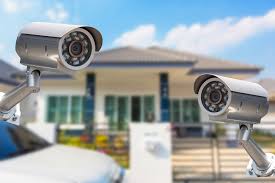
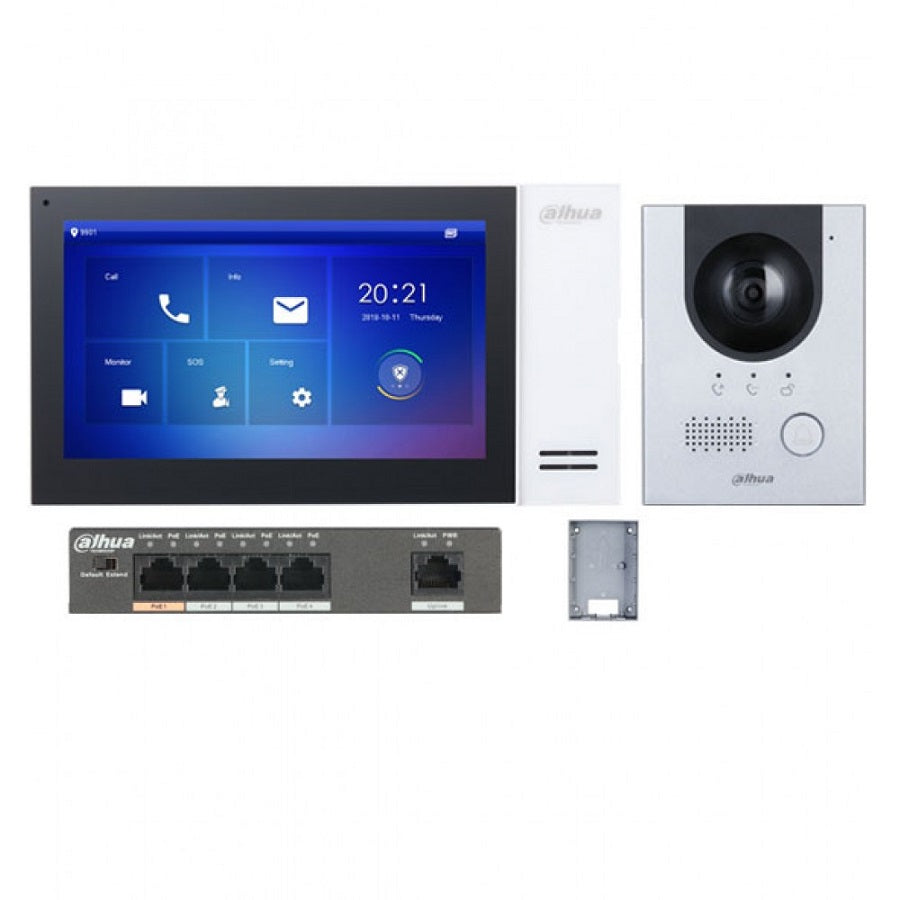
The Dahua Video Door Phone system consists of a camera installed at the entrance of your home and a monitor inside, allowing you to see and communicate with visitors before opening the door. This not only provides an added layer of security but also offers convenience by allowing you to screen visitors without having to physically approach the door.
Key features of the Dahua Video Door Phone include:
- High-definition camera: The system is equipped with a high-definition camera that provides clear images of visitors, even in low light conditions.
- Two-way audio communication: You can have real-time conversations with visitors through the built-in microphone and speaker, enhancing communication and security.
- Remote access: With the option for remote access via a mobile app, you can view live footage from your video door phone anytime, anywhere, giving you peace of mind even when you’re away from home.
- Integration with smart home systems: The Dahua Video Door Phone can be integrated with other smart home devices, allowing for seamless automation and control of your home security system.
Whether you’re concerned about unwanted intruders or simply want to enhance the convenience of screening visitors, the Dahua Video Door Phone is a reliable solution that offers both security and peace of mind. Invest in this advanced technology today to take your home security to the next level.
Essential FAQs About Dahua Video Door Phones: Features, Functionality, and Troubleshooting
- 1. What is a Dahua Video Door Phone and how does it work?
- 2. What are the key features of a Dahua Video Door Phone?
- 3. How does the two-way audio communication feature of a Dahua Video Door Phone function?
- 4. Can I view live footage from my Dahua Video Door Phone remotely? If yes, how?
- 5. Is the camera in a Dahua Video Door Phone equipped to provide clear images in low light conditions?
- 6. Can a Dahua Video Door Phone be integrated with other smart home systems or devices?
- 7. What are the benefits of investing in a Dahua Video Door Phone for home security?
- 8. Are there any additional accessories or add-ons available for the Dahua Video Door Phone system?
- 9. How can I troubleshoot common issues with my Dahua Video Door Phone?
1. What is a Dahua Video Door Phone and how does it work?
What is a Dahua Video Door Phone and how does it work?
A Dahua Video Door Phone is a sophisticated home security system that combines a camera installed at the entrance of a home with an indoor monitor, allowing homeowners to see and communicate with visitors before opening the door. The system works by capturing live video footage of visitors at the door through the camera, which is then displayed on the indoor monitor. Homeowners can engage in two-way audio communication with visitors using the built-in microphone and speaker, enabling them to screen and interact with visitors without physically approaching the door. Additionally, some models offer remote access via a mobile app, allowing users to view live footage from their video door phone anytime and anywhere, enhancing security and convenience.
2. What are the key features of a Dahua Video Door Phone?
When inquiring about the key features of a Dahua Video Door Phone, it is essential to understand the cutting-edge technology and functionalities it offers. Some of the key features include a high-definition camera for clear visuals, two-way audio communication for real-time conversations with visitors, remote access via a mobile app for monitoring from anywhere, and seamless integration with smart home systems for enhanced automation. These features collectively contribute to providing advanced security measures and convenience, making the Dahua Video Door Phone a reliable choice for homeowners seeking to elevate their home security system.
3. How does the two-way audio communication feature of a Dahua Video Door Phone function?
The two-way audio communication feature of a Dahua Video Door Phone allows users to have real-time conversations with visitors at their door. When a visitor presses the doorbell, the system activates the microphone and speaker, enabling clear and seamless communication between the homeowner and the visitor. This feature enhances security by allowing homeowners to verify the identity of visitors before granting access, all from the convenience of their indoor monitor. The two-way audio communication function ensures effective and efficient interaction, providing peace of mind and control over who enters the premises.
4. Can I view live footage from my Dahua Video Door Phone remotely? If yes, how?
Yes, you can view live footage from your Dahua Video Door Phone remotely. To do so, you can utilize the remote access feature provided by the system. By downloading and installing the mobile app associated with your Dahua Video Door Phone, you can easily access live video feed from the camera at your doorstep on your smartphone or tablet. This convenient feature allows you to monitor your home’s entrance in real-time, no matter where you are, providing added security and peace of mind even when you’re away from home.
5. Is the camera in a Dahua Video Door Phone equipped to provide clear images in low light conditions?
Yes, the camera in a Dahua Video Door Phone is specifically designed to provide clear images even in low light conditions. Equipped with advanced technology, the high-definition camera ensures that you can see and identify visitors clearly, regardless of the lighting outside your home. This feature enhances the security aspect of the video door phone system, allowing you to have a reliable visual feed at all times, day or night.
6. Can a Dahua Video Door Phone be integrated with other smart home systems or devices?
Yes, a Dahua Video Door Phone can be seamlessly integrated with other smart home systems or devices, enhancing the overall functionality and convenience of your home security setup. By integrating the Dahua Video Door Phone with compatible smart home devices, such as smart locks, lighting systems, or security cameras, you can create a comprehensive and interconnected home automation network. This integration allows for centralized control and monitoring of various aspects of your home security system, providing you with added flexibility and peace of mind.
7. What are the benefits of investing in a Dahua Video Door Phone for home security?
Investing in a Dahua Video Door Phone for home security offers a range of benefits. Firstly, it enhances the overall security of your home by allowing you to visually verify visitors before granting them access. This helps prevent unauthorized entry and deters potential intruders. Additionally, the two-way audio communication feature enables you to communicate with visitors without having to physically open the door, adding an extra layer of safety. The remote access capability of the Dahua Video Door Phone allows you to monitor your home from anywhere, providing peace of mind when you are away. Overall, investing in a Dahua Video Door Phone is a proactive step towards improving home security and ensuring the safety of your household.
8. Are there any additional accessories or add-ons available for the Dahua Video Door Phone system?
Customers frequently ask about additional accessories or add-ons available for the Dahua Video Door Phone system. Dahua offers a range of supplementary products to enhance the functionality and convenience of the video door phone. Some popular add-ons include extra indoor monitors for multiple viewing points within the house, doorbell chimes with customizable melodies, and extension cables for flexible installation options. Additionally, customers can explore options like electronic door locks that can be integrated with the system for added security and convenience. These accessories provide users with the flexibility to customize their Dahua Video Door Phone system according to their specific needs and preferences.
9. How can I troubleshoot common issues with my Dahua Video Door Phone?
When facing common issues with your Dahua Video Door Phone, troubleshooting can help resolve the problems efficiently. Here are some steps you can take to troubleshoot common issues:
- Check power supply: Ensure that the video door phone is properly connected to a power source and that the power supply is working correctly.
- Inspect connections: Verify that all cables and connections are secure and undamaged, as loose or faulty connections can lead to issues.
- Restart the system: Sometimes, a simple restart of the video door phone system can resolve minor glitches or software-related issues.
- Adjust camera settings: If you are experiencing image quality issues, adjust the camera settings such as brightness, contrast, and resolution to improve the video feed.
- Update firmware: Check if there are any firmware updates available for your Dahua Video Door Phone and install them to ensure optimal performance.
- Contact customer support: If troubleshooting on your own does not resolve the issue, reach out to Dahua’s customer support for further assistance and guidance.
By following these troubleshooting steps, you can effectively address common issues with your Dahua Video Door Phone and ensure smooth operation for enhanced security and convenience.