
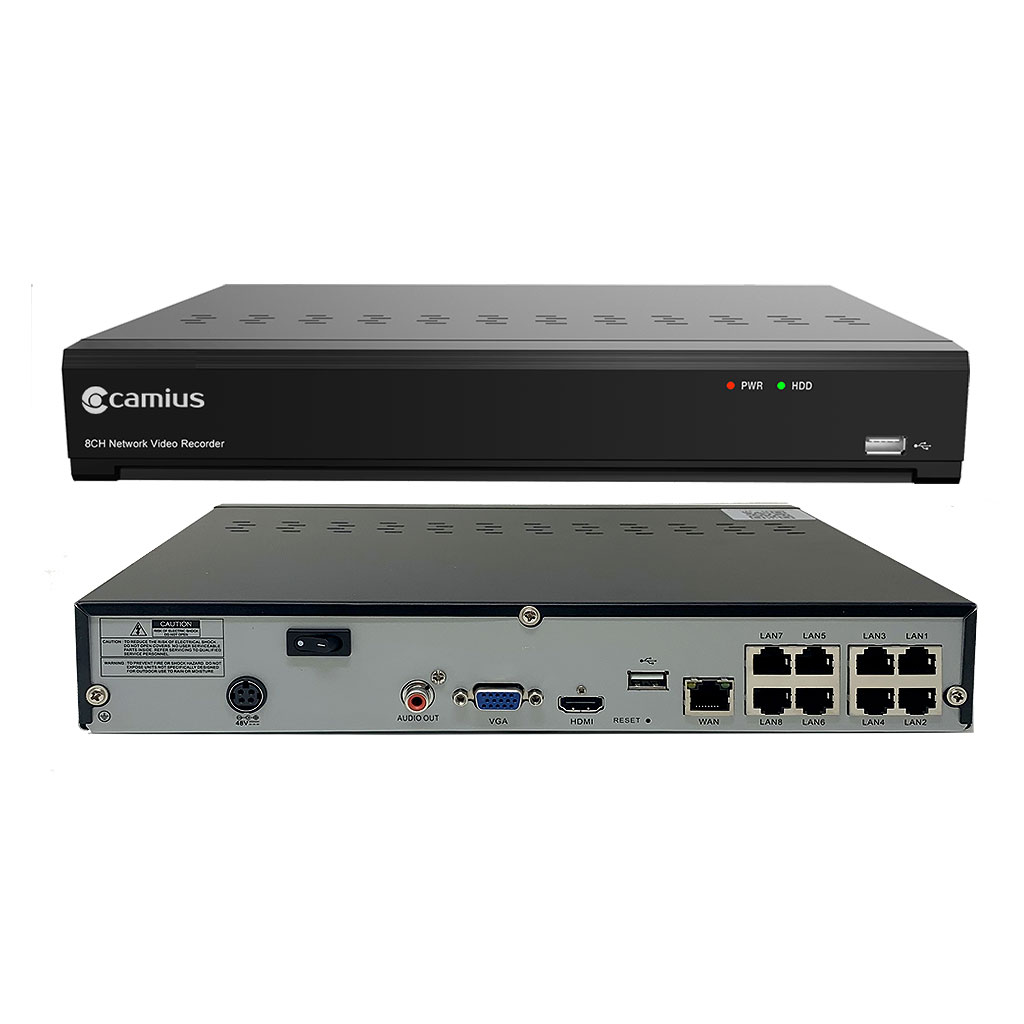
Understanding NVR Recorders: A Comprehensive Guide
In today’s world, security and surveillance have become paramount for both residential and commercial properties. Among the various technologies available, Network Video Recorders (NVRs) stand out as a popular choice for managing and storing video footage from IP cameras. This article delves into the workings, benefits, and considerations of using NVR recorders.
What is an NVR Recorder?
An NVR recorder is a specialized device used to record video footage from network-based cameras, commonly known as IP cameras. Unlike Digital Video Recorders (DVRs), which work with analog cameras, NVRs are designed to handle digital data directly from the camera over a network connection. This makes them highly efficient for modern surveillance setups.
How Does an NVR Recorder Work?
NVRs connect to IP cameras through a local area network (LAN) or over the internet. The video data is transmitted in digital format directly from the camera to the NVR, where it is processed and stored on hard drives within the recorder. This setup allows for high-quality video recording without any conversion loss that typically occurs in analog systems.
Benefits of Using an NVR Recorder
- High-Quality Footage: Since NVRs work with digital signals directly from IP cameras, they can record high-definition videos with excellent clarity.
- Scalability: Adding more cameras to an existing setup is relatively simple with an NVR system. Users can expand their surveillance coverage without significant changes to infrastructure.
- Remote Access: Most modern NVR systems support remote viewing via mobile apps or web interfaces, allowing users to monitor their premises from anywhere in the world.
- Simplified Cabling: With Power over Ethernet (PoE) technology, both power and data can be transmitted through a single cable per camera, reducing clutter and installation complexity.
Considerations When Choosing an NVR Recorder
Selecting the right NVR recorder involves considering several factors:
- Number of Channels: Determine how many cameras you plan to connect now and in the future. Choose an NVR that supports your required number of channels.
- Storage Capacity: Consider how much storage you need based on your recording resolution and retention period requirements. Some systems allow for expandable storage options.
- Compatibility: Ensure that the NVR is compatible with your existing or planned IP cameras. Many manufacturers offer ONVIF-compliant devices that ensure interoperability between different brands.
- User Interface: Look for user-friendly interfaces that simplify configuration and monitoring processes.
The Future of Surveillance with NVR Recorders
NVR technology continues to evolve with advancements in artificial intelligence (AI) and machine learning. Features like facial recognition, object detection, and behavioural analysis are becoming increasingly common in modern surveillance systems. As these technologies progress, they will further enhance the capabilities of NVR recorders in providing comprehensive security solutions.
Navigating through various options can be challenging; however, understanding your specific needs will guide you towards choosing the right system for effective surveillance management using an NVR recorder.
If you’re considering upgrading your security infrastructure or installing a new system altogether—exploring what Network Video Recorders have to offer could be a significant step forward in achieving robust security measures tailored specifically for your requirements!
8 Essential Tips for Maximizing Your NVR Recorder’s Performance and Security
- Ensure the NVR recorder is placed in a well-ventilated area to prevent overheating.
- Regularly update the firmware of the NVR recorder to ensure optimal performance and security.
- Choose a password for the NVR recorder that is strong and unique to prevent unauthorized access.
- Backup important footage from the NVR recorder regularly to avoid data loss.
- Adjust the recording settings on the NVR recorder based on your surveillance needs and storage capacity.
- Connect cameras to the NVR using compatible cables and follow proper installation guidelines.
- Monitor network connections to the NVR recorder for any suspicious activity that may indicate a security breach.
- Refer to the user manual of the NVR recorder for troubleshooting tips and guidance on usage.
Ensure the NVR recorder is placed in a well-ventilated area to prevent overheating.
To ensure optimal performance and longevity of your NVR recorder, it is essential to place the device in a well-ventilated area to prevent overheating. Adequate ventilation helps dissipate heat generated during operation, reducing the risk of hardware damage and system malfunctions. By maintaining a cool environment around the NVR recorder, you can enhance its reliability and ensure uninterrupted surveillance operations for enhanced security monitoring.
Regularly update the firmware of the NVR recorder to ensure optimal performance and security.
To ensure optimal performance and security of your NVR recorder, it is essential to regularly update the firmware. Firmware updates often include bug fixes, performance enhancements, and security patches that help safeguard your system against potential vulnerabilities. By staying up-to-date with the latest firmware releases, you can ensure that your NVR recorder operates efficiently and remains protected from emerging threats, ultimately enhancing the overall reliability and effectiveness of your surveillance setup.
Choose a password for the NVR recorder that is strong and unique to prevent unauthorized access.
To enhance the security of your NVR recorder, it is crucial to select a password that is both strong and unique. By choosing a robust password, you can significantly reduce the risk of unauthorized access to your surveillance system. Avoid using easily guessable passwords such as “123456” or “password” and opt for a combination of letters, numbers, and special characters to create a strong defense against potential security breaches. Remember, the strength of your password plays a vital role in safeguarding your NVR recorder and ensuring the privacy and integrity of your video footage.
Backup important footage from the NVR recorder regularly to avoid data loss.
It is crucial to back up important footage from your NVR recorder regularly to prevent any potential data loss. By creating backups of critical video recordings, you can safeguard against unexpected events such as system failures, theft, or accidental deletion. Regularly backing up your footage ensures that you have a secure copy of essential information that can be easily retrieved when needed, providing peace of mind and continuity in your surveillance operations.
Adjust the recording settings on the NVR recorder based on your surveillance needs and storage capacity.
To optimize the performance of your surveillance system, it is essential to adjust the recording settings on the NVR recorder according to your specific surveillance requirements and available storage capacity. By customizing settings such as resolution, frame rate, and retention period, you can strike a balance between video quality and storage efficiency. This tailored approach ensures that your NVR recorder effectively captures and stores relevant footage while maximizing the utilization of available storage space. Adjusting these settings based on your unique surveillance needs allows for efficient monitoring and retrieval of critical video data when required.
Connect cameras to the NVR using compatible cables and follow proper installation guidelines.
To ensure optimal performance and seamless operation of your NVR recorder system, it is essential to connect cameras to the NVR using compatible cables and adhere to proper installation guidelines. Using compatible cables designed for your specific NVR and cameras will help maintain signal integrity and prevent connectivity issues. Following the manufacturer’s installation instructions meticulously will not only guarantee a secure connection but also contribute to the longevity and reliability of your surveillance setup. By prioritizing correct cabling and installation practices, you can maximize the efficiency and effectiveness of your NVR recorder system for enhanced security monitoring.
Monitor network connections to the NVR recorder for any suspicious activity that may indicate a security breach.
Monitoring network connections to the NVR recorder is a crucial tip to ensure the security of your surveillance system. By keeping a close eye on network activity, you can detect any unusual or suspicious behavior that might signal a potential security breach. Regularly reviewing network logs and monitoring incoming and outgoing traffic can help identify unauthorized access attempts or anomalies that require immediate attention. Being proactive in monitoring network connections adds an extra layer of protection to safeguard your NVR recorder and the valuable video data it stores.
Refer to the user manual of the NVR recorder for troubleshooting tips and guidance on usage.
For effective troubleshooting and guidance on using your NVR recorder, it is highly recommended to refer to the user manual provided with the device. The user manual contains valuable information, tips, and step-by-step instructions that can help you address common issues and make the most out of your NVR system. Whether you are encountering technical difficulties or simply looking to optimize your usage experience, consulting the user manual is a reliable resource to ensure smooth operation and efficient management of your surveillance setup.