CCTV TV Monitor: A Practical Guide to Choosing the Right Display
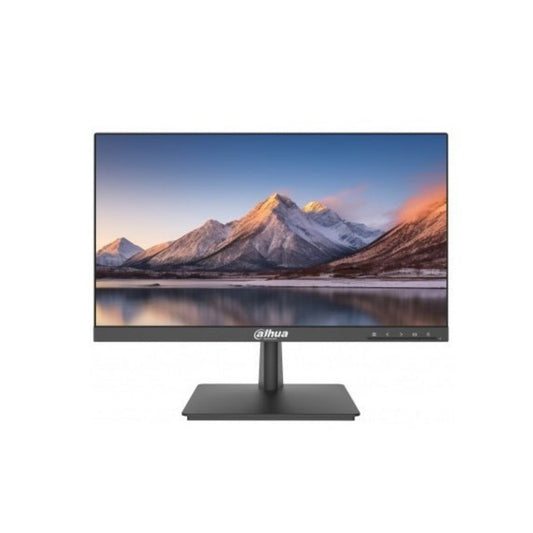
A CCTV TV monitor displays live footage and recorded video from a surveillance system. It may be a dedicated security monitor or a standard television connected to a DVR or NVR. The right display makes it easier to view camera images clearly, monitor multiple areas and review recordings when needed.
How a CCTV TV Monitor Works
CCTV cameras send video to a recording device, such as a Digital Video Recorder (DVR) or Network Video Recorder (NVR). The recorder processes the footage and sends it to a screen through a compatible connection. Depending on the equipment, this may be an HDMI, VGA, BNC or network connection.
A monitor can show one camera at a time or display multiple camera feeds in a split-screen layout. The number of feeds shown at once depends on the recorder, its settings and the screen size.
Can a Television Be Used for CCTV?
In many installations, a standard television can be used as a CCTV display if it has an input compatible with the DVR or NVR. HDMI is commonly used with modern recorders, while older equipment may use VGA or other video connections. Check the ports and supported resolutions on both devices before connecting them.
A television can be a convenient choice for home or small-business setups, particularly when footage is viewed occasionally. For systems that need to stay on for long periods, compare the television’s specifications with the operating requirements. A dedicated surveillance monitor may be better suited to continuous use, depending on the model and installation.
What to Consider When Choosing a CCTV Display
- Screen size: Choose a size that suits the viewing distance and the number of camera feeds. A larger screen can make a multi-camera layout easier to view, but the available space should also be considered.
- Resolution: Match the display resolution to the output of the DVR or NVR. A suitable resolution helps preserve image detail without creating unnecessary compatibility issues.
- Inputs and compatibility: Check the connections available on the recorder and screen. You may need a compatible cable or adapter, but an adapter cannot overcome every resolution or signal-format mismatch.
- Operating hours: If the display will be used for extended periods, review the manufacturer’s guidance on operating time, ventilation and warranty conditions.
- Viewing angle and brightness: Consider where the screen will be installed and whether it will be viewed from different positions or in a bright room.
- Audio requirements: Most CCTV monitoring focuses on video, but some systems also transmit audio. Check whether the recorder, camera and display support the required audio connection and use it in accordance with applicable laws.
Setting Up a CCTV TV Monitor
- Check that the DVR or NVR and display have compatible video outputs and inputs.
- Connect the devices using the correct cable, such as HDMI or VGA.
- Select the matching input source on the television or monitor.
- Set the recorder’s output resolution to a mode supported by the display.
- Arrange the camera layout and adjust the screen settings for comfortable viewing.
- Secure cables, provide suitable ventilation and keep the equipment away from moisture and excessive heat.
Common Problems and Checks
If the screen shows “No Signal”, confirm that the recorder is powered on, the cable is firmly connected and the correct input source is selected. If the picture appears distorted or does not fit the screen, check the output resolution and aspect ratio settings. For flickering, intermittent video or colour issues, inspect the cable and connectors and test with another compatible input where possible.
Conclusion
A CCTV TV monitor is an important part of a surveillance setup, providing a clear view of live and recorded footage. A television can work well when it is compatible with the recorder and suitable for the expected hours of use. Before choosing a display, check its screen size, resolution, connections and operating requirements to ensure it meets the needs of the CCTV system.
CCTV on Your TV: Setup, Compatibility and Choosing the Right Monitor
- How do I watch CCTV on my TV?
- How to connect CCTV to TV monitor?
- Can you use a TV as a CCTV monitor?
- Which is best for CCTV monitor?
- Should I use a monitor or TV for CCTV?
How do I watch CCTV on my TV?
To watch CCTV on your TV, connect the DVR or NVR to the television using a compatible cable, usually HDMI, then select the matching input source on the TV. If there is no picture, check that both devices are switched on, the cable is connected securely and the recorder’s display resolution is supported by the TV. Some IP camera systems also let you view footage through a compatible app or streaming device; check your system’s instructions for setup details.
How to connect CCTV to TV monitor?
To connect a CCTV system to a TV monitor, check the video outputs on your DVR or NVR and the inputs on the TV. Connect the devices using a compatible cable, such as HDMI or VGA, then switch the TV to the matching input source. If no picture appears, check that both devices are powered on, the cable is securely fitted and the recorder’s output resolution is supported by the TV. Some systems may require an adapter or a network connection, depending on their ports and setup.
Can you use a TV as a CCTV monitor?
Yes, you can use a TV as a CCTV monitor if it has a compatible input, such as HDMI or VGA, for your DVR or NVR. Connect the devices, select the correct input on the TV and ensure the recorder’s output resolution is supported. For systems that need continuous monitoring, check the TV’s suitability for extended use; a dedicated CCTV monitor may be a better choice.
Which is best for CCTV monitor?
The best monitor for CCTV is one that matches your DVR or NVR’s output resolution and supports the required connection, such as HDMI or VGA. For continuous monitoring, choose a dedicated surveillance monitor designed for long operating hours, with a suitable screen size and clear image quality. A standard television can also work well for occasional viewing, provided it is compatible with your CCTV recorder.
Should I use a monitor or TV for CCTV?
Both a monitor and a TV can display CCTV footage, provided the screen is compatible with your DVR or NVR. A TV is often a convenient, cost-effective option for home or occasional viewing, while a dedicated monitor may be more suitable for regular or extended monitoring, depending on its specifications. Before choosing, check the screen’s resolution, connection ports and suitability for the expected operating hours.