64 Channel DVR: A Complete Guide for Large CCTV Systems
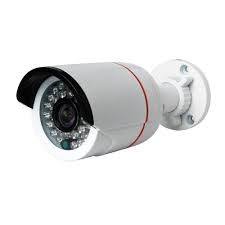
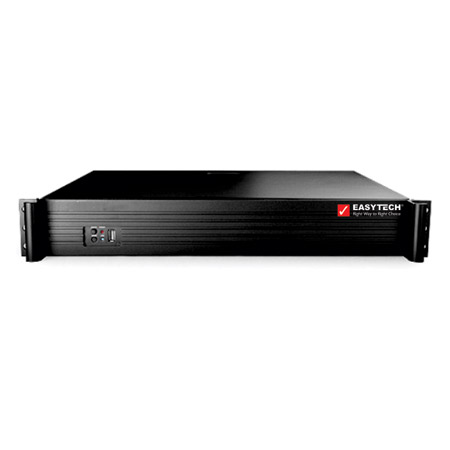
A 64 channel DVR is a digital video recorder designed to manage and record footage from up to 64 compatible CCTV cameras. It can be a practical choice for organisations that need to monitor large premises from a central location, such as factories, warehouses, campuses, hotels, hospitals and commercial complexes.
Before choosing a recorder, it is important to check camera compatibility, recording requirements, storage capacity and the features needed for day-to-day monitoring. The right setup can help security teams review events, manage cameras and retain footage more effectively.
What Is a 64 Channel DVR?
DVR stands for Digital Video Recorder. In a traditional CCTV setup, cameras send video to the DVR, which processes and stores the footage on installed hard drives. A 64 channel model has inputs for up to 64 camera channels, although the exact number and type of supported cameras depend on the product.
DVRs are commonly used with analogue CCTV cameras, including compatible HD-over-coax formats. Some models may also support a limited number of network cameras. Always check the manufacturer’s specifications before connecting cameras, as supported formats, resolutions and camera capacities vary.
Key Features to Consider
- Camera compatibility: Confirm that the DVR supports the camera technology, resolution and signal format used in your system.
- Recording resolution and frame rate: These affect image clarity and how smoothly motion is captured. Higher settings can require more storage and bandwidth.
- Storage capacity: Check the number of hard drives supported and the maximum capacity for each drive. The storage needed depends on camera count, resolution, frame rate, compression, recording schedule and retention period.
- Recording modes: Common options include continuous, scheduled and motion-triggered recording. Available modes differ between models.
- Remote viewing: Some DVRs allow authorised users to view live or recorded footage through a compatible app or computer software. Check network and security requirements.
- Playback and search: Timeline playback, event search and camera-wise filtering can make it easier to locate relevant footage.
- Backup options: USB export and network backup may be available for saving selected recordings. Review export formats and procedures before purchase.
- Alarm and integration support: Depending on the model, inputs and outputs may support external alarms or other system integrations.
Where Can a 64 Channel DVR Be Used?
A 64 channel DVR can suit sites with many camera locations and a need to manage footage centrally. Typical applications include:
- Factories, industrial facilities and warehouses
- Educational institutions and large campuses
- Shopping centres, offices and business parks
- Hotels, hospitals and multi-building premises
- Residential complexes and parking areas
- Transport, logistics and infrastructure sites
For larger or multi-site projects, the system should be planned around the layout, camera coverage, network design, monitoring requirements and local privacy obligations.
How to Estimate Storage Requirements
The number of days of footage a DVR can retain is not determined by channel count alone. It also depends on camera resolution, recording frame rate, compression method, motion levels, recording schedule and hard-drive capacity.
For example, a system recording all 64 cameras continuously will generally need more storage than one using motion-based recording or a shorter daily schedule. Ask the system provider to estimate storage based on the actual camera specifications and required retention period. Do not assume that a particular drive capacity will provide a fixed number of recording days.
DVR or NVR: Which Should You Choose?
A DVR is generally used with compatible analogue cameras that transmit video over coaxial cable. An NVR, or Network Video Recorder, is typically used with IP cameras that send video over a network. The best option depends on the cameras already installed, cabling, site layout, image-quality requirements and future expansion plans.
If a site already has compatible coaxial cabling, a DVR may help make use of the existing infrastructure. For a new IP-based installation, an NVR may be more suitable. Some projects use hybrid systems, but compatibility should be confirmed before purchasing equipment.
Installation and Maintenance Tips
- Plan camera positions to cover entrances, exits, critical work areas and other relevant locations.
- Use suitable cabling, connectors, power supplies and surge protection.
- Install the DVR in a secure, ventilated and access-controlled location.
- Use strong, unique passwords and restrict system access to authorised users.
- Check recording, time settings, remote access and backup processes during commissioning.
- Inspect cameras, cables, hard drives and system logs regularly.
- Follow applicable privacy, signage and data-retention requirements.
Choosing the Right 64 Channel DVR
Before selecting a 64 channel DVR, prepare a list of the cameras to be connected, their resolutions and formats, the desired recording schedule, required retention period and remote-access needs. Also confirm the available hard-drive bays, supported drive capacity, network interfaces and any integration requirements.
A 64 channel DVR can provide centralised recording for a large CCTV installation, but the recorder is only one part of the solution. Cameras, cabling, storage, system configuration and ongoing maintenance all contribute to reliable performance. Consult a CCTV professional to assess the site and recommend a compatible system.
Frequently Asked Questions
Can a 64 channel DVR connect 64 cameras?
It is designed to support up to 64 channels, but the number of cameras that can be connected depends on the model, camera format and any restrictions on channel configuration.
Does a 64 channel DVR include hard drives?
Not always. Hard drives may be sold separately, so check the product package and supported storage specifications before buying.
Can a 64 channel DVR be viewed remotely?
Many models offer remote viewing, subject to the recorder’s features, network configuration and secure user access. Confirm app or software compatibility with the manufacturer.
Is a 64 channel DVR suitable for IP cameras?
Some DVRs support selected IP cameras or hybrid configurations, while others are intended mainly for analogue cameras. Verify the supported camera types and channel limits for the specific model.
7 Essential Tips for Choosing and Using a 64-Channel DVR
- Check camera compatibility before buying a 64-channel DVR.
- Choose enough storage for your required recording days.
- Use surveillance-grade hard drives for reliable recording.
- Set the correct date, time, and time zone.
- Use a UPS to protect the DVR during power cuts.
- Change default passwords and enable secure remote access.
- Test all camera feeds and recordings regularly.
Check camera compatibility before buying a 64-channel DVR.
Before buying a 64-channel DVR, check that it is compatible with your existing or planned CCTV cameras. Confirm the supported video formats, resolutions and camera types, as some DVRs work mainly with analogue cameras while others support selected IP cameras or hybrid setups. Also check whether all 64 channels can support the camera configuration you need. Verifying compatibility in advance can help avoid connection issues and extra costs.
Choose enough storage for your required recording days.
When selecting a 64 channel DVR, choose enough hard-drive storage to retain footage for the number of days you require. Storage needs depend on factors such as the number of cameras, video resolution, frame rate, compression settings and whether recording is continuous or motion-triggered. Ask your CCTV provider to estimate capacity for your setup, and check that the DVR supports the required number and size of hard drives.
Use surveillance-grade hard drives for reliable recording.
For reliable recording, use surveillance-grade hard drives in your 64 channel DVR. These drives are designed to handle the continuous recording and repeated writing typical of CCTV systems, helping support dependable operation over extended periods. Choose a drive that is compatible with the DVR and sized for your cameras, recording settings and required footage-retention period.
Set the correct date, time, and time zone.
Set the correct date, time and time zone on your 64 channel DVR during installation, and check them regularly. Accurate timestamps make it easier to search recordings, match footage with incident reports and coordinate video evidence with access-control or alarm logs. If the DVR supports automatic time synchronisation, configure it securely and confirm that daylight-saving settings are appropriate for your location.
Use a UPS to protect the DVR during power cuts.
Connect the 64 channel DVR and essential CCTV equipment to a suitable UPS (Uninterruptible Power Supply) to help keep the system running during power cuts and reduce the risk of recording interruptions. A UPS can also provide protection against some power fluctuations, depending on its specifications. Choose one with adequate capacity for the DVR, connected cameras and networking equipment, and check the battery regularly so it is ready when needed.
Change default passwords and enable secure remote access.
For a 64 channel DVR, change all default passwords during setup and use strong, unique credentials for each authorised user. Default login details are widely known and can leave the system vulnerable to unauthorised access. If remote viewing is required, enable it only through the DVR’s recommended secure settings, keep its firmware updated and restrict access to trusted users and devices. Avoid exposing the recorder directly to the internet, and ask a qualified installer to configure secure remote access.
Test all camera feeds and recordings regularly.
Test all camera feeds and recordings regularly to ensure your 64 channel DVR is capturing clear, uninterrupted footage from every connected camera. Check both live views and playback, and confirm that recordings are saved for the required period and can be retrieved when needed. Regular testing can help identify issues such as loose connections, camera faults, incorrect time settings or storage problems before they affect security monitoring.