Siemens Fire Alarm Panel: Features, Benefits and Selection Guide
A fire alarm panel is the central control point of a building’s fire detection system. It receives information from devices such as smoke detectors, heat detectors and manual call points, then signals an alarm and helps occupants respond promptly. Siemens fire alarm panels are used in a range of settings, including offices, commercial buildings, industrial facilities and large campuses. The right system depends on the building’s size, layout, risk profile and applicable local requirements.
What is a Siemens fire alarm panel?
A Siemens fire alarm control panel monitors connected fire detection and alarm devices. When a device detects signs of fire, the panel identifies the signal and activates the programmed response. This may include sounding or displaying alarms, indicating the affected area, and operating interfaces with other building systems where these have been designed and approved.
Siemens offers fire safety products in different configurations. Depending on the product range and project requirements, a system may be conventional or addressable. Product names, features and availability can vary by market and model, so specifications should always be confirmed with Siemens or an authorised fire safety professional.
Conventional and addressable systems
Conventional panels
A conventional system groups detectors and call points into zones. If an alarm occurs, the panel indicates the zone where the signal originated. This can be a practical choice for smaller or less complex premises, depending on the design requirements.
Addressable panels
An addressable system identifies individual devices or points on the system, helping staff locate an alarm more precisely. It may be suitable for larger or more complex buildings where detailed event information and easier fault identification are important. The panel’s capacity and supported features depend on the specific model.
Key features to consider
- Clear event indication: The panel should make it straightforward to identify alarms, faults and other system conditions.
- System capacity: Check the number of zones, devices or loops supported, and allow for any planned expansion.
- Device compatibility: Confirm that detectors, manual call points, sounders and other devices are approved for use with the selected panel.
- System interfaces: Where required, check whether the design supports interfaces with equipment such as smoke-control systems or lifts. These connections must be properly designed and tested.
- Power backup: The system design should include suitable standby batteries and charging arrangements for the required operating period.
- Monitoring and maintenance: Consider how faults will be reported, who will respond to them and how inspection and testing will be managed.
Choosing a panel for a building in India
Before selecting a Siemens fire alarm panel, a qualified fire safety consultant or system designer should assess the premises. Important factors include the building’s use, floor area, number of occupants, evacuation arrangements, environmental conditions and future expansion plans.
The design and installation should meet the applicable requirements for the project, including relevant Indian Standards, the National Building Code of India, local fire authority conditions and any other regulations that apply. Requirements can differ between locations and building types. Confirm the current requirements with the relevant authority and a qualified professional rather than relying only on a product description.
Installation and maintenance
A fire alarm panel is only one part of a complete fire detection and alarm system. Correct device placement, suitable cabling, clear zone or point labelling, commissioning and user training are all important. Installation and programming should be carried out by competent personnel familiar with the selected Siemens equipment.
After commissioning, the system should be inspected and tested at suitable intervals in line with applicable standards, manufacturer guidance and local requirements. Keep records of tests, faults, repairs and changes. Staff should also know how to respond to an alarm and whom to contact if the panel indicates a fault.
Conclusion
A Siemens fire alarm panel can form the core of a fire detection and alarm system designed for a particular building. Choosing between conventional and addressable options, confirming device compatibility and planning for maintenance are essential steps. For an appropriate solution, obtain a site assessment and model-specific advice from Siemens or an authorised fire safety professional.
9 Essential Tips for Safe Operation and Maintenance of Siemens Fire Alarm Panels
- Read the panel manual for your Siemens model.
- Let trained staff operate the fire alarm panel.
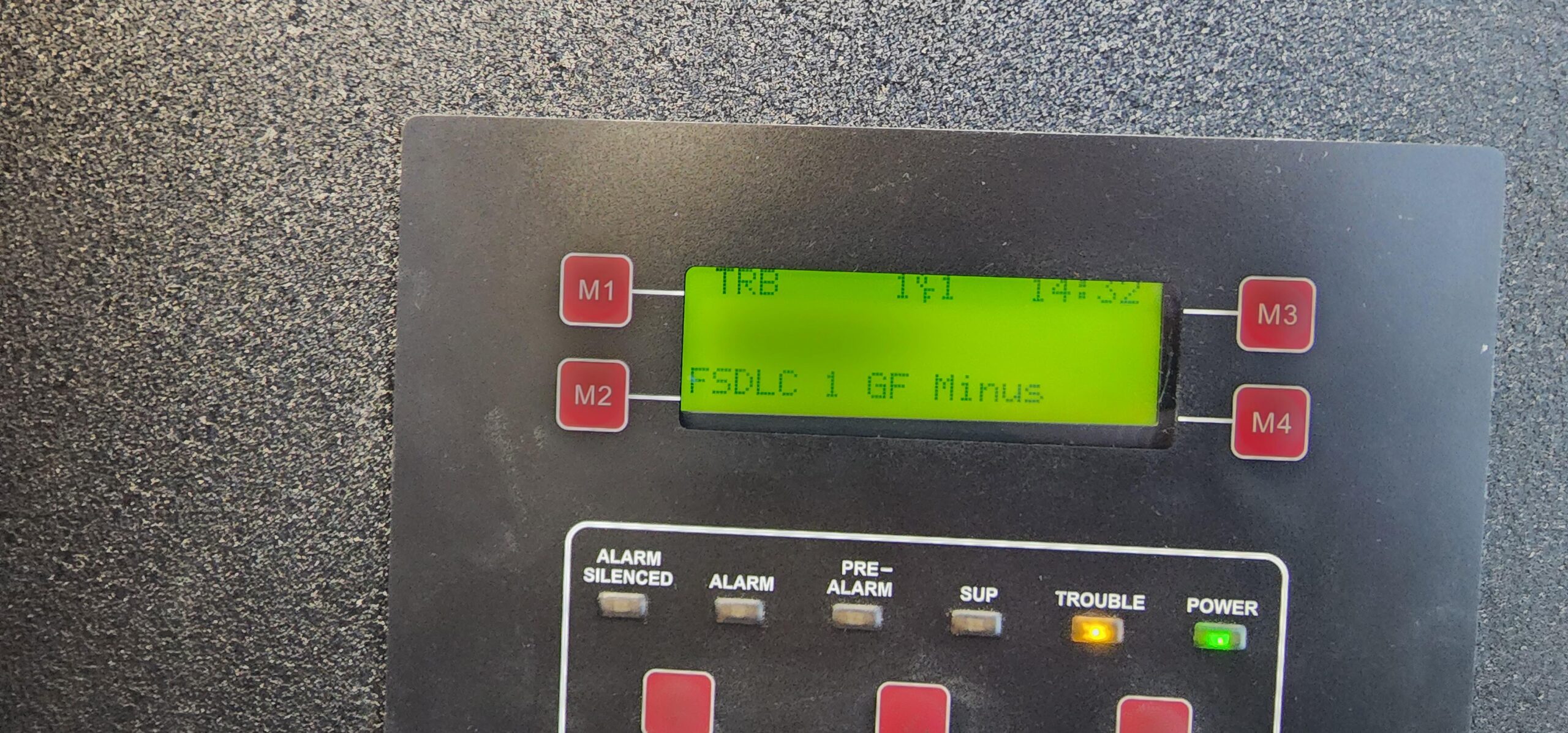
- Check the display for alarms, faults and isolations.
- Treat every fire alarm as genuine until verified.
- Follow site procedures before acknowledging or silencing alarms.
- Never disable a detector or circuit without authorisation.
- Report faults promptly to the authorised service provider.
- Test the system regularly as per local rules and the manual.
- Keep a log of alarms, tests and maintenance.
Read the panel manual for your Siemens model.
Always read the manual for your specific Siemens fire alarm panel model before using or maintaining it. The manual explains the panel’s indicators, controls, alarm and fault messages, and the correct procedures for routine checks. Following the manufacturer’s instructions can help prevent operating errors and ensure that issues are handled safely. Keep the manual accessible to trained staff, and contact a qualified fire safety professional for servicing or whenever instructions are unclear.
Let trained staff operate the fire alarm panel.
Allow only trained and authorised staff to operate the Siemens fire alarm panel. They should know how to read alarm and fault indications, follow the site’s emergency procedures and contact the appropriate fire safety personnel. Untrained operation or resetting the panel without checking the cause may delay an emergency response or conceal a fault. Keep access controlled, display clear operating instructions nearby and ensure staff receive refresher training in line with the manufacturer’s guidance and local requirements.
Check the display for alarms, faults and isolations.
Check the Siemens fire alarm panel display regularly for alarms, faults and isolated devices or zones. Treat every alarm as genuine and follow the building’s emergency procedure; report faults promptly to the responsible person or a qualified service provider. Isolations can leave part of the premises without fire protection, so they should only be made by authorised personnel, recorded and restored as soon as it is safe to do so.
Treat every fire alarm as genuine until verified.
Treat every alarm from a Siemens fire alarm panel as genuine until it has been verified by authorised personnel. Follow the building’s emergency procedure immediately, alert occupants and evacuate if required—never silence or reset the panel before checking the cause and confirming it is safe to do so. Only trained personnel should investigate the alarm, and the system should be returned to normal operation in accordance with site procedures.
Follow site procedures before acknowledging or silencing alarms.
Before acknowledging or silencing an alarm on a Siemens fire alarm panel, follow your site’s emergency procedures. Check the panel display for the alarm location and type, alert the responsible personnel, and ensure the required investigation or evacuation steps are underway. Acknowledging an alarm may confirm that it has been noticed, while silencing may stop audible signals without resolving the cause. Never reset or silence the system unless authorised and it is safe to do so; follow the panel instructions and your site’s fire safety plan.
Never disable a detector or circuit without authorisation.
Never disable a detector or circuit on a Siemens fire alarm panel without proper authorisation. Doing so can leave an area unprotected and delay the detection of a fire, putting people and property at risk. If a fault or nuisance alarm occurs, inform the responsible site personnel and arrange for an authorised, competent technician to investigate. Any necessary isolation should be formally approved, kept to the minimum required, recorded, and followed by suitable temporary safety measures until the system is restored and tested.
Report faults promptly to the authorised service provider.
Report any fault indication on a Siemens fire alarm panel promptly to the authorised service provider. Do not ignore warning lights, fault messages or unusual sounds, as these may mean that part of the system is not operating correctly. Share the panel’s displayed details and arrange inspection by a qualified technician; avoid attempting repairs or resetting the panel unless instructed by an authorised professional.
Test the system regularly as per local rules and the manual.
Test the Siemens fire alarm system regularly, following the panel’s manual and applicable local rules in India. Arrange testing through a qualified fire safety professional, check that connected detectors, manual call points, sounders and indicators operate as intended, and record the results. If the panel shows a fault or any device fails a test, have it investigated and rectified promptly—never leave the system impaired without following the required safety procedures.
Keep a log of alarms, tests and maintenance.
Keep a clear, up-to-date log of all alarms, routine tests and maintenance carried out on your Siemens fire alarm panel. Record the date, any devices or zones involved, faults found, corrective action taken and the name of the person responsible. This history helps identify recurring issues, supports timely repairs and makes it easier to demonstrate that the system is being checked and maintained in line with applicable requirements. Store the log where authorised staff can access it and ensure entries are completed promptly.