Card Access System: A Smarter Way to Manage Entry
A card access system is an electronic security solution that controls who can enter a building, room or restricted area. Instead of relying only on traditional keys, users present an authorised card or key fob to a reader. The system checks the credential and, if access is permitted, signals the door to unlock.
Card access systems are used in offices, factories, schools, hospitals, residential communities, commercial premises and other locations where access needs to be managed and recorded.
How Does a Card Access System Work?
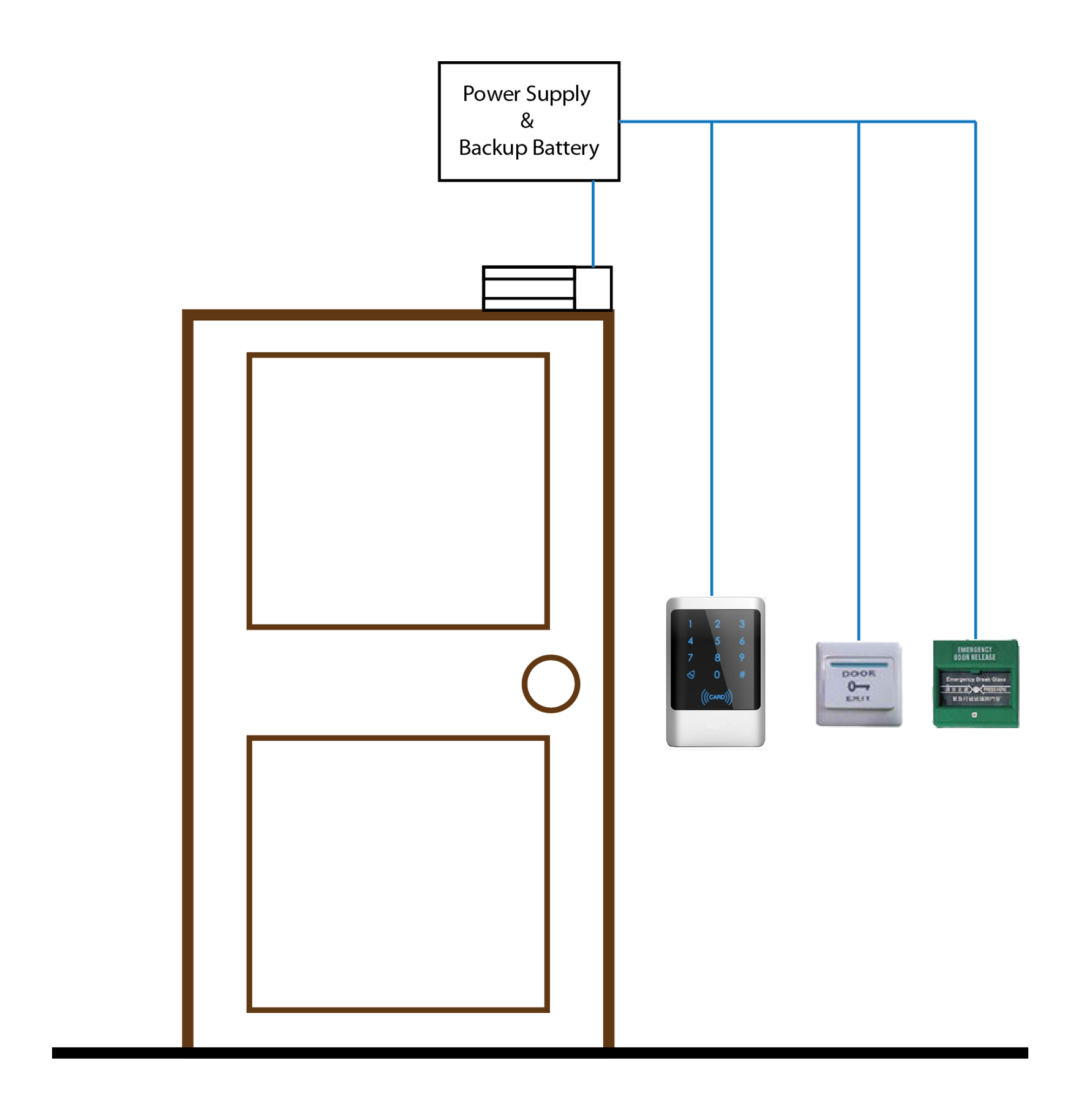
When a user presents a card to a reader, the reader captures its credential data and sends it to an access control panel. The panel checks the credential against the permissions configured in the system. If access is approved, it activates the door lock for a set period. If access is denied, the door remains secured.
Depending on the system, events such as granted or denied access may be recorded in management software. Administrators can use these records to review activity and manage user permissions.
Main Components
- Access cards or key fobs: Credentials assigned to authorised users. Cards may use technologies such as proximity, RFID or smart-card communication.
- Card reader: The device mounted near a door that reads the card credential.
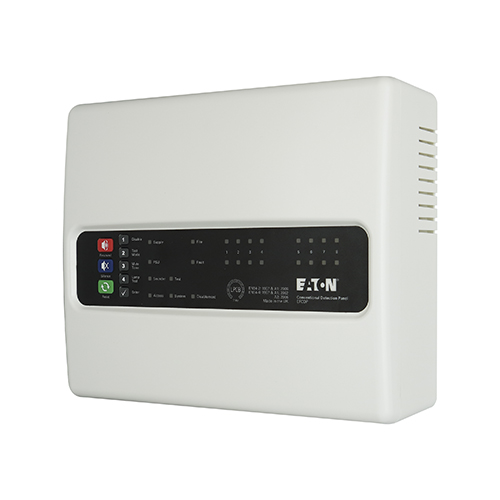
- Access control panel: The unit that checks credentials and controls connected doors.
- Electric lock: A locking device operated by the access control system, selected according to the door and security requirements.
- Exit device: A push button, request-to-exit sensor or other approved method that allows people to leave safely.
- Management software: Used to enrol users, set access permissions, manage schedules and review event records.
- Power supply and backup: Provides power to the system and may help it continue operating during a power interruption.
Types of Card Access Systems
Standalone Systems
A standalone system controls one or a small number of doors without a central networked platform. It may suit a simple site where access requirements are limited.
Networked Systems
A networked system connects multiple doors to a central management platform. Administrators can manage users and permissions across the site, subject to the system’s configuration.
Cloud-Managed Systems
Some systems allow authorised administrators to manage access through a cloud-based platform. Before choosing this option, consider internet availability, data handling, cybersecurity requirements and ongoing service arrangements.
Multi-Factor Access
For areas requiring stronger verification, a card can be used alongside another factor, such as a PIN or biometric credential. The appropriate method depends on the site’s risk assessment, privacy requirements and operational needs.
Benefits of a Card Access System
- Convenient entry: Users can present a card or fob instead of carrying several keys.
- Flexible permissions: Access can be assigned by user, door, day or time, depending on the system.
- Faster changes: If a card is lost or a user leaves, administrators can deactivate the credential without replacing every lock.
- Activity records: The system may keep a log of access events, which can support security reviews and administration.
- Central management: A networked system can help manage access across multiple entrances from one platform.
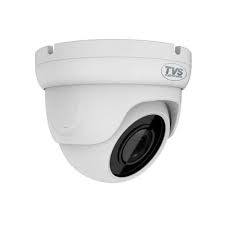
- Integration options: Depending on compatibility and design, access control may be integrated with systems such as CCTV, alarms or visitor management.
What to Consider Before Installation
Choosing a card access system starts with understanding how the premises are used. Consider the number of doors, the people who need access, the required operating hours and whether access permissions need to vary between departments or areas.
- Site requirements: Assess each door, its construction, existing lock and expected traffic.
- Card technology: Select credentials that are compatible with the readers and appropriate for the required level of security.
- System size: Check whether the system can support the required number of users and doors, with room for future expansion.
- Power and connectivity: Plan for cabling, network requirements and backup power where needed.
- Emergency egress: Ensure the design allows safe exit and meets applicable fire and building requirements. Access control should not obstruct emergency escape.
- Data and privacy: Decide who can view access records, how long records are retained and how user information is protected.
- Support and maintenance: Confirm who will manage the system, issue credentials and respond to faults.
Installation and Maintenance
A well-planned installation includes checking the doors and locking hardware, positioning readers appropriately, configuring access permissions and testing normal operation. The installer should also test exit arrangements, power-failure behaviour and any required integration with other building systems.
Regular maintenance can include checking readers and locks, testing backup power, reviewing user permissions, removing credentials that are no longer required and keeping software and firmware appropriately updated. Lost cards should be reported promptly so they can be disabled.
Frequently Asked Questions
Can a lost access card be blocked?
In many systems, an administrator can deactivate a lost card and issue a replacement. The exact process depends on the system and its configuration.
Can one card work at several doors?
Yes. Permissions can often be configured so that a card works at selected doors and times. This should be set according to the user’s role and the site’s access policy.
Does a card access system replace all keys?
Not necessarily. Some sites retain mechanical keys for specific purposes, such as authorised maintenance or emergency procedures. A suitable arrangement depends on the premises and operational requirements.
Can card access be combined with CCTV?
Some systems can be integrated with CCTV so that access events can be reviewed alongside relevant video footage. Compatibility and integration requirements should be confirmed before installation.
Conclusion
A card access system can make entry management more convenient and give organisations greater control over who can enter particular areas. The right solution depends on the premises, security objectives, door hardware, user requirements and applicable safety rules. Careful planning, professional installation and regular maintenance help the system operate reliably over time.
5 Essential Tips for Safe and Secure Access Card Use
- Keep your access card secure and do not share it.
- Report a lost card to security immediately.
- Do not let others follow you through secured doors.
- Tap your card once and wait for the access light.
- Return your card or request deactivation when it is no longer needed.
Keep your access card secure and do not share it.
Keep your access card secure and never share it with anyone, even colleagues or visitors. Your card is linked to your access permissions, and sharing it can allow unauthorised people to enter restricted areas or make access records inaccurate. Store it safely when not in use, report it to the administrator immediately if it is lost or stolen, and return it when you no longer need access.
Report a lost card to security immediately.
If you lose your access card, report it to your security team immediately. They can deactivate it to help prevent unauthorised entry and arrange a replacement if required. Prompt reporting is especially important if the card is lost with anything that could identify the premises or its owner.
Do not let others follow you through secured doors.
Do not let others follow you through a secured door without using their own authorised card. This practice, known as tailgating, can allow unauthorised people to enter restricted areas and puts people and property at risk. Wait for the door to close behind you, and politely direct anyone without access to reception or security staff. If you notice someone entering without authorisation, report it according to your organisation’s security procedures.
Tap your card once and wait for the access light.
Tap your card once against the reader and wait for the access light before moving on. A green light usually indicates that entry has been authorised, while a red light may mean access has been denied or the card was not read properly. Avoid tapping repeatedly, as this can cause confusion or delay; if the reader does not respond, check that you are using the correct card and contact the authorised administrator.
Return your card or request deactivation when it is no longer needed.
When you no longer need access to a premises, return your card to the authorised administrator or request that it be deactivated promptly. This helps prevent unauthorised use and keeps access records up to date. If your card is lost or cannot be returned, report it immediately so it can be blocked and replaced if required.