8 Camera DVR: A Practical Guide for Home and Business Security
An 8 camera DVR is a digital video recorder designed to connect and record footage from up to eight compatible CCTV cameras. It can be a suitable choice for homes, shops, offices, warehouses and other premises that need surveillance across several areas.
Before choosing a system, it helps to understand what an 8 channel DVR does, which features to look for and what is needed for installation.
What Is an 8 Camera DVR?
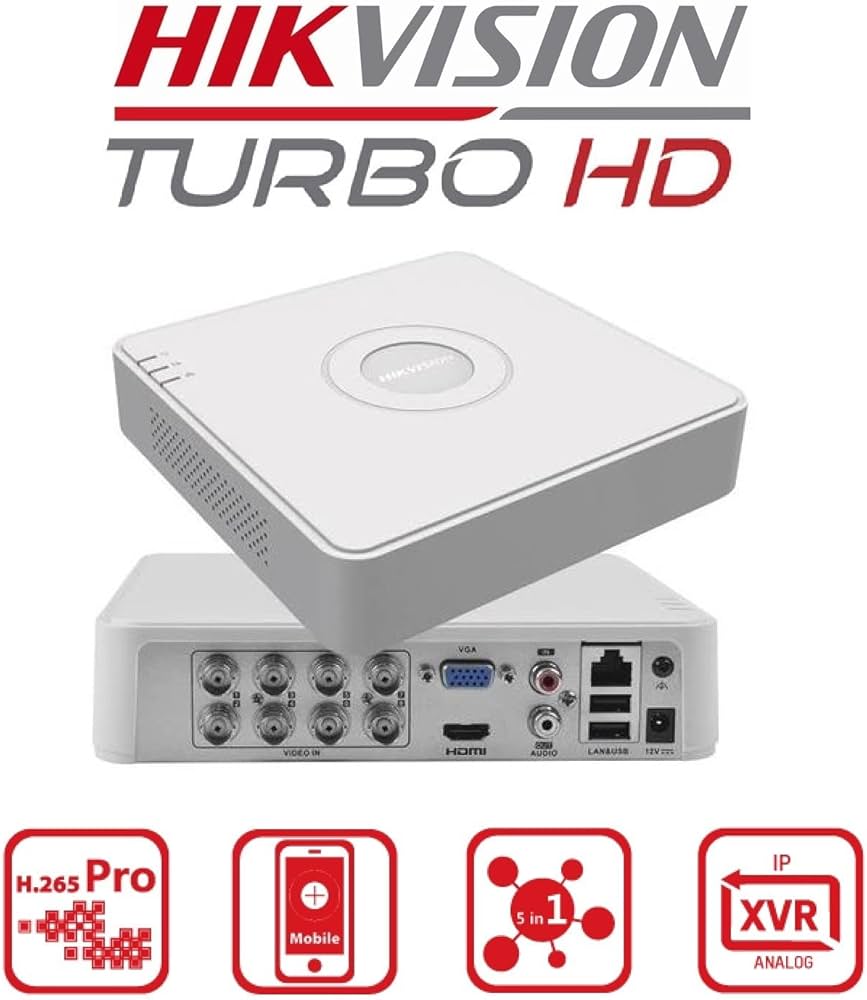
DVR stands for Digital Video Recorder. In a CCTV system, cameras capture video and send it to the DVR, usually through coaxial cables. The DVR processes and stores the footage on an internal hard drive. Depending on the model and setup, users can view live video, search recordings and access footage remotely.
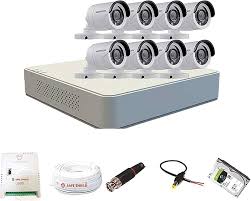
An 8 channel DVR supports up to eight camera inputs. The cameras may be sold separately, so check what is included in the package before purchasing.
Where Can an 8 Channel DVR Be Used?
An 8 camera system can help monitor multiple locations, such as:
- Home entrances, driveways and common areas
- Retail shops, counters and storage areas
- Offices, reception areas and corridors
- Warehouses, loading bays and stock rooms
- Small factories, clinics and educational premises
Camera placement should be planned according to the areas that need monitoring, lighting conditions and the level of detail required.
Key Features to Consider
Camera Compatibility
Check which camera formats the DVR supports. Many models work with one or more analogue HD formats, but compatibility varies. Confirm that the DVR and cameras can work together before ordering.
Recording Resolution
The recording quality depends on both the DVR and the connected cameras. Choose a system that supports the resolution you need, and check the recording settings available for each channel.
Hard Drive Capacity
Storage requirements depend on the number of cameras, recording resolution, frame rate, compression settings and how long footage needs to be retained. Many DVRs require a separate surveillance-rated hard drive. Ask a qualified supplier to estimate the storage needed for your intended retention period.
Recording and Playback Options
Useful options may include continuous recording, scheduled recording, motion-based recording, playback by date and time, and exporting clips to a USB drive. The available features vary by model.
Remote Viewing
Some DVRs support viewing through a mobile app or computer when connected to the internet. Remote access typically requires network configuration and a compatible app. Use strong passwords, keep the firmware updated and follow the manufacturer’s security guidance.
Audio Support
If audio recording is required, verify whether the DVR, cameras and local regulations support it. Audio capability can require additional equipment and should not be assumed.
DVR or NVR: What Is the Difference?
A DVR is commonly used with analogue or HD-over-coaxial cameras. An NVR, or Network Video Recorder, is generally used with IP cameras that transmit video over a network. The right option depends on the cameras, cabling and features required. A DVR may suit an existing coaxial CCTV installation, while an IP-based system may be preferable for a new network-camera setup.
Installation Planning
For a reliable installation, consider the following points:
- Map the coverage areas: Identify entrances, exits, cash counters, stock areas and other important locations.
- Choose suitable camera positions: Avoid obstructions and strong backlighting where possible. Use weather-rated cameras outdoors.
- Plan cable routes: Keep cables protected and use suitable cabling and connectors for the installation environment.
- Select a secure DVR location: Place the recorder in a ventilated, restricted-access area and protect it from power interruptions where appropriate.
- Test every channel: Confirm that each camera displays correctly and that recording and playback work as expected.
Benefits of an 8 Camera DVR System
- Centralised recording for up to eight compatible cameras
- Live monitoring and playback from one recorder
- Options for scheduled, continuous or motion-based recording, depending on the model
- Expandable coverage for premises that need several monitoring points
- Potential to reuse compatible cabling in an existing CCTV installation
Frequently Asked Questions
Can an 8 channel DVR record fewer than eight cameras?
Yes. An 8 channel DVR can generally be used with fewer than eight cameras, subject to the model’s configuration and compatibility requirements.
Does an 8 camera DVR include a hard drive?
Not always. Check the product details to see whether a hard drive is included, its capacity and whether the DVR supports additional storage.
Can footage be viewed on a mobile phone?
Many models offer remote viewing through a mobile app, provided the DVR is connected and configured correctly. Features and setup requirements vary by manufacturer.
Choosing the Right 8 Camera DVR
When comparing options, check camera compatibility, supported recording resolution, storage capacity, playback features, remote access and warranty support. A well-planned 8 camera DVR system can provide organised video recording for a range of residential and commercial settings. For the best results, match the recorder, cameras, hard drive and cabling to the needs of the site.
8-Camera DVR FAQs: Features, Recording, Storage and Mobile Viewing
- What is an 8 camera DVR, and how does it work?
- Can an 8 channel DVR record fewer than eight cameras?
- Does an 8 camera DVR come with a hard drive?
- Can I view my 8 camera DVR footage on a mobile phone?
- How much storage do I need for an 8 camera DVR system?
What is an 8 camera DVR, and how does it work?
An 8 camera DVR is a digital video recorder that connects to and records footage from up to eight compatible CCTV cameras. The cameras capture video and send it to the DVR, usually through coaxial cables. The recorder processes the footage and stores it on a hard drive, allowing users to view live feeds, replay recordings and, on supported models, access footage remotely through a phone or computer.
Can an 8 channel DVR record fewer than eight cameras?
Yes, an 8 channel DVR can generally record fewer than eight cameras. You can connect only the number of compatible cameras required, up to the recorder’s maximum of eight channels. Before installation, check the DVR’s specifications for camera compatibility and any setup requirements.
Does an 8 camera DVR come with a hard drive?
An 8 camera DVR may or may not come with a hard drive, depending on the model and package. Check the product details before purchasing to confirm whether storage is included and, if so, its capacity. If it is not included, you may need to buy a compatible surveillance-rated hard drive separately.
Can I view my 8 camera DVR footage on a mobile phone?
Yes, you can view footage from many 8 camera DVR systems on a mobile phone if the DVR supports remote viewing and is connected to the internet. Install the manufacturer’s app, then follow the setup instructions to link your recorder securely. Remote viewing features vary by model and may require a stable internet connection. For better security, use a strong, unique password and keep the DVR’s software and app updated.
How much storage do I need for an 8 camera DVR system?
The storage required for an 8 camera DVR system depends on the cameras’ resolution, frame rate, video compression, recording schedule and how long you want to keep footage. Continuous recording from all eight cameras needs considerably more space than motion-based recording. As a starting point, decide your required retention period and check the DVR or camera manufacturer’s storage calculator, or ask an installer to estimate the hard drive capacity for your settings. Choose a surveillance-rated hard drive and confirm that it is compatible with your DVR.