LG CCTV Camera: Features, Benefits and Buying Guide
An LG CCTV camera can be considered for monitoring homes, offices, shops and other premises. CCTV systems help record activity, improve visibility around a property and provide useful footage when an incident needs to be reviewed. Before choosing a camera, it is important to check the exact model, its specifications and whether compatible recording equipment and after-sales support are available in your area.
What is an LG CCTV camera?
An LG CCTV camera is a surveillance camera manufactured under the LG brand. Depending on the model, it may be designed for indoor or outdoor use and may connect to a compatible recorder or network system. LG camera models and availability can vary by market, and some products may be older or available only through particular suppliers. Always confirm the model number and current support options before purchasing.
Common camera types
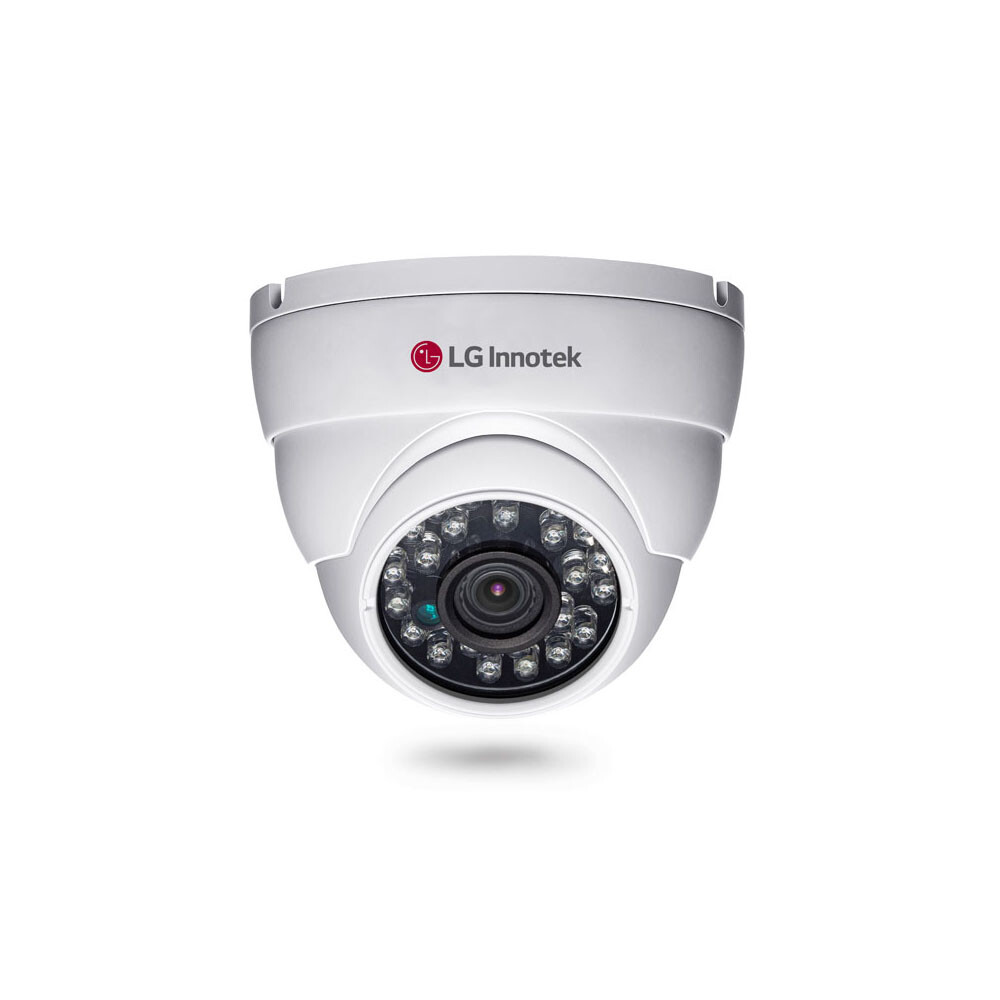
- Dome cameras: Their compact shape suits indoor spaces such as shops, reception areas and corridors.
- Bullet cameras: Often used outdoors, these cameras are easy to spot and can be aimed at a particular area.
- Network cameras: These transmit video over a network and may be viewed through compatible software or devices.
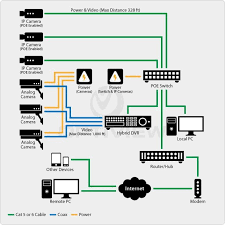
- Analogue cameras: These connect to a compatible DVR system. Check the camera and recorder standards before combining equipment.
Features to check before buying
Camera specifications differ from one model to another. Review the product documentation rather than assuming every LG CCTV camera includes the same features.
- Image resolution: Higher resolution can show more detail, but the recorder, storage and network must also support it.
- Low-light performance: Check how the camera performs at night and whether it uses infrared illumination or another low-light technology.
- Lens and viewing angle: Choose a lens suited to the area. A wider view covers more space, while a narrower view may show more detail at a distance.
- Indoor or outdoor rating: For outdoor use, confirm the camera’s weather-resistance rating and suitability for the installation location.
- Recording compatibility: Verify that the camera works with the intended DVR, NVR, cabling and software.
- Remote viewing: If viewing footage over the internet is required, confirm that the model and recording system support this securely.
- Warranty and service: Ask the seller about warranty coverage, spare parts and technical support, particularly for older or discontinued models.
Benefits of a CCTV system
A properly planned CCTV system can help monitor entrances, work areas, storage rooms and outdoor spaces. Recorded footage may assist with reviewing events, while live viewing can help staff or property owners keep an eye on important areas. The camera itself is only one part of the system: placement, lighting, recording capacity, network security and regular maintenance all affect performance.
Choosing the right camera for your premises
Start by identifying the areas that need monitoring and the level of detail required. Consider lighting conditions, distance, potential obstructions and whether the camera will be exposed to weather. Then check that the chosen model is compatible with the recorder and cabling already installed—or include suitable equipment in the system design.
For a new installation, ask a qualified security-system installer to assess the site. A professional can recommend camera positions, confirm equipment compatibility and help configure secure access to live and recorded footage.
Installation and maintenance tips
- Position cameras to cover useful areas without pointing into neighbours’ private spaces.
- Keep lenses clean and check for obstructions such as branches, dust or glare.
- Test recording, playback and date-and-time settings regularly.
- Use strong passwords and update compatible devices when security updates are available.
- Check storage capacity and retention settings to ensure footage is kept for the required period.
- Follow applicable privacy and CCTV requirements when recording people or public-facing areas.
Conclusion
An LG CCTV camera may suit a surveillance project when the model’s specifications, condition, compatibility and support arrangements meet the site’s needs. Compare the exact product details, plan the complete recording system and confirm local service availability before making a purchase. The right camera, installed and maintained correctly, can form a useful part of a wider security setup.
8 Essential Tips for Choosing and Using an LG CCTV Camera
- Choose a model suited to indoor or outdoor use.
- Check the camera’s resolution before buying.
- Place it high for a wider view.
- Avoid pointing it directly at bright lights.
- Use a strong, unique password.
- Keep the camera firmware updated.
- Check storage capacity and recording settings.
- Follow local privacy and CCTV rules.
Choose a model suited to indoor or outdoor use.
Choose an LG CCTV camera model based on where it will be installed. Indoor cameras are designed for sheltered spaces such as offices, shops and corridors, while outdoor models should have a suitable weather-resistant rating to withstand rain, dust and changing temperatures. Before buying, check the exact model’s specifications and installation requirements to ensure it is appropriate for the location.
Check the camera’s resolution before buying.
Check the resolution of an LG CCTV camera before buying, as it affects how much detail the footage can capture. A higher resolution can make it easier to identify details such as faces or number plates, but it also requires more storage space and may need a compatible recorder and network. Choose a resolution that suits the area being monitored, and check that all parts of the CCTV system support it.
Place it high for a wider view.
Mounting an LG CCTV camera at a higher position can provide a wider view of the area and reduce blind spots caused by furniture or other obstacles. Aim it carefully towards the key entry points or spaces you want to monitor, and ensure the view still captures useful detail. Avoid placing it so high that faces or important activity become difficult to identify.
Avoid pointing it directly at bright lights.
Avoid pointing an LG CCTV camera directly at bright lights, such as the sun, headlights or powerful lamps. Strong light can cause glare, reflections or overexposure, making faces and other details harder to see in the footage. Position the camera at an angle, and check the view at different times of day to ensure important areas remain clear.
Use a strong, unique password.
Use a strong, unique password to protect your LG CCTV camera and its connected recording system from unauthorised access. Avoid default passwords, easy-to-guess details and passwords used for other accounts. Choose a long combination of letters, numbers and symbols, and update it if you suspect it has been exposed. Where available, enable additional security features such as two-factor authentication, and share login details only with trusted users who need access.
Keep the camera firmware updated.
Keep your LG CCTV camera’s firmware updated to help maintain reliable performance, improve compatibility and address security issues that may be found over time. Before installing an update, check the camera’s exact model and follow the manufacturer’s instructions; use firmware from an official or authorised source only. Avoid switching off the camera or disconnecting it during the update, and check that recording and network settings work correctly once it is complete.
Check storage capacity and recording settings.
Check the storage capacity and recording settings of your LG CCTV system to ensure footage is saved for the period you need. The amount of video retained depends on factors such as camera resolution, number of cameras, recording quality and whether recording is continuous or triggered by motion. Review available storage regularly, set a suitable retention period and confirm that older footage is managed as intended.
Follow local privacy and CCTV rules.
When installing an LG CCTV camera, follow the privacy and CCTV rules that apply in your area. Position cameras to monitor your own property and avoid unnecessarily recording neighbours’ homes or private spaces. Where required, display clear notices, limit who can view recordings, store footage securely and delete it when it is no longer needed. Check local requirements before installation, especially if cameras may capture public areas or record audio.