5G CCTV Cameras: A Guide to Faster, More Flexible Surveillance
Reliable video surveillance is important for homes, businesses, construction sites and public spaces. A 5G CCTV camera can connect to a mobile network to send live video and alerts, making it useful in locations where a wired internet connection is unavailable or difficult to install.
What is a 5G CCTV camera?
A 5G CCTV camera is a surveillance camera that can use a 5G mobile network to transmit video and other data. It typically includes, or connects to, a 5G modem and SIM card. Depending on the model, it may also support 4G LTE as a backup where 5G coverage is limited.
It is worth distinguishing 5G mobile connectivity from 5 GHz Wi-Fi. A camera described as 5 GHz Wi-Fi connects to a compatible Wi-Fi router; it does not necessarily connect to a 5G mobile network.
How does it work?
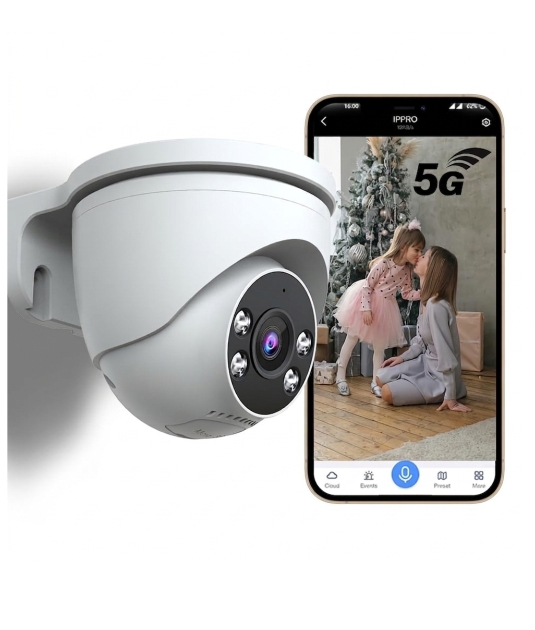
The camera captures video and sends it over the mobile network to a compatible phone app, monitoring platform or cloud service. Users can view live footage, receive motion alerts and, depending on the system, review recordings remotely.
Recorded video may be stored on a memory card, a network video recorder (NVR), a cloud service or a combination of these. The storage method depends on the camera and the surveillance system. A 5G connection provides a way to transfer data; it does not, by itself, determine where footage is stored.
Potential benefits
- Useful where fixed broadband is unavailable: A cellular connection can help bring surveillance to remote or temporary sites.
- Flexible installation: It may reduce the need to run a data cable back to a router, although the camera still needs a suitable power source.
- Remote viewing: Authorised users can access live or recorded footage from supported devices, subject to network coverage and system settings.
- Quick deployment: Cellular cameras can be convenient for sites that need monitoring for a limited period, such as construction or event locations.
- Support for high-quality video: A strong, consistent connection can help transmit higher-resolution footage, but actual performance depends on the camera, network and data plan.
Where can 5G CCTV be used?
Possible applications include construction sites, farms, warehouses, temporary facilities, utility locations, transport areas and properties outside the reach of reliable fixed broadband. A 5G camera can also be considered for a business location that needs remote monitoring, provided there is adequate mobile coverage and a suitable data plan.
What to check before buying
- Network coverage: Check the 5G signal at the exact installation point, not just in the surrounding area. Coverage can vary indoors and outdoors.
- Network compatibility: Confirm that the camera or modem supports the required mobile network bands and local operators. Check whether it can switch to 4G if 5G is unavailable.
- Data usage: Continuous live streaming can use significant data. Estimate usage based on resolution, frame rate, recording settings and how often the footage is viewed.
- Power requirements: Most 5G cameras need mains power, Power over Ethernet through a suitable system, or a battery/solar arrangement supported by the product. Cellular connectivity does not remove the need for power.
- Recording and retention: Decide whether footage should be stored on a memory card, NVR or cloud platform, and check the available recording capacity and retention period.
- Environmental protection: For outdoor installation, review the camera’s weather and dust protection rating, operating temperature range and mounting options.
- Security features: Look for strong passwords, encryption, secure remote access, regular firmware updates and user access controls.
- Ongoing costs: Include the SIM or data plan, cloud storage fees, installation and maintenance in the total cost.
Are 5G cameras always better?
Not necessarily. A 5G CCTV camera can be a practical choice when mobile connectivity is the most convenient way to get footage online. However, a wired network or fixed broadband connection may be more suitable for installations requiring continuous, high-volume video transmission. In areas with weak or inconsistent mobile coverage, the connection may affect live viewing and alerts.
For a dependable setup, consider signal strength, data usage, recording requirements and backup options before installation. A local test with the intended SIM card can help confirm whether the network performs well at the camera’s location.
Conclusion
A 5G CCTV camera offers a flexible way to monitor locations where connecting to a conventional network is challenging. Its usefulness depends on more than the camera’s headline speed: mobile coverage, power, storage, data costs and cybersecurity all matter. Choosing a system that matches the site’s needs can help provide reliable surveillance and convenient remote access.
7 Essential Tips for Choosing and Using a 5G CCTV Camera
- Check that the camera supports your local 5G network bands.
- Confirm 5G coverage is strong at the installation spot.
- Choose a suitable data plan for video uploads.
- Use a weatherproof camera for outdoor areas.
- Set a strong password and enable two-factor authentication.
- Keep the camera firmware and app updated.
- Test night vision, alerts, and recording before relying on it.
Check that the camera supports your local 5G network bands.
Before buying a 5G CCTV camera, check that it supports the 5G frequency bands used by your local mobile network provider. 5G band availability varies by operator and region, so a camera that works well elsewhere may not connect reliably at your site. Confirm compatibility with the manufacturer or network provider, and check signal coverage at the exact installation location.
Confirm 5G coverage is strong at the installation spot.
Before installing a 5G CCTV camera, check that 5G coverage is strong and reliable at the exact spot where the camera will be mounted. Signal strength can vary between rooms, buildings and outdoor areas, and walls or other obstructions may affect connectivity. Test the signal at the planned location using the intended network provider, and check whether the camera can switch to 4G if 5G coverage drops. A stable connection helps support dependable remote viewing and timely alerts.
Choose a suitable data plan for video uploads.
Choose a data plan that matches how your 5G CCTV camera will be used. Continuous live streaming and frequent video uploads can consume substantial data, while motion-triggered recording may use less. Check the camera’s resolution, recording settings and expected viewing time, then compare these with the plan’s data allowance, speed and coverage. A plan with a suitable data limit can help prevent extra charges and interruptions to remote monitoring.
Use a weatherproof camera for outdoor areas.
For outdoor surveillance, choose a weatherproof 5G CCTV camera designed to withstand rain, dust and changing temperatures. Check its IP rating and operating temperature range to ensure it is suitable for your location, and install it securely with cables and connections protected from moisture. This can help maintain reliable performance and extend the camera’s service life.
Set a strong password and enable two-factor authentication.
Set a strong, unique password for your 5G CCTV camera and change any default login details as soon as it is installed. Avoid easily guessed information, and do not reuse passwords from other accounts. Where available, enable two-factor authentication (2FA) to add an extra layer of protection: even if someone obtains your password, they will also need a second verification step to access the camera. Keep the camera’s firmware and app updated to help maintain security.
Keep the camera firmware and app updated.
Keep your 5G CCTV camera’s firmware and mobile app updated to help maintain security, reliability and compatibility. Updates may fix software issues, strengthen protection against cyber threats and improve features such as remote viewing and motion alerts. Enable automatic updates where available, or check the manufacturer’s official app or website regularly, and use a secure network when installing updates.
Test night vision, alerts, and recording before relying on it.
Before relying on a 5G CCTV camera, test its night vision in the actual lighting conditions at the installation site, and check that motion alerts arrive promptly on the intended devices. Make a test recording and play it back to confirm the footage is clear, complete and saved in the right location. It is also useful to verify that remote viewing works over the mobile network, so any issues with coverage, settings or storage can be addressed early.