5MP Dome Camera: A Clearer View for Everyday Security
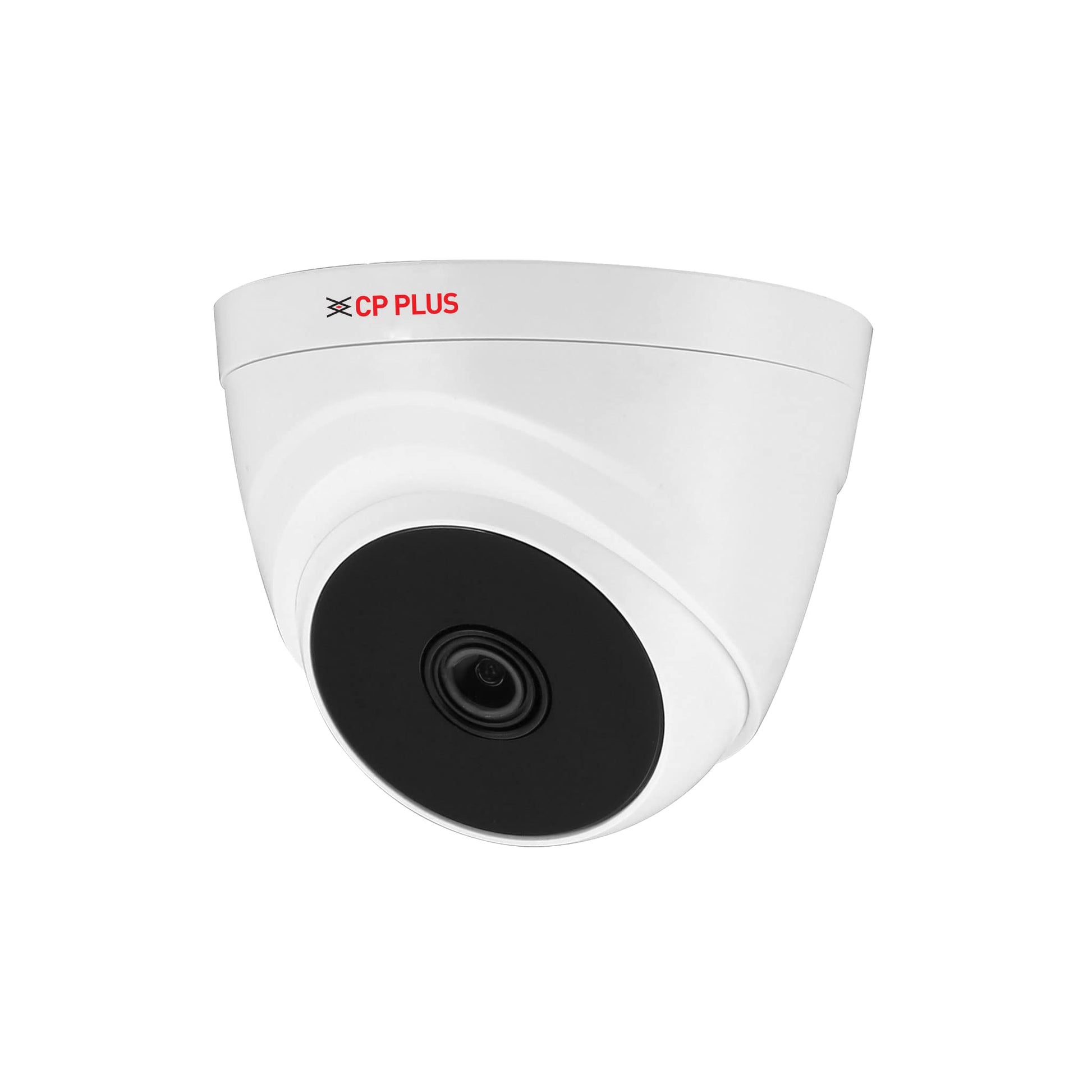
A 5MP dome camera is a surveillance camera designed to capture detailed video in a compact, dome-shaped housing. With a resolution of approximately five megapixels, it can provide more image detail than many lower-resolution cameras, helping users monitor entrances, offices, shops, corridors and other important areas.
What does 5MP mean?
“5MP” refers to a camera’s image resolution: around five million pixels. More pixels can make it easier to see details such as movement, clothing and objects within the camera’s view. The actual level of detail depends on factors including the lens, lighting, camera placement, recording settings and the area being monitored.
Higher resolution does not automatically guarantee that a face or number plate will be identifiable. For the best results, position the camera at an appropriate distance and angle, and choose a lens suited to the area.
Why choose a dome camera?
Dome cameras are popular for indoor and outdoor security because their rounded housing offers a neat, low-profile appearance. The dome can make it less obvious which direction the camera is pointing, while the enclosed design can help protect the camera from accidental contact. The specific level of protection varies by model.
A dome camera can be suitable for:
- Retail shops, showrooms and reception areas
- Offices, corridors and common spaces
- Homes, apartment buildings and entrances
- Schools, clinics and commercial premises
- Covered outdoor areas, when the camera is rated for outdoor use
Features to consider
Specifications differ between models, so check the product details before choosing a 5MP dome camera. Useful features may include:
- Night vision: Infrared (IR) illumination can support monitoring in low-light conditions. Night-time range and image quality vary by camera and installation.
- Wide Dynamic Range (WDR): This can help balance bright and dark areas in challenging lighting, such as near a doorway with sunlight behind it.
- Wide-angle or varifocal lens: A fixed lens provides a set viewing angle, while a varifocal lens may allow adjustment to suit the scene.
- Weather and impact ratings: For outdoor installation, check the camera’s IP rating for dust and water resistance. An IK rating, where specified, relates to impact resistance.
- Audio and smart detection: Some models offer a microphone or features such as motion detection. Availability and performance depend on the camera and its compatible recorder or software.
- Network or analogue connection: 5MP cameras may use different technologies. Confirm that the camera is compatible with the recorder, cabling and other equipment in your system.
Installation and recording considerations
Place the camera where it can cover the intended area without being obstructed by walls, signs or furniture. Avoid pointing it directly at strong light sources, and consider how the view may change during the day. For outdoor use, check that the mounting location and camera are suitable for local weather conditions.
Video storage requirements depend on the number of cameras, recording quality, frame rate, compression settings and how long footage needs to be retained. A compatible digital video recorder (DVR) or network video recorder (NVR) may be required, depending on the camera type. Ask an installer to confirm compatibility and estimate storage needs for your setup.
Is a 5MP dome camera right for you?
A 5MP dome camera can be a practical option when you want a discreet camera with detailed video for everyday monitoring. To select the right model, consider the area to be covered, lighting conditions, lens requirements, indoor or outdoor placement, recording system compatibility and storage needs.
For a reliable result, choose a camera based on the requirements of the site rather than resolution alone. Proper placement, suitable lighting and a compatible recording system all play an important part in the quality of your surveillance footage.
7 Essential Tips for Choosing and Using a 5MP Dome Camera
- Choose a 5MP camera for sharper detail than standard HD.
- Check that the lens suits your room or entrance.
- Install it high enough to reduce tampering.
- Avoid pointing it directly at bright lights.
- Use night vision for clear footage after dark.
- Pair it with a compatible recorder or app.
- Keep the lens clean for better image quality.
Choose a 5MP camera for sharper detail than standard HD.
Choose a 5MP dome camera for sharper, more detailed footage than standard 1080p HD. The higher resolution can make it easier to distinguish people and objects in the monitored area, provided the camera is well positioned and has suitable lighting and lens coverage.
Check that the lens suits your room or entrance.
Check that the lens suits the room or entrance you want to monitor. A wide-angle lens can cover a larger area, such as a small room or reception, while a narrower or adjustable lens may be better for viewing a specific entrance from a distance. Choosing the right lens helps ensure the 5MP dome camera captures useful detail without leaving important areas outside its field of view.
Install it high enough to reduce tampering.
Install a 5MP dome camera high enough to make tampering difficult, while ensuring it still captures a clear view of the area. Avoid placing it so high that important details become harder to see, and check that the lens is not obstructed by beams, fittings or signage. For the best position, consider the camera’s viewing angle and the area you need to monitor.
Avoid pointing it directly at bright lights.
Avoid pointing a 5MP dome camera directly at bright lights, such as the sun, vehicle headlights or powerful lamps. Strong light can create glare, overexposed areas or dark shadows, making important details harder to see. Position the camera to capture the area from an angle, and use features such as Wide Dynamic Range (WDR), if available, to help manage scenes with both bright and dim lighting.
Use night vision for clear footage after dark.
Use the night vision feature of your 5MP dome camera to monitor your premises clearly after dark. Infrared (IR) illumination can help capture footage in low-light conditions, making it useful for entrances, corridors and outdoor areas. For better results, keep the camera lens clean, avoid pointing it directly at reflective surfaces and check that the selected model’s night vision range suits the area you want to cover.
Pair it with a compatible recorder or app.
Pair your 5MP dome camera with a compatible DVR, NVR or monitoring app to view and record footage smoothly. Before installation, check that the recorder supports the camera’s resolution, connection type and video format, and confirm that the app works with your camera system. Compatibility can vary by model, so consult the product specifications or seek advice from your installer.
Keep the lens clean for better image quality.
Keep the lens of your 5MP dome camera clean to maintain clear, detailed footage. Dust, fingerprints, water spots and cobwebs can blur images or affect visibility, especially at night. Clean the lens gently with a soft, lint-free microfibre cloth, and avoid abrasive materials or harsh chemicals that could damage its surface.