HR Attendance Software: A Smarter Way to Manage Employee Time
Managing employee attendance is an important part of running any organisation. When attendance is recorded manually, tracking working hours, shifts, late arrivals and leave can take considerable time. HR attendance software helps simplify these tasks by recording and organising attendance information in one place.
What Is HR Attendance Software?
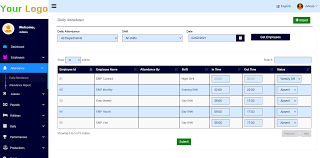
HR attendance software is a digital system used to record and manage employee attendance. Depending on the setup, employees may mark attendance through a web portal, mobile application, access-control terminal or biometric device. The software stores the records and gives authorised staff tools to review attendance, working hours, absences and related reports.
How Does It Work?
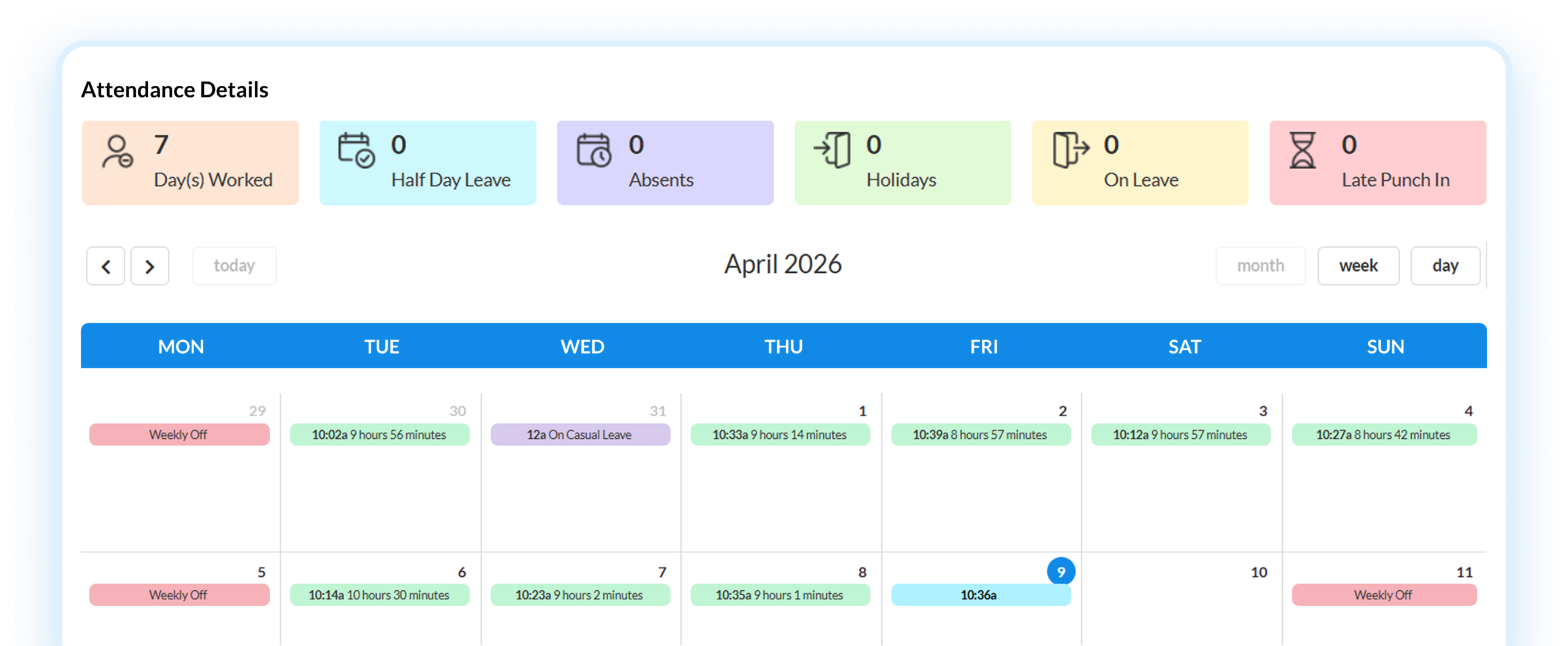
An employee records their arrival and departure using an available attendance method. The software captures the time and links it to the employee’s profile. HR teams can then review the records, apply the organisation’s attendance rules and manage exceptions such as missed punches or approved leave.
Some systems can connect with biometric or access-control devices, while others support mobile or web-based attendance. The right option depends on the organisation’s workforce, locations, policies and technical requirements.
Key Benefits for Organisations
- Less manual administration: Digital records can reduce the need to maintain paper registers or update multiple spreadsheets.
- Clearer attendance records: A central system makes it easier to review attendance and identify missing or unusual entries.
- Faster reporting: HR teams can generate summaries for attendance, working hours, late arrivals and absences.
- Support for multiple shifts: Configurable rules can help manage different schedules, shift patterns and weekly offs.
- Improved leave coordination: Attendance information can be reviewed alongside leave records, depending on the system’s features.
- Useful insights: Reports can help managers understand attendance patterns and plan staffing more effectively.
Features to Consider
Not all HR attendance software offers the same capabilities. Before selecting a system, consider whether it includes the features your organisation needs, such as:
- Employee profiles and department-wise access
- Support for fixed, flexible and rotating shifts
- Leave and holiday calendars
- Overtime and late-arrival rules
- Attendance correction and approval workflows
- Reports that can be exported for payroll processing
- Integration with HR, payroll or access-control systems
- Role-based permissions and secure record management
- Support for multiple offices or work locations
Choosing the Right Attendance Method
The attendance method should suit the way employees work. A biometric terminal may be appropriate for a fixed workplace, while a web or mobile option may better suit employees working across locations. Access-control integration can be useful where attendance and entry management need to be coordinated.
Organisations should also consider practical factors such as network availability, device placement, employee privacy, ease of use and the process for correcting errors. Clear policies help employees understand when and how to record attendance.
Planning a Successful Implementation
Before introducing HR attendance software, review existing attendance policies and decide how different shifts, breaks, leave and overtime will be handled. Clean employee data and accurate shift schedules are essential for reliable records. It is also helpful to train employees and managers, test the system with a small group and set up a clear support process for questions or missed entries.
Attendance records may contain personal information. Organisations should therefore limit access to authorised users, follow applicable data-protection requirements and retain records only as required by their policies and legal obligations.
Conclusion
HR attendance software can make time and attendance management more organised and easier to review. By selecting a system that fits the organisation’s workforce and policies, businesses can reduce routine administration, improve record visibility and support more consistent attendance processes.
7 Tips for Choosing and Implementing HR Attendance Software in India
- Choose software that supports Indian attendance and leave policies.
- Check integration with your payroll system.
- Offer mobile check-in with location controls for field staff.
- Support biometric devices if your workplace needs them.
- Set up shifts, holidays and overtime rules correctly.
- Use clear audit logs to review attendance changes.
- Train employees and managers before rollout.
Choose software that supports Indian attendance and leave policies.
Choose HR attendance software that can be configured to suit your organisation’s Indian attendance and leave policies. Check whether it supports your shift timings, weekly offs, public holidays, leave types, approval workflows and overtime rules. A system that reflects your actual policies can help maintain consistent records, reduce manual corrections and make attendance and leave management easier for both employees and HR teams.
Check integration with your payroll system.
Before choosing HR attendance software, check whether it integrates with your payroll system. A reliable integration can transfer approved attendance, overtime, leave and shift data automatically, reducing duplicate data entry and the risk of payroll errors. Confirm that the systems are compatible, that the required data fields are supported, and that updates sync accurately and securely.
Offer mobile check-in with location controls for field staff.
Offering mobile check-in with location controls can make attendance tracking easier for field staff who work across different sites. Employees can record their start and finish times using a mobile app, while location settings help confirm that check-ins happen at approved work locations. Configure these controls to suit job requirements, explain clearly how location data is used, and provide a simple process for correcting missed or inaccurate entries.
Support biometric devices if your workplace needs them.
Choose HR attendance software that supports biometric devices if your workplace needs them. Integration with fingerprint or facial-recognition terminals can help employees record attendance at designated entry points and make it easier for HR teams to manage time records. Before selecting a system, check that it is compatible with your existing devices, offers a clear process for handling missed or incorrect punches, and protects employee data through appropriate access controls and security measures.
Set up shifts, holidays and overtime rules correctly.
Set up shifts, holidays and overtime rules correctly in your HR attendance software to ensure employee hours are recorded consistently. Add each shift’s start and end times, break periods, weekly offs and applicable holiday calendars, and define when overtime begins and how it should be calculated or approved. Review these settings whenever schedules or workplace policies change, and test them before applying them across the organisation. Accurate rules help reduce attendance errors, support payroll processing and make expectations clearer for employees and managers.
Use clear audit logs to review attendance changes.
Use clear audit logs to review attendance changes. A reliable HR attendance software system should record who made each change, what was updated and when it happened. This helps HR teams verify corrections to missed punches, shift timings or leave records, resolve queries fairly and maintain accurate, transparent attendance data. Restrict access to authorised users and review the logs regularly to spot unusual changes.
Train employees and managers before rollout.
Train employees and managers before rolling out HR attendance software to ensure everyone knows how to use it correctly. Explain how to mark attendance, check records, request corrections and follow shift or leave rules. Provide a simple user guide or demonstration, and let employees know whom to contact if they face an issue. Well-informed users are more likely to adopt the system smoothly, helping prevent errors and reducing the need for ongoing support.