iClear CCTV: A Smarter Approach to Security Monitoring
Keeping homes, offices and commercial premises secure requires more than simply installing a camera. A well-planned CCTV system can help monitor activity, record important events and provide greater visibility across a property. iClear CCTV systems are an option to consider when looking for surveillance solutions suited to everyday security needs.
What Is iClear CCTV?
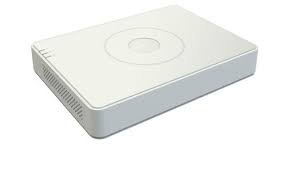
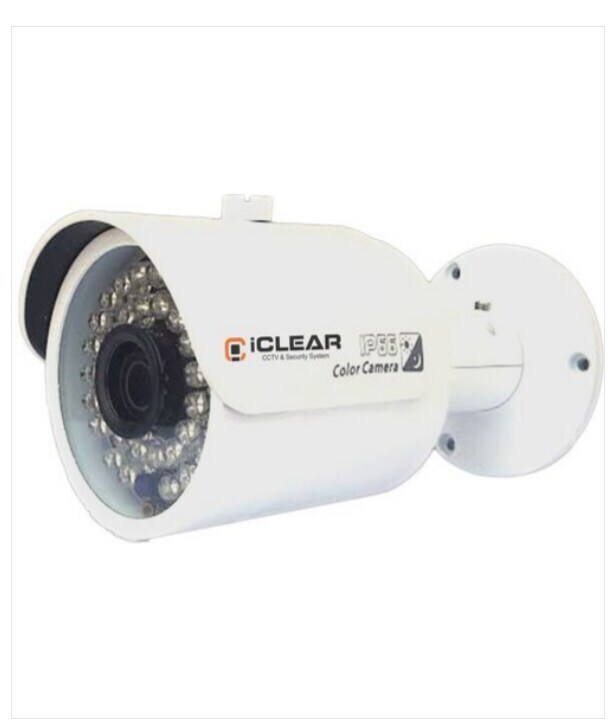
iClear CCTV refers to CCTV cameras and surveillance equipment sold under the iClear name. Depending on the model and system configuration, a CCTV setup may include cameras, a recording device, storage, a monitor and software or an app for viewing footage. Features can differ between products, so it is important to check the specifications of the particular model before purchase.
How Can a CCTV System Help?
- Monitor key areas: Cameras can provide views of entrances, corridors, reception areas, car parks and other important locations.
- Review recorded footage: When configured with suitable recording and storage, a system can help users review events after they occur.
- Support day-to-day oversight: Live viewing can make it easier to check activity across a property, subject to the system’s capabilities and network setup.
- Complement other security measures: CCTV can work alongside access control, alarms, lighting and established security procedures.
Choosing the Right iClear CCTV Setup
The right system depends on the site, the areas to be monitored and the level of detail required. Before selecting a camera, consider the following:
- Camera placement: Identify entrances, blind spots and other areas that need coverage.
- Image quality: Choose a resolution appropriate to the viewing distance and the amount of detail required.
- Lighting conditions: Check how the camera performs in low light and whether night-time coverage is needed.
- Indoor or outdoor use: Outdoor cameras should be suitable for the local weather and installation environment.
- Recording and storage: Confirm how footage is recorded, how long it can be retained and what storage options are supported.
- Remote viewing: If viewing footage remotely is important, check the app, network requirements and compatibility for the model.
- System compatibility: Confirm that cameras, recorders, cabling and software work together as intended.
Professional Installation and Maintenance
Correct installation can make a significant difference to the performance of a CCTV system. Cameras should be positioned to capture useful views without being obstructed, while cabling, power and network connections should be installed safely. The system should also be tested to confirm that live viewing, recording and playback work properly.
Regular maintenance helps keep a system reliable. Clean camera lenses, check connections, review recording settings and ensure that storage is functioning as expected. Keep passwords secure and update software or firmware according to the manufacturer’s guidance.
Use CCTV Responsibly
CCTV should be used with respect for privacy and applicable laws. Inform people where required, avoid recording areas where privacy is expected, and limit access to footage to authorised users. Set retention periods carefully and protect recordings from unauthorised access.
Conclusion
iClear CCTV may be worth considering for properties that need a practical surveillance setup. The best choice depends on the specific model, site requirements and installation plan. Review product specifications, confirm compatibility and consider professional advice before selecting a system.
9 Key Benefits of iClear CCTV for Homes and Businesses
- Helps monitor important areas.
- Supports live security checks.
- Can record events for later review.
- Offers a visible security presence.
- Suitable for homes and businesses.
- Can complement alarm systems.
- May support remote viewing, depending on the model.
- Provides coverage for entrances and common areas.
- Can be tailored to site requirements.
iClear CCTV Limitations: Model Features, Image Quality, Internet Dependency and Storage Capacity
- Features may vary between models.
- Image quality depends on camera placement and lighting.
- Remote viewing may require a stable internet connection.
- Storage capacity can limit how long footage is retained.
Helps monitor important areas.
iClear CCTV helps monitor important areas such as entrances, reception desks, corridors, car parks and storage spaces. With cameras positioned to suit the property, users can check activity in key locations and review available footage when needed. This added visibility can support day-to-day security and help identify areas that may need improved coverage.
Supports live security checks.
iClear CCTV can support live security checks by allowing authorised users to view camera feeds in real time, helping them monitor important areas such as entrances, workspaces and car parks. This can make it easier to notice unusual activity as it happens and respond promptly, subject to the system’s features, internet connection and correct setup.
Can record events for later review.
iClear CCTV can record events so that footage is available for later review, subject to the system’s recording settings and available storage. This can help users check what happened at a particular time, review activity around entrances or other monitored areas, and provide useful context when investigating an incident. Regularly checking recording settings and storage capacity helps ensure footage is retained as intended.
Offers a visible security presence.
An iClear CCTV system offers a visible security presence that can help people feel more confident at a property. Clearly positioned cameras signal that areas are being monitored and may discourage opportunistic trespassing or other unwanted activity. For the best results, place cameras where they are easy to see while ensuring they provide useful coverage of entrances and other key areas.
Suitable for homes and businesses.
iClear CCTV can be suitable for a range of settings, from homes and apartments to offices, shops and other business premises. Depending on the camera models and system configuration, it can help monitor entrances, common areas, workspaces and other important locations. This flexibility makes it easier to choose a setup that matches the property’s size, layout and security requirements.
Can complement alarm systems.
iClear CCTV can complement alarm systems by adding visual monitoring to alerts from sensors and detectors. When an alarm is triggered, authorised users can check camera footage to better understand what is happening and decide what action to take. Together, CCTV and alarms can provide a more complete view of security across a property, subject to the features and compatibility of the equipment installed.
May support remote viewing, depending on the model.
Depending on the model and setup, iClear CCTV may support remote viewing, allowing authorised users to check live camera feeds or recorded footage through a compatible phone, tablet or computer. This can make it easier to keep an eye on a home or workplace when away. Remote access may require an internet connection, a compatible app and correct system configuration, so check the product specifications before purchase.
Provides coverage for entrances and common areas.
iClear CCTV can help provide coverage for entrances and common areas, such as reception areas, corridors and shared spaces. Strategically placed cameras make it easier to monitor activity and review footage when needed, supporting day-to-day security for homes, offices and commercial premises. Camera placement should be planned carefully to minimise blind spots while respecting people’s privacy.
Can be tailored to site requirements.
iClear CCTV can be tailored to suit the requirements of a particular site, whether it is a home, office, shop or industrial premises. Camera types, placement and system configuration can be selected according to the areas that need monitoring, lighting conditions and preferred recording setup. This flexibility helps create a surveillance solution that fits the property and its security needs.
Features may vary between models.
One limitation of iClear CCTV is that features may vary between models. Recording options, image quality, night vision, remote viewing and storage support may not be the same across the range, so a feature available on one camera may not be included with another. Check the specifications of the exact model and confirm that it meets your requirements before making a purchase.
Image quality depends on camera placement and lighting.
One limitation of iClear CCTV is that image quality can vary depending on camera placement and lighting conditions. Poor positioning, obstructions or insufficient light may make footage less clear, especially at night or when monitoring large areas. Careful camera placement and suitable lighting can help improve visibility, but it is important to assess the site before installation.
Remote viewing may require a stable internet connection.
A possible drawback of iClear CCTV is that remote viewing may depend on a stable internet connection. If the connection is slow or interrupted, live footage may lag, take longer to load or become temporarily unavailable. This can be inconvenient when checking your property from outside, so ensure the site has reliable internet and confirm the system’s local recording options before installation.
Storage capacity can limit how long footage is retained.
One limitation of iClear CCTV is that the system’s storage capacity can affect how long recorded footage is retained. When storage fills up, older recordings may be overwritten or new footage may stop being saved, depending on the system settings. Choosing a suitable storage option and regularly reviewing retention settings can help ensure important footage remains available when needed.