1080p CCTV Cameras: A Practical Guide
A 1080p CCTV camera is a popular choice for homes, shops, offices and other premises. It records video at a resolution of 1920 × 1080 pixels, commonly known as Full HD. This resolution can provide clear, detailed footage for everyday monitoring, provided the camera is properly installed and configured.
What does 1080p mean?
The term “1080p” refers to the number of horizontal lines in the video image. The “p” stands for progressive scan, a method of displaying the image. In practical terms, a 1080p camera captures more detail than standard-definition cameras, making it easier to review activity in the frame.
Benefits of a 1080p CCTV camera
- Clear Full HD footage: The resolution can help capture useful details, such as a person’s clothing or activity in a monitored area.
- Suitable for everyday security: It can be used to monitor entrances, reception areas, corridors, shops and residential spaces.
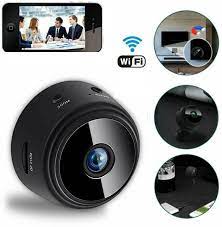
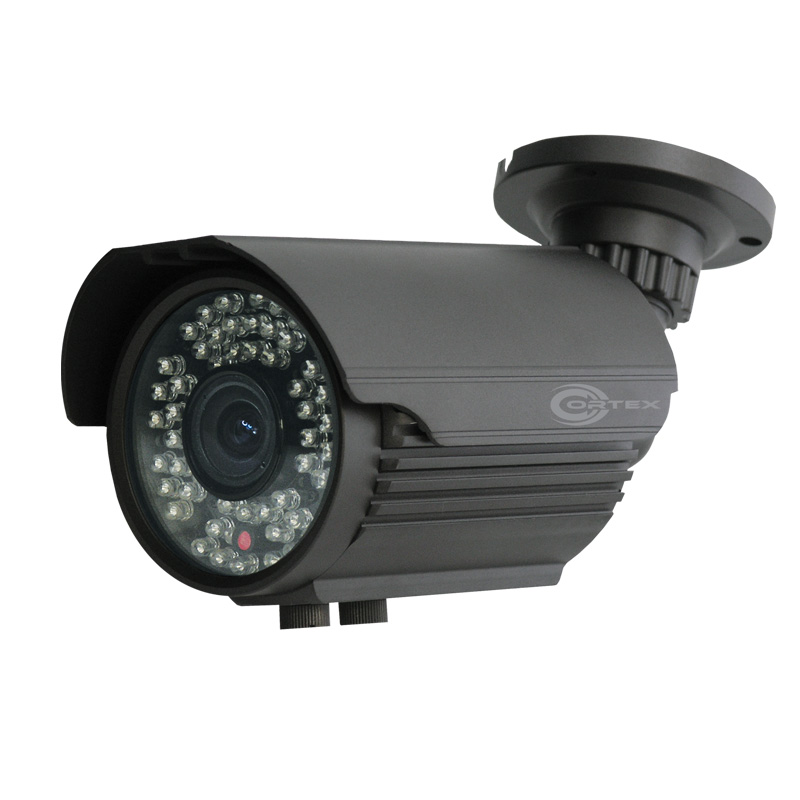
- Broad choice of systems: 1080p cameras are available in different styles, including dome, bullet and compact indoor models.
- Flexible installation: Depending on the system, cameras may connect using coaxial cable, Ethernet or a wireless network.
- Useful playback and remote viewing: When paired with a compatible recorder or network system, footage may be reviewed locally or accessed remotely.
Where can a 1080p camera be used?
A 1080p CCTV camera can be suitable for many general monitoring needs, including:
- Home entrances, driveways and common areas
- Retail counters and small shops
- Office reception areas and corridors
- Warehouses and stockrooms
- Building entrances and parking areas
The right camera depends on the size and layout of the area, lighting conditions, the distance to the subject and the level of detail required. A camera intended to monitor a wide area may not capture close-up detail at a distant point.
Features to consider before buying
Day and night performance
Check whether the camera supports infrared night vision or another low-light mode. Night-time image quality can vary, so consider the lighting at the installation site and the camera’s intended viewing distance.
Lens and field of view
The lens affects how wide an area the camera can cover. A wider view can monitor more space, while a narrower view may show greater detail in a specific direction. Choose a lens based on the area rather than resolution alone.
Weather protection
For outdoor installation, check the camera’s environmental protection rating and suitability for local weather conditions. Outdoor cameras should also be mounted securely and positioned to reduce glare and obstruction.
Recording and storage
1080p video requires storage space. The amount used depends on factors such as frame rate, video compression, recording schedule and the number of cameras. Confirm that the recorder or storage system is compatible with the camera and provides enough capacity for the required retention period.
Connectivity and compatibility
Before purchase, check how the camera connects and whether it works with the recorder, mobile application or monitoring system you plan to use. Wired and wireless options have different installation requirements. Wireless cameras still need reliable network coverage and a suitable power source.
Is 1080p enough?
For many everyday security applications, 1080p can provide a useful balance of image detail, storage needs and system cost. However, it may not be the best choice for every situation. Larger sites, long viewing distances or applications that require finer detail may call for a higher-resolution camera, a suitable lens or additional cameras positioned strategically.
It is also important to remember that resolution alone does not determine image quality. Lighting, camera placement, lens selection, recording settings and installation quality all influence the final footage.
Installation tips
- Position the camera to cover important entry and exit points.
- Avoid pointing it directly towards bright lights or reflective surfaces.
- Mount it at a suitable height to balance coverage and image detail.
- Check the view during both daytime and low-light conditions.
- Keep cables, power supplies and network connections protected.
- Set strong passwords and keep compatible camera software updated.
Choose a camera for your requirements
A 1080p CCTV camera can be a practical option for monitoring homes and business premises. To choose the right system, consider the location, lighting, coverage area, recording needs and compatibility with your existing equipment. Careful planning and correct installation help ensure that the camera provides useful footage when it is needed.
1080p CCTV Cameras: 7 Frequently Asked Questions Answered
- What does 1080p mean in a CCTV camera?
- Is a 1080p CCTV camera suitable for home and business security?
- How clear is the footage from a 1080p CCTV camera?
- Can a 1080p CCTV camera record clear footage at night?
- How much storage does a 1080p CCTV camera need?
- Can I view a 1080p CCTV camera remotely on my mobile phone?
- What should I consider when choosing a 1080p CCTV camera?
What does 1080p mean in a CCTV camera?
In a CCTV camera, 1080p refers to a video resolution of 1920 × 1080 pixels, also known as Full HD. The “p” stands for progressive scan, which displays each frame as a complete image. This resolution can provide clear footage for everyday monitoring, though the final image quality also depends on factors such as lighting, lens choice, camera placement and recording settings.
Is a 1080p CCTV camera suitable for home and business security?
Yes, a 1080p CCTV camera can be suitable for both home and business security, offering Full HD footage for monitoring entrances, rooms, shops and offices. Its suitability depends on the area to be covered, lighting, camera placement and the level of detail required. For larger premises or situations where clear identification is needed over long distances, consider a higher-resolution camera or additional cameras.
How clear is the footage from a 1080p CCTV camera?
Footage from a 1080p CCTV camera is recorded at 1920 × 1080 pixels, providing Full HD detail that is generally suitable for monitoring homes, shops and offices. It can capture useful details, such as a person’s clothing and activity, when the camera is positioned correctly and the area is well lit. However, clarity also depends on the lens, viewing distance, lighting, camera angle and recording settings; for distant subjects or fine details, a higher-resolution camera may be more appropriate.
Can a 1080p CCTV camera record clear footage at night?
Yes, a 1080p CCTV camera can record clear footage at night if it has good low-light performance or infrared night vision. The clarity also depends on factors such as lighting, camera placement, lens quality and the distance from the subject. For the best results, choose a camera suited to the area, avoid pointing it towards bright lights and check its night-time range before installation.
How much storage does a 1080p CCTV camera need?
The storage required by a 1080p CCTV camera depends on its bitrate, video compression, frame rate, recording hours and retention period. As a rough guide, continuous recording at 1 Mbps uses about 10.8 GB per day, while 2 Mbps uses about 21.6 GB per day. Multiply the daily requirement by the number of cameras and days you want to keep footage; motion-based recording and efficient compression can reduce the total. Check the camera and recorder settings before choosing a hard drive, as actual usage may vary.
Can I view a 1080p CCTV camera remotely on my mobile phone?
Yes, you can view a 1080p CCTV camera remotely on your mobile phone if the camera or connected DVR/NVR supports remote viewing. Connect the system to the internet, install the manufacturer’s compatible app and follow its setup instructions. A stable internet connection is recommended for smooth live viewing and playback; video quality may adjust depending on your network speed. Use a strong password and keep the app and camera firmware updated to help protect your system.
What should I consider when choosing a 1080p CCTV camera?
When choosing a 1080p CCTV camera, consider where it will be installed, the area you need to cover and the level of detail required. Check its day- and night-time performance, lens and field of view, and whether it is suitable for indoor or outdoor use. Also confirm that the camera is compatible with your recorder, network and mobile app, and consider its power supply, storage requirements and installation costs. Remember that image quality depends not only on resolution but also on lighting, camera placement and recording settings.