
Attendance Software Free Download: What to Check Before You Install
Looking for an attendance software free download? The right tool can make it easier to record staff working hours, manage shifts and prepare attendance reports. Before downloading any software, check that it suits your organisation, works with your attendance devices and comes from a trustworthy source.
What is attendance software?
Attendance software helps organisations record and manage employee attendance. Depending on the product, employees may mark attendance through a computer, mobile app, web portal or connected device such as a biometric fingerprint reader or access-control terminal. Managers can use the software to review attendance records, late arrivals, absences, overtime and shift data.
What features should you look for?
Features vary between free and paid plans. Check the product details to see whether the software includes the functions you need, such as:
- Employee profiles and attendance records
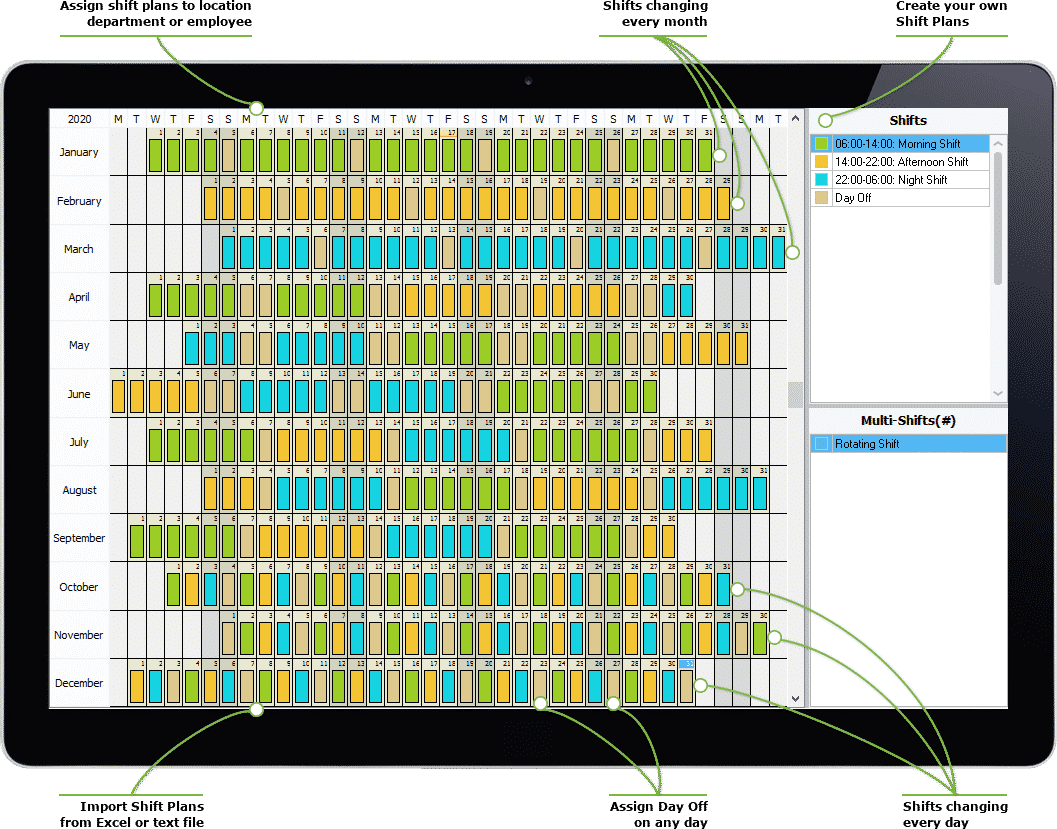
- Shift schedules, weekly offs and holiday calendars
- Late arrival, early departure and absence reports
- Biometric-device or access-control integration
- Mobile or web-based attendance marking
- Export options for spreadsheets or payroll processing
- User permissions, backups and audit history
Free attendance software: what to expect
A free download may be a permanently free version, a limited-feature edition or a time-bound trial. Some products limit the number of employees, devices or months of data you can manage. Others may charge for technical support, cloud storage, integrations or additional users.
Read the licence terms and pricing information before installing the software. Confirm whether the free version can be used for commercial purposes and whether your attendance data can be exported if you later switch to another system.
How to download and install it safely
- Identify your requirements: Decide how many employees you need to manage and whether you require biometric, mobile, web or shift-based attendance.
- Check compatibility: Review the operating-system requirements and confirm that the software supports your attendance devices.
- Use the official source: Download the installer from the software provider’s official website or an authorised app store. Avoid unfamiliar download sites and suspicious links.
- Review permissions and terms: Check what information the software collects, where records are stored and who can access them.
- Test before rollout: Install the software on a test system, add sample users and verify reports and device connections before using it for live records.
- Back up your data: Set up regular backups and check how to restore records if a computer or device fails.
Protect employee information
Attendance records are employee information and should be handled responsibly. Use strong passwords, restrict access to authorised staff and keep computers and devices updated. If the system stores data online, review the provider’s privacy and security information, including its backup and data-retention practices.
Biometric data requires particular care. Before using fingerprint or facial-recognition attendance, understand how the information is collected, stored and protected, and follow applicable workplace policies and legal requirements.
Free download or paid solution?
A free option may be suitable for a small team with straightforward attendance requirements. A paid solution may be more appropriate if you need reliable support, multiple locations, payroll integration, advanced reporting or a larger number of users. Compare the total costs and limitations rather than choosing on download price alone.
Conclusion
An attendance software free download can be a useful way to explore digital attendance management. Check the licence, features, device compatibility and data-protection practices before installation. A short trial with sample records can help you confirm whether the software is suitable for your organisation.
7 Tips to Check Before Downloading Free Attendance Software
- Download attendance software only from its official website or app store.
- Check that the free plan suits your team size and needs.
- Confirm compatibility with your phones, computers, or biometric devices.
- Review privacy settings and how employee data is stored.
- Test attendance reports and Excel export before choosing.
- Check whether offline attendance works during internet outages.
- Read the free-plan limits, renewal terms, and upgrade costs.
Download attendance software only from its official website or app store.
Download attendance software only from the provider’s official website or a trusted app store. This helps reduce the risk of installing fake or modified software that could contain malware or put employee information at risk. Before downloading, check the publisher’s name, product details and system requirements, and avoid unfamiliar links or third-party sites.
Check that the free plan suits your team size and needs.
Before downloading attendance software, check whether the free plan suits your team size and day-to-day needs. Some free versions limit the number of employees, devices or features, such as shift scheduling and report exports. Review these limits carefully to ensure the software can support your current requirements and won’t disrupt attendance tracking as your team grows.
Confirm compatibility with your phones, computers, or biometric devices.
Before downloading attendance software, confirm that it is compatible with the devices your organisation uses. Check whether it works with your phones and computers, including their operating systems, and whether it supports your biometric devices, such as fingerprint or face-recognition machines. Verifying compatibility in advance can help avoid installation issues and ensure attendance records sync correctly.
Review privacy settings and how employee data is stored.
Before choosing an attendance software free download, review its privacy settings and find out how employee data is collected, stored and protected. Check who can access attendance records, whether data is stored on your computer or in the cloud, and how backups, retention and deletion are managed. Choose a trusted provider, use strong passwords and limit access to authorised staff to help safeguard sensitive employee information.
Test attendance reports and Excel export before choosing.
Before choosing attendance software, test its reports and Excel export features using sample employee records. Check whether the reports clearly show attendance, late arrivals, absences and working hours, and confirm that exported data is accurate, well organised and easy to use for payroll or further analysis. This quick check can help ensure the software fits your organisation’s reporting needs.
Check whether offline attendance works during internet outages.
Before choosing an attendance software free download, check whether it can record attendance during an internet outage. Offline support can help staff mark attendance without interruption, with records syncing automatically once the connection is restored. Confirm how the software stores offline data, whether any entries could be missed or duplicated, and whether the feature is available in the free version.
Read the free-plan limits, renewal terms, and upgrade costs.
Before choosing an attendance software free download, read the free-plan limits carefully, including restrictions on employee numbers, devices, features and data storage. Check whether the plan is free indefinitely or only for a trial period, and note if it renews automatically as a paid subscription. Reviewing upgrade costs and payment terms in advance can help you avoid unexpected charges and choose software that suits your organisation’s budget as it grows.

