HD CCTV: A Clearer View of Your Security
Security cameras help people monitor homes, offices, shops, warehouses and other premises. HD CCTV offers sharper images than standard-definition systems, making it easier to observe activity and review recorded footage. With a suitable camera, recorder and installation, an HD CCTV system can support day-to-day security and provide useful evidence when an incident needs to be investigated.
What is HD CCTV?
HD CCTV is a video surveillance system that captures and records high-definition images. The term is used for several technologies, including HD analogue systems and IP CCTV cameras. Image quality is commonly described by resolution—for example, 720p, 1080p (Full HD) or higher. A higher resolution can show more detail, although the final picture also depends on the camera, lens, lighting, recording settings and display.
Common types of HD CCTV systems
- HD analogue CCTV: Cameras send video to a compatible digital video recorder (DVR), often over coaxial cable. This can be a practical option when upgrading an existing coaxial installation.
- IP CCTV: Cameras send digital video over a network to a network video recorder (NVR) or other storage. Depending on the system, they may connect through Ethernet, Wi-Fi or a combination of network technologies.
- Wired and wireless cameras: Wired cameras typically provide a stable connection, while wireless models can offer more flexible placement. Wireless cameras still need reliable power and network coverage.
Benefits of HD CCTV
- Clearer footage: Higher resolution can make it easier to distinguish people, objects and activity in the camera’s field of view.
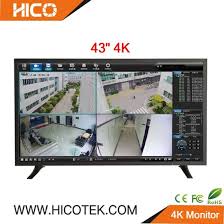
- Live monitoring: Many systems allow authorised users to view camera feeds on a monitor or compatible mobile device.
- Recorded video: DVRs, NVRs or approved storage solutions can retain footage for later review, subject to available storage and recording settings.
- Flexible coverage: A system can include different camera styles for indoor areas, entrances, car parks and other locations.
- Integration options: Some systems can work alongside other security equipment, depending on compatibility and configuration.
Choosing the right HD CCTV system
Before purchasing a system, consider what needs to be monitored and what level of detail is required. A camera intended to cover a wide room may need a different lens and placement from one focused on a doorway or counter.
- Resolution and image quality: Select a resolution suited to the area and the amount of detail needed.
- Lighting conditions: Check whether cameras offer features such as infrared night vision or wide dynamic range for scenes with strong contrast.
- Indoor or outdoor use: Outdoor cameras should be designed for the site’s weather and environmental conditions.
- Storage and retention: Estimate how many days of footage are required. The number of cameras, resolution, frame rate and recording schedule all affect storage needs.
- Connectivity: Confirm that cameras, recorders, cables and network equipment are compatible with one another.
- Remote access: If viewing footage remotely is important, consider network security, user permissions and the reliability of the internet connection.
Installation and placement
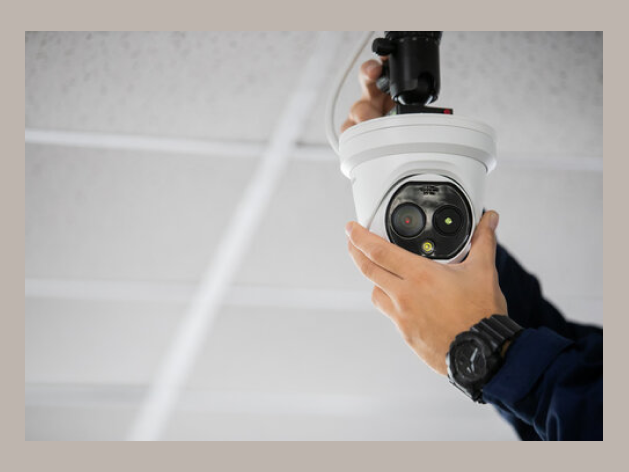
Camera placement has a major effect on performance. Position cameras to cover useful areas such as entrances, reception points and access routes, while avoiding unnecessary views into private spaces. Mount cameras securely and consider glare, shadows, obstructions and night-time lighting. For larger sites, a planned layout can help reduce blind spots and avoid installing cameras where they add little value.
Use strong passwords, restrict access to authorised users, update device software where updates are available and secure the network used by the system. For a reliable installation, consult a qualified CCTV professional, particularly where cabling, elevated mounting or integration with other security systems is involved.
Privacy and responsible use
CCTV should be used responsibly and in accordance with applicable laws and guidance in India. Inform people where monitoring is in use when required, limit access to recordings and keep footage only for as long as necessary for the stated purpose. Avoid positioning cameras to unnecessarily capture neighbouring homes or private areas.
Keeping an HD CCTV system in good condition
Regular maintenance helps keep a system useful. Clean camera lenses, check that the date and time are correct, confirm that recording and playback work, and review storage capacity. Test night vision and remote viewing periodically, and promptly investigate any camera that shows a blank image or becomes disconnected.
Conclusion
HD CCTV can provide clearer monitoring and more useful recorded footage when the system is selected and installed to suit the site. Consider resolution, lighting, storage, connectivity, privacy and ongoing maintenance before making a decision. A well-planned setup can help support a practical and dependable security arrangement for a home or business.
9 Essential HD CCTV Tips for Clear Footage and Better Security
- Choose at least 1080p resolution for clear footage.
- Place cameras at entrances and key areas.
- Install cameras high to reduce tampering.
- Use night vision for low-light coverage.
- Check the camera’s field of view before installation.
- Use weatherproof cameras outdoors.
- Secure footage with strong passwords.
- Back up recordings regularly.
- Clean camera lenses for sharp images.
Choose at least 1080p resolution for clear footage.
Choose an HD CCTV camera with a resolution of at least 1080p (Full HD) for clearer, more detailed footage. This can make it easier to distinguish people, objects and activity when reviewing recordings. For the best results, also consider lighting, camera placement, lens quality and available storage, as these factors affect the overall picture.
Place cameras at entrances and key areas.
Place HD CCTV cameras at entrances and other key areas, such as reception desks, corridors, cash counters and storage rooms, to monitor important activity and help reduce blind spots. Position each camera to capture a clear view of the area without pointing into private spaces or directly at bright lights, which can affect image quality.
Install cameras high to reduce tampering.
Install HD CCTV cameras at a suitable height to make them harder to tamper with, while keeping the area you need to monitor clearly in view. Avoid placing them so high that important details become difficult to see, and use secure mounts and weather-resistant fittings for outdoor locations.
Use night vision for low-light coverage.
Use night vision to keep your HD CCTV system monitoring clearly after dark or in poorly lit areas. Infrared night vision can capture footage in darkness, while low-light cameras may produce colour images when some ambient light is available. Choose a camera suited to the lighting conditions at your site, and check its night-time range, image quality and field of view. For best results, avoid pointing it directly at bright lights or reflective surfaces, and test the footage at night to confirm that entrances and other important areas are clearly visible.
Check the camera’s field of view before installation.
Before installing an HD CCTV camera, check its field of view to make sure it covers the area you need to monitor without leaving important blind spots. Consider the camera’s viewing angle, mounting height, distance from the subject and any obstacles such as walls, shelves or trees. A quick test using a live preview can help you adjust the position and angle before fixing the camera in place. Ensure the view respects people’s privacy and does not unnecessarily capture neighbouring properties or private areas.
Use weatherproof cameras outdoors.
For outdoor HD CCTV, choose weatherproof cameras designed to withstand rain, dust, heat and other local conditions. Check the camera’s IP rating and temperature range before installation, and ensure that connectors and cable entry points are also protected from moisture. Position the camera securely, with a clear view and minimal exposure to glare, to help maintain reliable performance and clear footage throughout the year.
Secure footage with strong passwords.
Protect your HD CCTV footage by setting a strong, unique password for every camera, DVR or NVR, and viewing account. Avoid default passwords and easy-to-guess details, and limit access to trusted users only. Where available, enable two-factor authentication and change passwords if access needs to be removed. These simple steps can help prevent unauthorised viewing or tampering with your recordings.
Back up recordings regularly.
Back up your HD CCTV recordings regularly to help protect important footage if the recorder is damaged, stolen or runs out of storage. Use a secure backup option, such as an external drive or approved cloud storage, and check that files can be accessed when needed. Limit access to authorised people and retain recordings only for as long as necessary.
Clean camera lenses for sharp images.
Keep HD CCTV camera lenses clean to ensure clear, sharp images. Dust, fingerprints, water spots and cobwebs can blur footage or affect night-time visibility. Switch off the camera if appropriate, then gently wipe the lens with a soft, lint-free microfibre cloth. Avoid abrasive materials and harsh cleaning chemicals, which may scratch or damage the lens. Check the cameras regularly, especially after bad weather or nearby maintenance work.