High-Resolution CCTV Cameras with Night Vision: A Practical Guide
Security concerns do not end when the sun goes down. A high-resolution CCTV camera with night vision can help monitor entrances, car parks, warehouses, offices and other areas in low-light conditions. However, image quality at night depends on more than resolution alone. The camera’s sensor, lens, lighting, installation and recording settings all play an important part.
What Does “High Resolution” Mean?
Resolution describes the amount of detail captured in an image. It is commonly stated in megapixels (MP) or by a video format such as Full HD or 4K. Higher resolution can make it easier to distinguish details across a wider area or when reviewing footage. However, it does not automatically guarantee clear night-time images. A high-resolution camera with a small sensor or poor lighting may produce noisy or unclear footage after dark.
It is also worth considering how footage will be viewed and stored. Higher-resolution video generally requires more storage space and network bandwidth. The recorder, storage system and network should be suitable for the camera’s resolution and frame rate.
How CCTV Night Vision Works
Most CCTV cameras designed for night-time monitoring use one of the following approaches:
- Infrared (IR) night vision: The camera uses infrared LEDs to illuminate a scene. This light is usually invisible to the human eye, and the camera records the scene in black and white. IR is useful where visible lighting is not wanted.
- Low-light or starlight imaging: A sensitive image sensor gathers more detail from available ambient light, such as street lighting or indoor lights. Performance varies with the amount of light present.
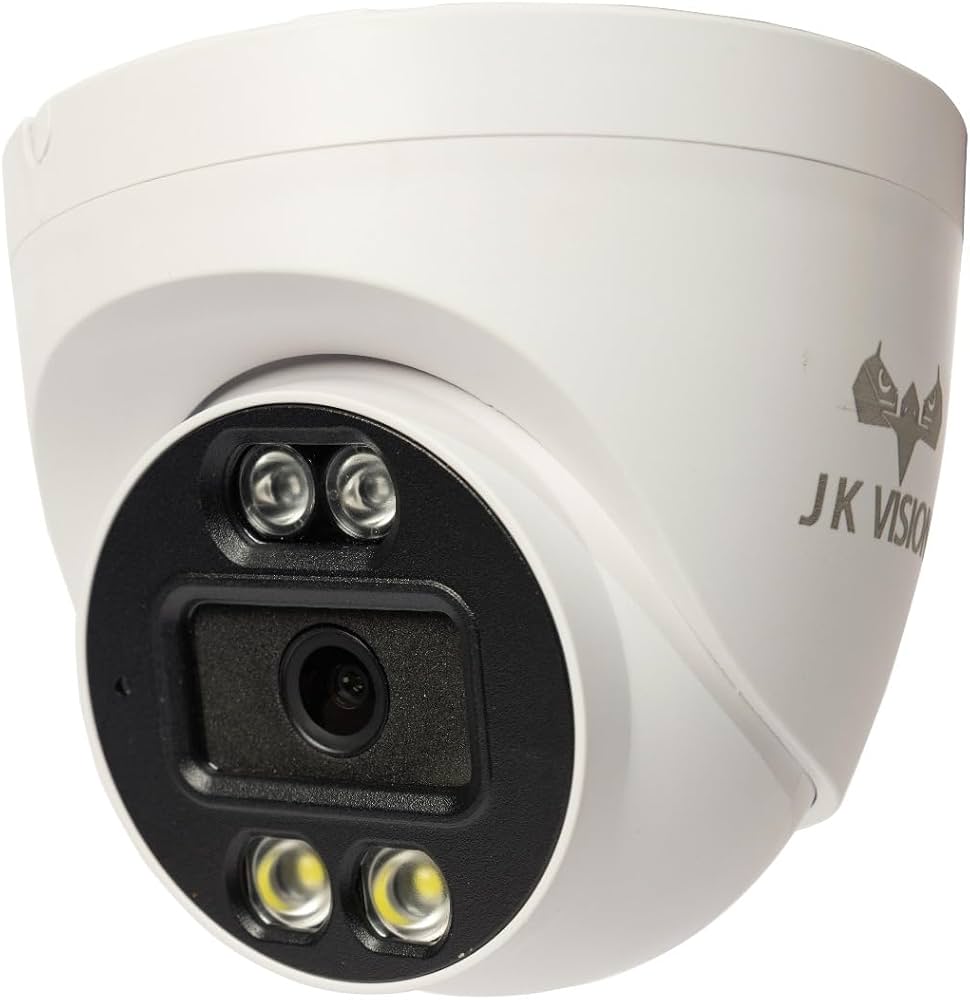
- Colour night vision: Some cameras use a light-sensitive sensor and may add a visible white light to capture colour images in darker conditions. This can provide useful colour information, but the added light may not suit every location.
- Hybrid modes: Certain cameras can switch between infrared and colour modes, depending on the lighting or configured settings.
Key Features to Consider
Sensor and low-light performance
Look beyond the megapixel count. A quality image sensor and effective low-light processing can make a noticeable difference to night-time footage. Ask to see sample recordings made in conditions similar to the intended installation site.
Infrared range and coverage
Check whether the camera’s IR illumination is appropriate for the distance and width of the area being monitored. A camera may have a stated illumination range, but obstacles, reflective surfaces and environmental conditions can affect real-world performance.
Lens and field of view
The lens determines how much of the scene the camera can cover and how large distant objects appear. A wide field of view can monitor a larger area, while a narrower view may provide more detail in a specific zone. Choose the view based on the purpose of the camera rather than resolution alone.
WDR and image processing
Wide Dynamic Range (WDR) can help balance bright and dark areas in the same scene, such as a doorway with bright outdoor lighting behind it. Noise reduction and exposure controls may also improve footage in challenging lighting.
Weather resistance and build quality
For outdoor use, select a camera suitable for the location’s weather and installation conditions. Check the product’s protection rating and operating temperature range, and ensure cables and connectors are protected from moisture and dust.
Recording and system compatibility
Confirm that the camera is compatible with the existing Network Video Recorder (NVR), Digital Video Recorder (DVR), or video management system. Consider storage capacity, remote viewing requirements, network security and backup arrangements as part of the complete CCTV system.
Installation Tips for Clearer Night-Time Footage
- Position cameras to avoid pointing directly at bright lights, reflective signs or vehicle headlights.
- Keep the lens clean and check for cobwebs, dust or water marks, which can reflect infrared light and reduce image clarity.
- Avoid placing reflective surfaces, such as glass, too close to the camera’s infrared LEDs.
- Use suitable lighting where identification of faces, clothing or number plates is important.
- Test the camera after dark, not only during daylight, and review recorded footage from the intended viewing position.
- Set the camera’s angle and focus carefully. A broad view may not provide enough detail for identifying a person at a distance.
Choosing the Right Camera for Your Site
Start by deciding what the camera needs to capture. Monitoring general movement across a large area has different requirements from identifying people at an entrance or observing vehicle activity at a gate. Consider the distance to the subject, available light, expected movement, weather exposure and the amount of detail needed in recordings.
For important areas, a site assessment can help determine camera locations, lens requirements, lighting and recording capacity. It can also identify blind spots and ensure the system is designed as a whole rather than selecting cameras based on resolution alone.
Privacy and Responsible Use
CCTV cameras should be positioned and used responsibly. Avoid recording areas where people reasonably expect privacy, restrict access to recordings, use secure passwords and retain footage only as required for the intended purpose and applicable rules. Signage may also be appropriate or required, depending on the site and local regulations.
Conclusion
A high-resolution CCTV camera with night vision can support reliable monitoring after dark, but the best results come from matching the camera to the site. Consider the sensor, night-vision method, lens, lighting, storage and installation together. Careful planning and regular maintenance help ensure that recorded footage remains useful when it is needed.
High-Resolution CCTV Cameras with Night Vision: Top 5 FAQs
- What resolution should I choose for a CCTV camera with night vision?
- How far can a high-resolution CCTV camera see at night?
- Can CCTV cameras record colour footage in complete darkness?
- Why are my CCTV night-vision recordings blurry or unclear?
- How do I choose the right high-resolution night-vision CCTV camera for my property?
What resolution should I choose for a CCTV camera with night vision?
Choose a resolution based on the area you need to monitor and the level of detail required. A 2MP Full HD camera may suit general monitoring of small areas, while a 4MP or 5MP model can capture more detail across larger spaces. For wide areas or situations where footage may need to be digitally zoomed, 4K can be useful, but it requires more storage and network bandwidth. Resolution alone does not guarantee clear night-time footage: also check the camera’s low-light sensor, infrared range and performance in conditions similar to your site.
How far can a high-resolution CCTV camera see at night?
The distance a high-resolution CCTV camera can see at night depends on its infrared (IR) illumination range, lens, sensor, ambient light and the level of detail required. A camera may detect movement at a greater distance than it can clearly identify a person or read a number plate. Check the manufacturer’s stated night-vision range, then consider the camera’s field of view and test it in the actual location after dark.
Can CCTV cameras record colour footage in complete darkness?
Most CCTV cameras cannot record colour footage in complete darkness without some form of light. Standard infrared night vision typically produces black-and-white images, as infrared LEDs illuminate the scene beyond the range of human vision. To capture colour, a camera needs ambient light or built-in white-light illumination; some low-light models can also retain colour in very dim conditions. Check the camera’s night-time specifications and consider whether visible lighting is suitable for your site.
Why are my CCTV night-vision recordings blurry or unclear?
CCTV night-vision recordings may appear blurry or unclear because of a dirty lens, incorrect focus, insufficient lighting, movement in the scene, or infrared light reflecting off nearby glass, walls, dust or cobwebs. A low-quality image sensor, unsuitable camera angle, excessive distance from the subject or incorrect settings can also affect clarity. Clean the lens, check the camera’s focus and position, remove nearby obstructions and review the footage after dark. If the problem continues, check the camera’s night-vision range and recording settings, or have the system inspected by a security professional.
How do I choose the right high-resolution night-vision CCTV camera for my property?
To choose the right high-resolution night-vision CCTV camera for your property, first consider the area to be monitored, the distance to key subjects and the level of detail required, such as recognising faces or number plates. Compare the camera’s image sensor and low-light performance, not just its megapixel rating, and choose between infrared, colour night vision or a hybrid mode based on the lighting and whether visible illumination is suitable. Check the lens and field of view, outdoor weather-resistance rating, compatibility with your recorder and storage capacity. For the clearest results, position the camera to avoid glare and reflections, and test recorded footage after dark. For a larger or more complex property, a site assessment can help identify suitable camera locations and coverage.