Keypad Systems: A Simple and Effective Way to Control Access
Keypad systems are a practical way to manage access to buildings, rooms and restricted areas. Instead of using a traditional key, a person enters a PIN on a keypad to unlock a door or activate an access-controlled device. Depending on the system, keypads can work independently or as part of a wider security setup.
What Is a Keypad System?
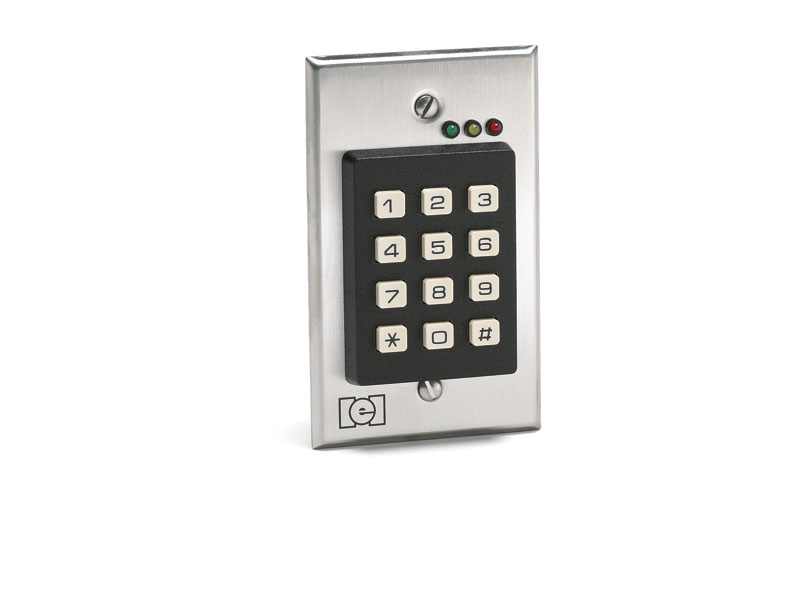
A keypad system uses a set of numbered or alphanumeric buttons to accept an authorised code. When the correct PIN is entered, the system sends a signal to an electric lock, door controller, gate or other connected equipment. Incorrect codes are rejected, helping prevent unauthorised entry.
Some systems are standalone, with access managed directly at the keypad. Others connect to an access control panel, allowing administrators to manage users and access permissions centrally.
Common Types of Keypad Systems
- Standalone keypads: Suitable for individual doors or small premises, with settings managed at the device.
- Networked keypads: Connected to an access control system, making it possible to manage users and permissions from a central location.
- Wired keypads: Connected to the door controller or access panel using cables.
- Wireless keypads: Communicate wirelessly with compatible security equipment and can be useful where cabling is difficult.
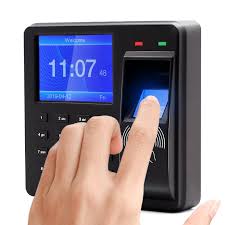
- Keypad and card reader combinations: Allow access by PIN, card or both, depending on the configuration.
- Outdoor-rated keypads: Designed for use at external entry points and made to withstand the relevant environmental conditions.
Where Are Keypad Systems Used?
Keypad systems can be used in offices, shops, warehouses, schools, residential buildings, server rooms and industrial facilities. They are also commonly installed at gates, staff entrances, equipment rooms and other areas where access needs to be restricted.
In a workplace, different PINs can be assigned to employees, contractors or visitors. Access rules may also be set according to the type of system, such as limiting entry to certain users or times. Features vary by model and configuration.
Benefits of Using a Keypad
- No physical key to carry: Users enter a PIN rather than carrying a separate key.
- Convenient access management: Codes can generally be changed when access needs to be updated.
- Individual user codes: Where supported, unique PINs can help identify who has been granted access.
- Integration options: Keypads can often be combined with electronic locks, access control panels, alarms or other security systems.
- Flexible installation: Options are available for different types of doors, gates and premises.
Choosing the Right Keypad System
Before selecting a keypad, consider where it will be installed and how it will be used. Important factors include the number of users, the number of entry points, indoor or outdoor conditions, the type of lock and whether access needs to be managed centrally.
It is also useful to check whether the system supports individual PINs, temporary or time-based access, event records, tamper alerts and integration with existing security equipment. These functions are not available on every model, so confirm the product specifications before making a decision.
Security and Good Practices
A keypad system is only as secure as its installation and day-to-day management. Avoid easy-to-guess PINs, such as repeated digits or obvious sequences. Do not share a common code more widely than necessary, and change codes when a user no longer requires access. If the system supports individual codes, using a separate PIN for each user can make access easier to manage.
For better protection, position the keypad where it is visible to authorised users but not easily observed by passers-by. Review user access periodically, and make sure the connected lock and door are functioning correctly. A qualified installer can help confirm that the keypad, lock, power supply and access control equipment are compatible.
Installation and Maintenance
Installation requirements depend on the type of keypad and the door or gate it controls. The setup may involve mounting the keypad, connecting it to a controller and electric lock, configuring user codes, and testing the complete access sequence. Outdoor installations may need suitable weather protection and secure cable routing.
Regular checks can help keep the system reliable. Inspect the keypad for damage, test the lock, review access settings and check any backup power arrangements recommended by the manufacturer. Follow the product instructions for cleaning and servicing.
Conclusion
Keypad systems offer a convenient way to control entry without relying solely on traditional keys. With the right model, careful PIN management and professional installation, they can form a useful part of an access control solution for homes, offices and commercial premises.
Keypad Access Control Systems: 9 Frequently Asked Questions
- What is a keypad access control system?
- How does a keypad system work?
- What types of keypad systems are available?
- Where can keypad systems be installed?
- Can keypad systems be integrated with CCTV, alarms or access control systems?
- How secure are keypad systems compared with traditional keys?
- How can PIN codes be changed or managed?
- What should I consider when choosing a keypad system?
- Do keypad systems require regular maintenance?
What is a keypad access control system?
A keypad access control system is an electronic security solution that controls entry using a PIN code. Users enter their authorised code on a keypad to unlock a door, gate or other secure entry point. Depending on the model, the system may operate independently or connect to a central access control panel, where administrators can manage user codes and access permissions.
How does a keypad system work?
A keypad system controls access by checking the PIN entered by a user against its authorised codes. When the correct PIN is entered, the keypad signals the connected access controller or electronic lock to unlock the door, gate or restricted area. If the code is incorrect, access is denied. Depending on the model, the system may also support individual user codes, access schedules and entry records.
What types of keypad systems are available?
Keypad systems are available in several types to suit different access-control needs. Standalone keypads control a door directly and are suitable for smaller installations, while networked keypads connect to a central access control system for easier user and permission management across multiple entry points. Wired and wireless models are available, as are indoor and weather-resistant outdoor units. Some keypads also combine PIN entry with a card reader or other authentication method. The right option depends on the location, number of users, security requirements and compatibility with the door lock and existing systems.
Where can keypad systems be installed?
Keypad systems can be installed at a range of entry points, including main doors, staff entrances, gates, offices, server rooms, warehouses, schools, residential buildings and other restricted areas. The right location depends on the level of access control required, the type of door or gate, and whether the keypad is suitable for indoor or outdoor use. For reliable operation, ensure it is installed securely and is compatible with the connected lock or access control system.
Can keypad systems be integrated with CCTV, alarms or access control systems?
Yes, keypad systems can often be integrated with CCTV, alarm and access control systems, depending on the equipment and its compatibility. For example, a keypad may trigger an alarm if repeated incorrect PINs are entered, while an integrated access control system can record entry events and help administrators manage user permissions. When connected with CCTV, access events may be reviewed alongside camera footage, where supported. A qualified installer can check compatibility and configure the systems to work together.
How secure are keypad systems compared with traditional keys?
Keypad systems can offer better access control than traditional keys because PINs can be changed or removed without replacing a lock, and individual codes can help identify authorised users. However, security depends on good PIN practices and the system’s features: avoid obvious or shared codes, change them when access is no longer needed, and choose a model with suitable tamper protection and access logs if required. Traditional keys can be copied or lost, while keypads may be vulnerable to guessed or observed PINs, so neither option is completely secure on its own.
How can PIN codes be changed or managed?
PIN codes can usually be changed or managed through the keypad’s programming menu, a master code, or an access control software platform, depending on the system. An authorised administrator can add or remove users, update individual PINs and, on supported models, set temporary codes or access schedules. For security, use unique codes that are difficult to guess, avoid sharing a common PIN, and change a code promptly when a user no longer needs access. Check the manufacturer’s instructions or contact a qualified installer, as the process varies by model.
What should I consider when choosing a keypad system?
When choosing a keypad system, consider where it will be installed, how many users and entry points it needs to support, and whether it will be used indoors or outdoors. Check that it is compatible with your door lock and existing access control equipment, and decide whether you need features such as individual PINs, time-based access, activity records or centralised management. For an outdoor installation, look for a model designed to withstand local weather conditions. Also consider ease of use, maintenance requirements and the option of professional installation to ensure the system works reliably and meets your security needs.
Do keypad systems require regular maintenance?
Yes, keypad systems should be checked regularly to ensure they continue to work reliably. Maintenance may include cleaning the keypad, checking for physical damage, testing the connected lock and reviewing user codes and access permissions. For networked systems, it is also sensible to check connections, software updates and backup power, where applicable. Follow the manufacturer’s instructions and arrange servicing by a qualified technician if the keypad or lock is not operating correctly.