Hanwha CCTV: Reliable Video Surveillance for Modern Security
Choosing the right CCTV system is an important part of protecting people, property and business operations. Hanwha CCTV solutions, offered under the Hanwha Vision brand, are used in a range of settings, including offices, retail spaces, factories, educational institutions, transport facilities and residential communities.
Hanwha’s product range includes cameras and video surveillance equipment designed for different sites and security requirements. Depending on the model, a system may support features such as high-resolution imaging, night-time monitoring, remote viewing, motion detection and video analytics. Available functions vary by product, so it is important to select equipment that suits the site and intended use.
What is a Hanwha CCTV system?
A Hanwha CCTV system is a video surveillance solution built around compatible cameras and recording or management equipment. A typical installation may include network cameras, a network video recorder (NVR), storage drives, viewing monitors and video management software. Cameras connect over a network, allowing authorised users to view live footage or recordings from a control room or, where configured, remotely.
The system can be planned for a small installation with a few cameras or a larger site with multiple buildings and monitoring locations. The right design depends on factors such as the area to be covered, lighting conditions, retention requirements, network capacity and the number of people who need access.
Key features to consider
- Image quality: Select a camera resolution that can provide useful detail for the intended viewing area, such as entrances, counters or loading zones.
- Low-light performance: For outdoor areas or spaces with limited lighting, check the camera’s specifications for night-time performance and any infrared or other low-light capabilities.
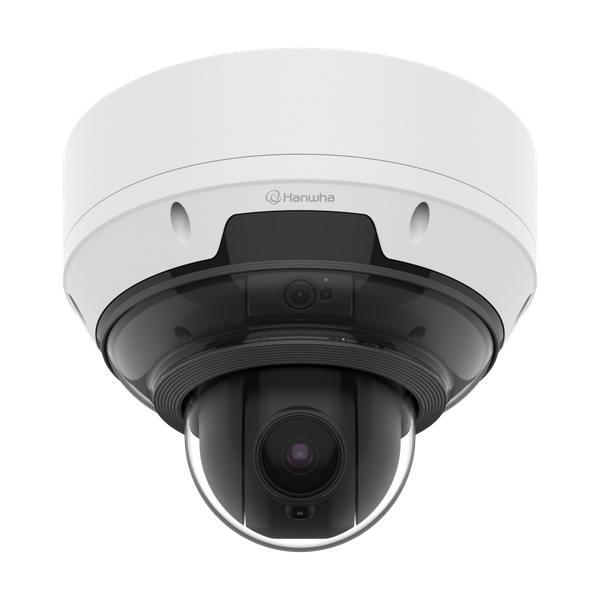
- Camera type and coverage: Fixed, dome, bullet and PTZ cameras serve different purposes. PTZ cameras can pan, tilt and zoom, while fixed cameras continuously cover a set view.
- Analytics: Some models offer video analytics to help identify events or patterns. Confirm which analytics are available and whether they are suitable for the site.
- Recording and storage: Storage should be planned around the number of cameras, recording settings and required footage retention period.
- Integration: Check compatibility with existing network, access control or video management systems before adding cameras to an established installation.
- Cybersecurity: Use secure network settings, strong passwords, current firmware and restricted user permissions to help protect cameras and recordings.
Where can Hanwha CCTV be used?
Hanwha CCTV equipment can be considered for a variety of applications. In retail environments, cameras may help monitor entrances, tills and stock areas. In offices and educational institutions, they can support monitoring of access points and common areas. Industrial sites may require cameras suited to larger spaces or challenging environmental conditions, while residential communities may use CCTV to monitor gates, parking areas and shared facilities.
Every site is different. A camera suitable for an indoor reception area may not be appropriate for an exposed outdoor location. An assessment of lighting, viewing distances, mounting positions and environmental conditions helps ensure that the selected equipment is fit for purpose.
Planning a CCTV installation
A successful installation begins with clear security objectives. Identify which areas need monitoring, what events the system should help document and who will review the footage. A site survey can then determine camera positions, cabling or network requirements, recording capacity and the location of equipment such as NVRs and monitors.
Professional installation can help with camera positioning, network configuration, recording settings and user access. After installation, the system should be tested to confirm that views are clear during both daytime and night-time conditions. Regular maintenance and software updates can also help keep the system working reliably.
Privacy and responsible use
CCTV should be deployed responsibly and in line with applicable Indian laws, privacy requirements and organisational policies. Inform people where monitoring is in use where required, limit access to recordings, and retain footage only for an appropriate period. Cameras should be positioned to focus on legitimate security areas and avoid unnecessary monitoring of private spaces.
Choosing the right Hanwha CCTV solution
The best Hanwha CCTV system is one that meets the site’s security needs, fits the available infrastructure and can be maintained over time. Before purchasing, review the specifications of the proposed cameras and recording equipment, confirm compatibility, and discuss installation and support requirements with a qualified security systems provider.
Sonal Enterprises India provides information and solutions across electronic security and surveillance systems. For a Hanwha CCTV requirement, a site assessment can help determine the appropriate camera types, coverage, recording arrangement and installation approach.
9 Essential Tips for Choosing and Securing Hanwha CCTV Cameras in India
- Choose a Hanwha camera suited to your site and lighting.
- Check resolution and lens coverage before buying.
- Use weather-rated models for outdoor installation.
- Enable strong passwords and update firmware regularly.
- Change default login details during setup.
- Position cameras to avoid glare and blind spots.
- Use compatible storage sized for your retention needs.
- Restrict access to authorised users only.
- Buy from an authorised Hanwha dealer in India.
Choose a Hanwha camera suited to your site and lighting.
Choose a Hanwha camera that suits your site’s layout, security needs and lighting conditions. Consider whether it will be installed indoors or outdoors, the area it needs to cover, and how much detail is required. For spaces with low or changing light, check the camera’s night-time and low-light performance to help ensure clear, useful footage.
Check resolution and lens coverage before buying.
Before buying a Hanwha CCTV camera, check that its resolution and lens coverage suit the area you want to monitor. Higher resolution can capture finer details, while the lens determines how wide or narrow the camera’s view will be. A wide-angle lens may cover a larger space, whereas a narrower view can provide more detail on a specific area, such as an entrance or counter. Consider the distance to the subject, lighting conditions and camera position, and confirm that the expected image quality meets your security needs.
Use weather-rated models for outdoor installation.
For outdoor Hanwha CCTV installations, choose a camera with a weather rating suited to the site’s conditions. Check its IP rating and operating temperature range to ensure it can withstand rain, dust, heat and seasonal temperature changes. Correct installation and suitable mounting can further help protect the camera and maintain reliable performance.
Enable strong passwords and update firmware regularly.
For better security, change the default password on every Hanwha CCTV camera and recorder, and use a strong, unique password that is difficult to guess. Limit access to authorised users and update the firmware regularly using trusted sources. Firmware updates can address security vulnerabilities and improve system reliability, helping keep your surveillance equipment better protected.
Change default login details during setup.
When setting up Hanwha CCTV equipment, change the default username and password before connecting the system to your network. Default login details may be publicly known, making cameras and recordings easier for unauthorised users to access. Create a strong, unique password for each device, restrict access to authorised users and store login details securely. Where available, keep the system’s firmware updated and disable unused accounts or services to strengthen security.
Position cameras to avoid glare and blind spots.
Position Hanwha CCTV cameras carefully to minimise glare and blind spots. Avoid pointing cameras directly towards the sun, bright lights or reflective surfaces, as these can affect image clarity. Check the camera’s field of view during the day and at night, and adjust its angle or position to cover entrances, walkways and other important areas without leaving gaps.
Use compatible storage sized for your retention needs.
Choose storage that is compatible with your Hanwha CCTV recorder and sized to retain footage for the period you need. Capacity depends on factors such as the number of cameras, resolution, frame rate, recording hours and compression settings. Check the recorder’s supported drive specifications and calculate the required capacity before installation; allow extra space for changing needs and avoid relying on storage that has not been approved for continuous recording.
Restrict access to authorised users only.
Restrict access to your Hanwha CCTV system to authorised users only. Create individual accounts with appropriate permissions, use strong passwords and remove access promptly when it is no longer needed. This helps protect live feeds and recorded footage from unauthorised viewing or changes.
Buy from an authorised Hanwha dealer in India.
When purchasing Hanwha CCTV in India, buy from an authorised Hanwha Vision dealer. This can help you obtain genuine products, applicable warranty support and guidance on selecting compatible equipment for your site. Before placing an order, verify the dealer’s authorisation with Hanwha Vision and ask for a proper invoice, warranty details and information about installation and after-sales service.