Thumb Impression Machine for Attendance: A Practical Guide for Indian Workplaces
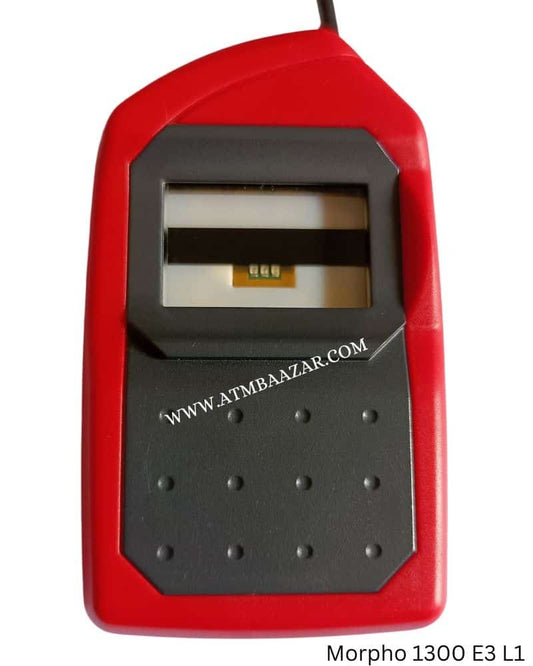
A thumb impression machine for attendance is a biometric device that records employees’ attendance by scanning their fingerprint. Instead of signing a register or using an access card, staff place a registered thumb on the scanner to mark their in-time or out-time. The system records the punch along with its date and time, helping organisations manage attendance more efficiently.
These machines are used in offices, factories, schools, hospitals, shops and other workplaces where accurate attendance records are important. Depending on the model, attendance data may be stored in the device, downloaded to a computer or sent to attendance software over a network.
How Does a Thumb Impression Attendance Machine Work?
First, an administrator registers each employee’s fingerprint in the machine. The device converts the scanned fingerprint into digital data and links it to the employee’s profile. When the employee places their thumb on the scanner, the machine compares the scan with the enrolled data. If there is a match, it records the attendance punch.
Some models use a PIN, ID card or another biometric method as an alternative. This can be helpful if an employee’s fingerprint is difficult to read because of worn fingerprints, dry skin or the nature of their work.
Benefits of Using a Thumb Impression Machine
- More reliable attendance records: Biometric verification helps reduce buddy punching, where one person records attendance on behalf of another.
- Less paperwork: Digital records can reduce the need to maintain and check manual registers.
- Faster attendance marking: Employees can record a punch in seconds, helping manage attendance during busy shift changes.
- Easier reporting: Compatible software can help generate attendance reports, late-arrival records and working-hour summaries.
- Useful for different workplaces: Devices are available for small offices as well as organisations with multiple departments or shifts.
Features to Consider Before Buying
Not every attendance machine has the same capabilities. Consider your workplace requirements before choosing a device.
- Employee capacity: Check how many fingerprints and attendance transactions the machine can store.
- Connectivity: Common options include USB, Ethernet and Wi-Fi. Select a connection method that suits your premises and reporting process.
- Attendance software: Confirm whether the device includes software or is compatible with your existing system. Ask about data export and payroll integration if these are required.
- Shift and reporting support: If your organisation has multiple shifts, check that the system can handle your schedules, overtime rules and reporting needs.
- Power backup: A backup battery or another suitable power arrangement may be useful where power interruptions occur.
- Alternative verification: Consider a PIN or card option for employees whose fingerprints may not scan consistently.
- Installation and support: Check what assistance is available for setup, training, maintenance and troubleshooting.
Installation and Day-to-Day Use
For accurate results, install the machine in a convenient, accessible location, preferably near the workplace entrance or attendance point. Register fingerprints carefully and explain how employees should place their thumbs on the scanner. Keeping the scanner surface clean and following the manufacturer’s instructions can help maintain consistent performance.
Before purchasing, consider the environment in which the machine will be used. A device placed in a dusty, humid or high-traffic area may need features suited to those conditions. For factories or outdoor locations, ask the supplier about the model’s operating conditions and recommended protection.
Privacy and Data Management
Fingerprint information is sensitive personal data. Organisations should explain why biometric attendance is being collected, who can access the records and how the information will be protected. Limit access to authorised personnel, use secure systems where available and follow applicable Indian laws and organisational policies for collecting and handling employee data.
Is a Thumb Impression Machine Right for Your Organisation?
A thumb impression attendance machine may be suitable if you want to move away from manual registers and improve the consistency of attendance records. The right choice depends on the number of employees, work schedules, connectivity, reporting needs and conditions at the installation site. Comparing these requirements before purchasing can help you select a system that fits your workplace.
Frequently Asked Questions
Can a thumb impression machine be connected to attendance software?
Many models can transfer attendance data to compatible software. The available connection methods and software features vary, so confirm compatibility before purchase.
What if an employee’s thumb is not recognised?
Ask the employee to reposition their thumb and ensure the scanner is clean. If recognition remains unreliable, check whether the device supports another registered finger, a PIN or an ID card.
Can the machine manage multiple shifts?
Some devices and software packages support multiple shifts, but the exact features differ. Check that the system can handle your organisation’s shift timings and attendance rules.
Conclusion
A thumb impression machine can make attendance recording more organised by replacing manual entries with biometric punches and digital records. Choose a model based on employee capacity, software compatibility, connectivity, shift requirements and after-sales support. A suitable system, combined with clear data-handling practices, can support more efficient attendance management in the workplace.
5 Tips for Using a Thumb Impression Attendance Machine Effectively
- Keep the sensor clean and dust-free.
- Place your thumb flat on the sensor.
- Use a clean, dry thumb for accurate scans.
- Register each employee’s thumb properly.
- Keep a manual attendance backup for machine issues.
Keep the sensor clean and dust-free.
Keep the thumb impression machine’s sensor clean and dust-free for accurate, reliable attendance recording. Dust, oil or smudges can interfere with fingerprint scanning and cause failed or delayed punches. Gently clean the sensor regularly with a soft, dry, lint-free cloth, following the manufacturer’s instructions. Avoid abrasive materials and spraying liquids directly on the device.
Place your thumb flat on the sensor.
For an accurate attendance punch, place your thumb flat on the sensor, covering the scanning area evenly. Keep it still for a moment and avoid pressing too hard or placing it at an angle. This helps the machine capture a clear impression and reduces the chance of a failed scan.
Use a clean, dry thumb for accurate scans.
For accurate attendance scans, make sure your thumb is clean and dry before placing it on the scanner. Dust, moisture, oil or other residue can make it harder for the machine to read your fingerprint. Place your thumb flat on the sensor and hold it still until the device confirms the punch.
Register each employee’s thumb properly.
Register each employee’s thumb carefully to help the attendance machine recognise them accurately. Clean and dry the thumb and scanner, then follow the device’s instructions to capture a clear impression. Check that the employee’s name or ID is linked to the correct fingerprint, and test a scan before completing registration. If the machine supports it, register an alternative finger as a backup.
Keep a manual attendance backup for machine issues.
Keep a manual attendance register as a backup in case the thumb impression machine stops working due to a power cut, network issue or technical fault. Ask employees to record their in-time and out-time, and have an authorised person verify the entries. Once the machine is working again, update the digital records where needed and reconcile them with the register to maintain accurate attendance.