Badge Readers: A Smarter Way to Manage Access
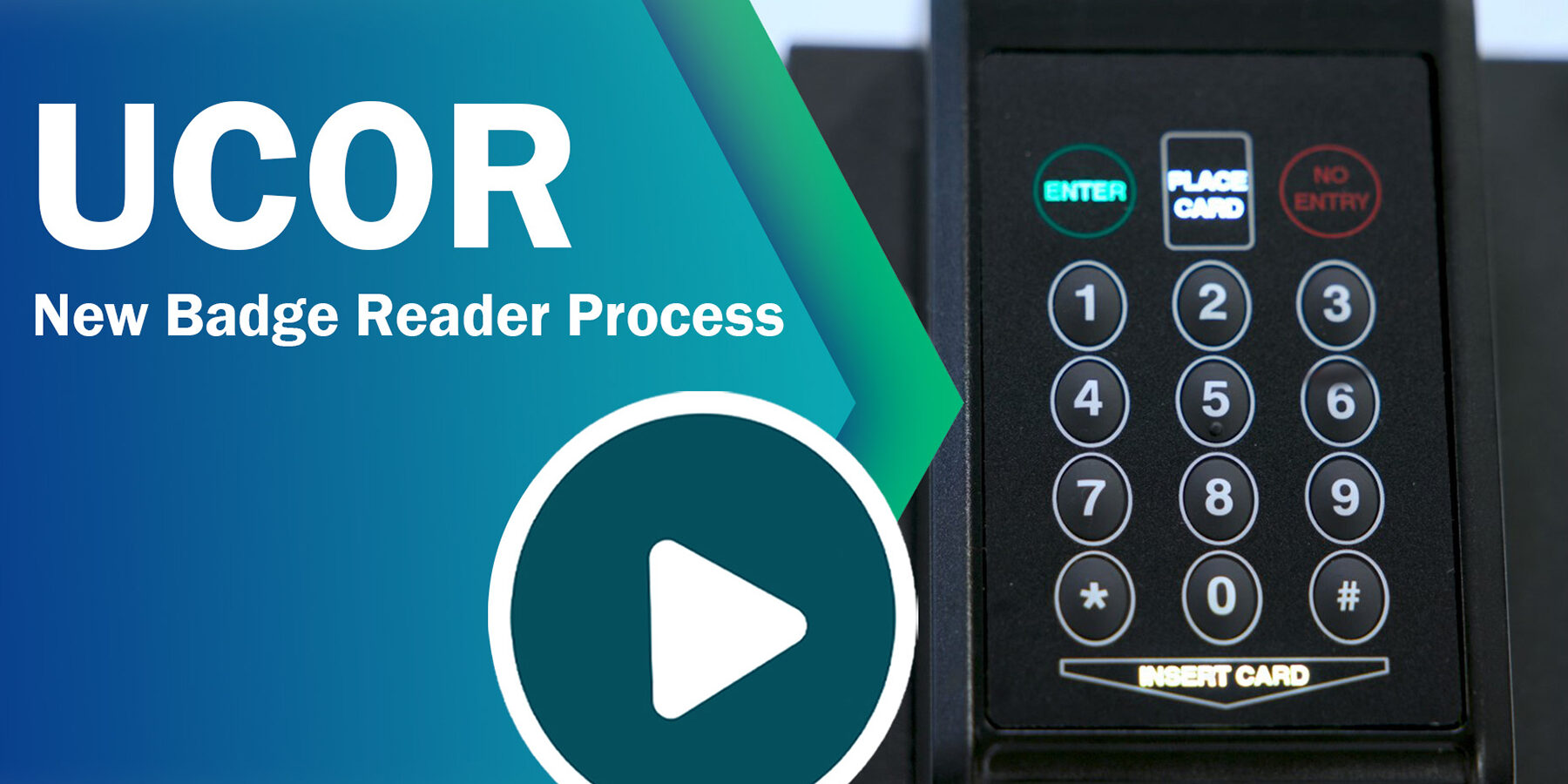
Keeping a workplace secure starts with knowing who can enter, where they can go and when they are allowed access. A badge reader is an electronic access-control device that reads the credentials on an ID badge or card and checks whether entry should be granted. It can be used at office entrances, restricted rooms, warehouses, campuses and other controlled areas.
How Does a Badge Reader Work?
Each authorised person is issued a badge containing credentials. When the badge is presented to a reader, the device reads the credential and sends it to an access-control system. The system checks the details against its permissions and then signals the door to unlock or remain locked. Depending on the setup, access events may also be recorded for reporting and review.
Badge readers are commonly installed beside doors and connected to electric locks, door controllers and access-management software. Some systems can also integrate with time and attendance solutions, visitor management or other security equipment.
Common Types of Badge Readers
- Proximity card readers: Read a card or badge presented within a short range, without requiring physical contact.
- Smart-card readers: Read credentials stored on smart cards, which can support more advanced security features.
- Magnetic-stripe readers: Read information from the magnetic strip on a card. These are an older type of technology and may be less suitable for security-sensitive environments.
- Mobile credential readers: Accept credentials presented from a compatible smartphone, often using near-field communication or Bluetooth.
- Multi-technology readers: Support more than one credential type, which can help organisations transition from older cards to newer ones.
Benefits of Using Badge Readers
- Controlled entry: Access can be limited to authorised people and specific areas.
- Flexible permissions: Credentials can be assigned different access rights based on a person’s role, location or working hours.
- Quick changes: Lost badges can be disabled, while permissions can be updated without changing physical keys or locks.
- Access records: Depending on the system, entry events can be logged to support security reviews and operational reporting.
- Convenient use: Presenting a badge is generally quicker than using a traditional key, particularly at busy entrances.
- Integration options: Badge readers can form part of a wider access-control system and may work alongside other security solutions.
What to Consider When Choosing a Badge Reader
The right reader depends on the site, the required level of security and the access-control system already in place. Consider the following before selecting a solution:
- Credential type: Check which cards or mobile credentials the reader supports, and whether they are compatible with existing badges.
- Security requirements: For sensitive areas, consider the credential technology, encryption and other security features supported by the complete system.
- Environment: Outdoor or high-traffic locations may require readers designed to withstand weather, dust, impact or frequent use.
- System compatibility: Confirm that the reader can connect to the access-control panel, software and door hardware being used.
- Future expansion: Choose a solution that can accommodate additional doors, users or credential types as requirements change.
- Ease of administration: Consider how easily badges can be issued, updated or deactivated by authorised administrators.
Installation and Good Practice
A badge reader should be positioned where users can present their credentials comfortably, while ensuring the installation does not obstruct the entrance. The reader must be correctly connected to the access-control panel and door-locking hardware. Permissions should be configured carefully, and lost or unreturned badges should be deactivated promptly.
Regular checks can help confirm that readers, locks and system connections are working as intended. Organisations should also establish clear procedures for issuing badges, managing visitors and reviewing access permissions.
Conclusion
Badge readers provide a practical way to manage entry and support a well-organised access-control system. By matching the reader technology to the site’s security needs and ensuring compatibility with the wider system, organisations can make access more convenient while maintaining control over restricted areas.
6 Essential Tips for Using Your Badge Reader
- Keep your badge clean and dry.
- Tap the badge near the reader.
- Wait for the green light or beep.
- Do not lend your badge to others.
- Report a lost badge promptly.
- Avoid forcing the badge into the reader.
Keep your badge clean and dry.
Keep your badge clean and dry to help it work reliably. Dust, dirt and moisture can affect the card or its chip, making it harder for the reader to recognise your credentials. Wipe the badge gently with a soft, dry cloth, and avoid bending it or exposing it to water, heat or harsh cleaning products.
Tap the badge near the reader.
To gain access, tap or hold your badge close to the badge reader, following any marked instructions. Keep it steady for a moment until the reader beeps or its indicator light changes, confirming that the badge has been recognised. If access is not granted, check that you are using the correct badge and contact the site administrator rather than trying to force the door.
Wait for the green light or beep.
When using a badge reader, present your badge and wait for the green light or beep before opening the door. These signals confirm that the credential has been read and access has been approved. If there is no signal, or the reader shows red, avoid forcing the door; try presenting the badge again or contact the security team for assistance.
Do not lend your badge to others.
Do not lend your badge to others. Your badge is linked to your identity and the access permissions assigned to you. Lending it to someone else can allow unauthorised entry and make access records inaccurate. If a colleague or visitor needs access, contact the authorised security or facilities team to arrange the appropriate permission. Report a lost badge promptly so it can be deactivated.
Report a lost badge promptly.
If your badge is lost or stolen, report it to your administrator or security team promptly. They can deactivate it to prevent unauthorised access and arrange a replacement. Quick reporting helps protect your workplace and keeps access records accurate.
Avoid forcing the badge into the reader.
Always present your badge gently and follow the reader’s instructions. Avoid forcing it into the reader, as excessive pressure may damage the badge or the device. If the reader does not recognise your badge, check that you are using the correct side or try presenting it again; contact the security or facilities team if the problem continues.