Attendance Face Recognition System: A Smarter Way to Manage Attendance
Keeping accurate attendance records is essential for businesses, schools, factories and other organisations. Traditional methods such as paper registers, identity cards and PIN-based terminals can be time-consuming and may allow attendance to be recorded on someone else’s behalf. An attendance face recognition system offers a convenient, contactless way to record employee or student attendance using facial recognition technology.
What Is an Attendance Face Recognition System?
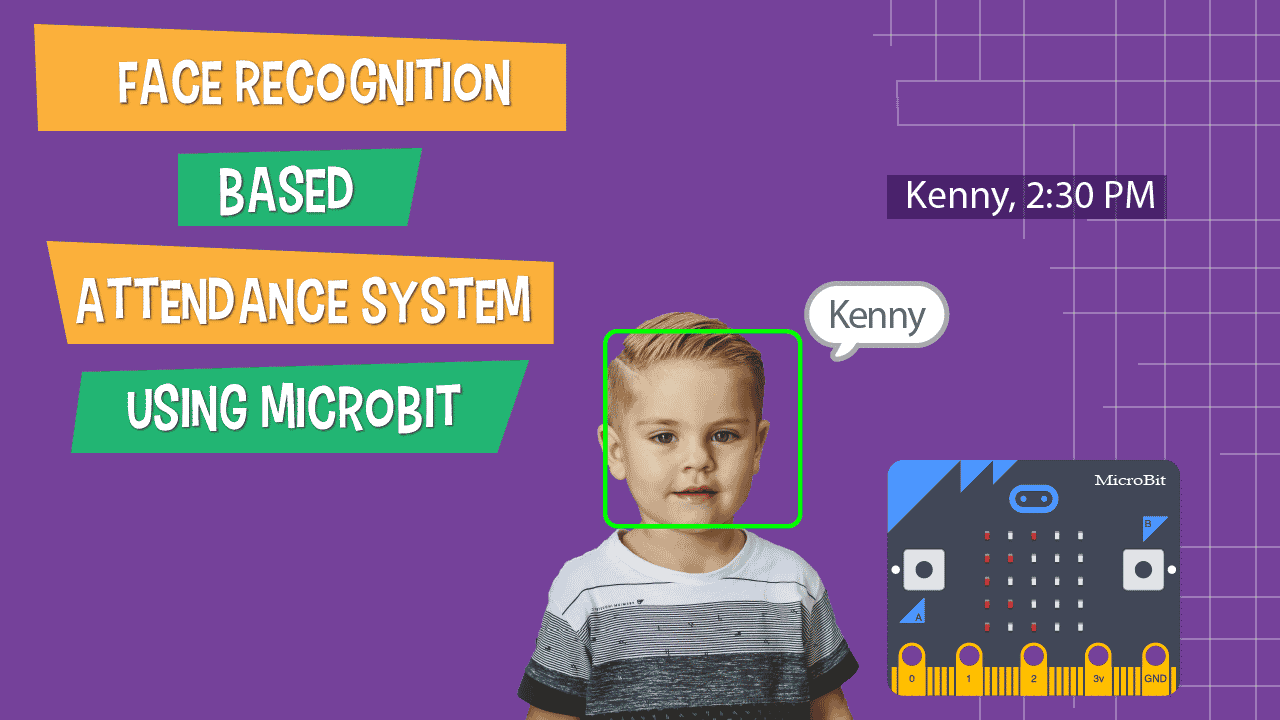
An attendance face recognition system uses a camera and software to identify a person by comparing their facial features with an authorised facial template stored in the system. Once a person is recognised, the system records the attendance event, such as check-in or check-out, along with the date and time.
Depending on the setup, the system may work as a standalone terminal or connect to attendance management software, payroll platforms, access control systems and other business applications.
How Does Face Recognition Attendance Work?
- Enrolment: An authorised administrator registers each user and captures their facial image or template.
- Image capture: When the person approaches the device, its camera captures an image or video of their face.
- Face matching: The software analyses facial features and compares them with the enrolled templates.
- Attendance recording: If the system verifies the person, it records the attendance event and timestamp.
- Reporting: Administrators can review attendance records and generate reports through the terminal or connected software.
Some systems also include features such as mask detection, temperature screening or access control. These are separate capabilities and should be assessed according to the organisation’s actual requirements.
Key Benefits
- Contactless attendance: Users do not need to touch a shared terminal, which can make the process more convenient in busy workplaces.
- Reduced buddy punching: Facial verification can help reduce attendance being marked on behalf of another person.
- Faster check-in: Recognition can make it easier to process attendance during peak arrival times, depending on the device and number of users.
- Centralised records: Attendance data can be organised in a digital system for review, reporting and administration.
- Integration options: Suitable systems can connect with payroll, HR or access control software, subject to compatibility.
- Flexible deployment: Devices may be installed at office entrances, factory gates, classrooms or other controlled locations.
Features to Consider When Choosing a System
Not all face recognition attendance systems offer the same capabilities. Before selecting a solution, consider the following:
- Recognition performance: Ask how the system performs in the lighting, distance and user-volume conditions at your premises. Results can vary with camera quality, positioning and the environment.
- Liveness or anti-spoofing checks: These features are designed to help detect attempts to use a photograph or video instead of a live person. Check what safeguards the system provides and how they work.
- User capacity: Choose a device and software package that can accommodate the expected number of users and locations.
- Attendance rules: Check whether the software supports shifts, grace periods, overtime, leave records, multiple check-ins and other rules relevant to your organisation.
- Connectivity and storage: Confirm whether the system requires a network connection, can store records locally during an outage, and how data is synchronised.
- Integration: Verify compatibility with existing HR, payroll, access control and reporting systems before purchase.
- Support and maintenance: Ask about installation, training, software updates, warranty and technical support.
Privacy and Responsible Use
Facial information is sensitive personal data in practice, so organisations should handle it responsibly. Before deployment, explain why the system is being introduced, what information is collected, how it will be used, who can access it and how long it will be retained.
Organisations in India should assess their obligations under applicable privacy and data protection laws, including the Digital Personal Data Protection Act, 2023, and relevant rules and notifications. It is advisable to obtain appropriate legal guidance for the specific use case. Limit access to attendance records, protect stored data with suitable security measures, and establish a clear process for correcting errors or handling complaints.
Where appropriate, provide an alternative attendance method for people who cannot or do not wish to use facial recognition. The system should support attendance management fairly and should not be treated as infallible. Factors such as camera placement, lighting, changes in appearance and device configuration can affect results, so human review and a correction process remain important.
Where Can Face Recognition Attendance Be Used?
Face recognition attendance systems may be suitable for a range of environments, including:
- Corporate offices and business parks
- Factories, warehouses and industrial facilities
- Schools, colleges and training centres
- Hospitals and healthcare facilities
- Construction sites and field locations
- Multi-branch organisations requiring centralised reporting
The right configuration depends on the premises, number of users, work schedules, network availability and the organisation’s privacy requirements.
Planning a Successful Installation
Start by identifying the attendance challenges the system needs to address. Consider the number of users, entry points, shift patterns, reporting needs and any software integrations. Choose suitable locations for the terminals, taking into account lighting, queues, camera height and network access. Before going live, enrol users carefully, test the system in real operating conditions and train administrators on attendance corrections and report generation.
Regular checks can help maintain reliable operation. Keep devices clean, review system access permissions, install approved updates and periodically confirm that attendance rules and user records remain accurate.
Frequently Asked Questions
Does a face recognition system automatically calculate salaries?
The system usually records attendance, but salary calculations depend on the software and integrations in use. Confirm whether the selected solution supports payroll processing or exports data to your existing payroll platform.
Can the system work without the internet?
Some devices can record attendance locally and synchronise data when connectivity returns, while others require a continuous network connection. Check the product specifications and test the behaviour during a network outage.
Is face recognition always accurate?
No biometric system should be assumed to be perfect. Performance depends on the device, software, lighting, camera position and other conditions. A practical deployment should include a process for reviewing and correcting missed or incorrect attendance records.
Can a face recognition terminal also control entry?
Some terminals can connect to compatible door access control equipment. If attendance and entry control are both required, confirm that the device, software and access hardware are compatible and that the access policy is clearly defined.
Conclusion
An attendance face recognition system can help organisations record attendance more efficiently and reduce reliance on manual registers or shared credentials. The best solution is one that fits the organisation’s daily operations, integrates with its existing systems and includes appropriate privacy, security and error-correction practices. Careful planning and responsible use are essential to making the technology useful for both administrators and employees.
8 Essential Tips for Using a Face Recognition Attendance System
- Use clear, well-lit areas for scanning.
- Register each face with the person’s consent.
- Keep the camera lens clean and unobstructed.
- Position the camera at face level.
- Update the system software regularly.
- Protect attendance records with strong access controls.
- Provide a manual check-in option for recognition failures.
- Review attendance logs for errors and unusual entries.
Use clear, well-lit areas for scanning.
For reliable attendance recording, install the face recognition terminal in a clear, well-lit area. Good, even lighting helps the camera capture facial features accurately, while an uncluttered space allows people to stand at the recommended distance without obstruction. Avoid placing the device in direct sunlight, deep shadows or areas with strong backlighting, as these conditions may affect recognition and slow down check-ins.
Register each face with the person’s consent.
Register each person’s face only after obtaining their informed consent. Explain why the information is being collected, how it will be used, who can access it and how long it will be retained. Store facial data securely, limit access to authorised personnel and provide a suitable alternative attendance method for anyone who does not consent or cannot use the system.
Keep the camera lens clean and unobstructed.
Keep the camera lens clean and unobstructed to help your attendance face recognition system capture a clear image and recognise users reliably. Dust, fingerprints, smudges or objects blocking the camera may lead to failed or delayed check-ins. Clean the lens gently with a soft, dry cloth, and make sure signs, decorations or other equipment do not interfere with the camera’s view.
Position the camera at face level.
Position the camera at face level for a clear, consistent view during check-in. A camera set too high or too low may capture the face at an awkward angle, which can make recognition less reliable and slow down attendance marking. Install the device at a height that suits the people who will use it, and keep the area in front of the camera clear so users can stand naturally while their faces are captured.
Update the system software regularly.
Update the attendance face recognition system software regularly to help keep it secure, reliable and compatible with connected devices. Updates may include bug fixes, performance improvements and security enhancements. Follow the manufacturer’s instructions, back up important attendance data where recommended, and test the system after updating to ensure that recognition, reporting and integrations are working correctly.
Protect attendance records with strong access controls.
Protect attendance records with strong access controls by allowing only authorised staff to view or manage them. Use individual accounts, role-based permissions and strong passwords, and enable multi-factor authentication where available. Review access permissions regularly, remove access promptly when roles change, and keep audit logs to track who has viewed or modified records. These measures help safeguard sensitive employee information and reduce the risk of unauthorised access or changes.
Provide a manual check-in option for recognition failures.
Provide a manual check-in option for occasions when the attendance face recognition system cannot identify someone—for example, due to poor lighting, a camera issue or a change in appearance. A simple alternative, such as an administrator-approved entry or another secure check-in method, helps prevent delays and ensures attendance records remain accurate. Make sure manual entries include the time, reason and authorised person’s details, and review them regularly to maintain accountability.
Review attendance logs for errors and unusual entries.
Regularly review attendance logs to identify errors and unusual entries, such as missed check-ins, duplicate records or attendance marked outside scheduled hours. Face recognition systems can occasionally record incorrect or incomplete data due to poor lighting, camera positioning or connectivity issues. Promptly checking and correcting these records helps maintain accurate reports, supports fair payroll processing and ensures attendance concerns are addressed in a timely manner.