IP VDP Hikvision: A Guide to IP Video Door Phones
An IP video door phone (IP VDP) lets occupants see and speak to visitors before granting access. Hikvision IP VDP systems use a network connection to link an outdoor door station with an indoor monitor and, on supported models, a mobile device. They are used in homes, apartments, offices and other buildings where convenient visitor communication and controlled entry are important.
What is an IP video door phone?
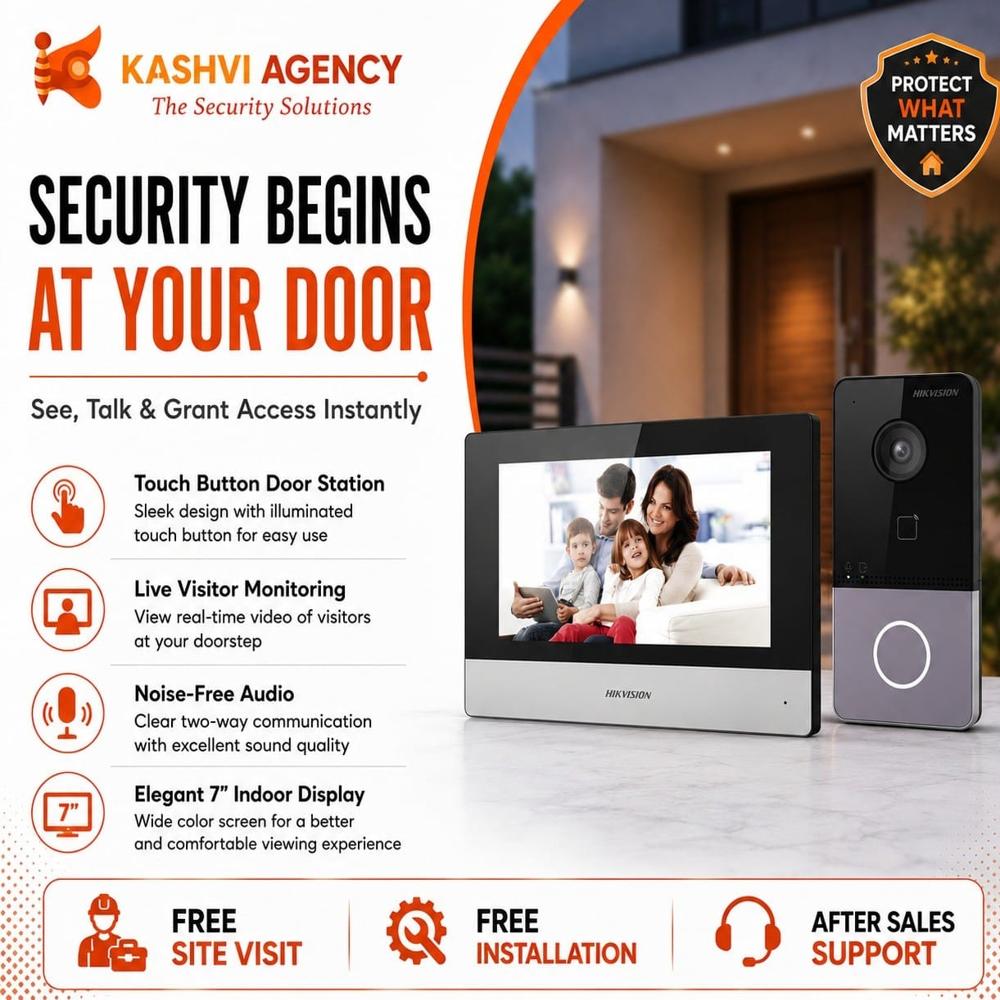
Unlike a traditional analogue door phone, an IP VDP communicates over an Internet Protocol (IP) network. A typical system includes an outdoor station with a camera, microphone, speaker and call button, along with an indoor monitor. Depending on the system and model, it may also support mobile access, door-release controls and integration with other security equipment.
How a Hikvision IP VDP works
- A visitor presses the call button: The outdoor station sends a call to the connected indoor monitor or other configured devices.
- The occupant views and speaks with the visitor: The camera and two-way audio allow the occupant to check who is at the entrance.
- The door can be released: If the system is connected to a compatible electric lock, the occupant may be able to unlock the door from the indoor monitor or a supported app.
Features vary by product range, model, firmware and installation. Check the product documentation to confirm which functions are supported.
Common features
- Live video and two-way audio: Communicate with visitors from an indoor monitor and, where supported, a mobile device.
- Network connectivity: IP communication can make it easier to connect devices across a building network. Some setups use Power over Ethernet (PoE), while others may require separate power.
- Door-release integration: Compatible systems can operate an electric lock or other supported access-control hardware.
- Multiple indoor stations: Some models and system configurations support communication between more than one monitor.
- Recording and event functions: Depending on the model and storage arrangement, a system may support snapshots, call logs or video recording.
- Mobile access: Selected models can work with Hikvision’s supported mobile software. Availability and functionality may depend on the device, configuration and region.
Benefits for homes and businesses
An IP VDP can help occupants identify visitors before opening a door and communicate without approaching the entrance. In a house, it can provide a convenient way to handle deliveries and guest calls. In an apartment building or office, a properly designed system can support communication between entrances and designated indoor stations.
Because the devices operate over a network, an IP system may also be suitable for sites that need to connect several devices or integrate the door phone with other security systems. The exact design depends on the building layout, network infrastructure and access requirements.
What to consider before choosing a system
- Building type: A single home and a multi-apartment property may require different outdoor stations, monitors and system layouts.
- Number of entrances and users: Confirm how many door stations and indoor monitors are needed, and whether the selected system supports the required arrangement.
- Network and power: Check the network cabling, switch capacity and power requirements. Do not assume every model supports PoE.
- Door-lock compatibility: Confirm that the lock’s electrical requirements and release method match the door station or an appropriate access-control interface.
- Mobile access: If remote answering is important, verify app compatibility, network requirements and feature availability for the specific model and region.
- Storage and privacy: Decide whether call records or video storage are required. Configure access permissions and retention in line with applicable privacy requirements.
- Environmental conditions: Select equipment suitable for the entrance’s exposure to weather, dust and temperature variations.
Installation and setup
Good installation is essential for reliable operation. The outdoor station should be positioned at a suitable height and angle, with a clear view of the visitor area. Network cabling should be planned to provide stable connectivity, and the door-release circuit should be installed by a qualified professional.
After mounting and wiring, the installer typically configures the devices on the network, pairs the indoor monitor with the door station, tests calling and two-way audio, and checks the lock-release function. Where remote access is enabled, account security and network settings should also be reviewed. Use the installation guide for the exact model rather than relying on a generic wiring diagram.
Maintenance and security tips
- Keep device firmware updated using the manufacturer’s recommended process.
- Use strong, unique passwords and limit administrator access to authorised users.
- Secure the network that carries the video door phone traffic.
- Clean the camera lens and check the microphone, speaker and call button periodically.
- Test the indoor monitor, mobile notifications and door-release function after installation and during routine checks.
- Review recording settings and access permissions regularly.
Frequently asked questions
Can a Hikvision IP VDP be used without an Internet connection?
Many IP video door phone functions can operate over a local network, but features such as remote access may require an Internet connection and suitable configuration. Confirm the requirements for the chosen model.
Can it unlock the main door?
Some systems can release a compatible electric lock. The lock and wiring must be suitable for the door station or the designated interface, and installation should be completed by a qualified technician.
Can calls be answered on a mobile phone?
Selected models and configurations support mobile answering through compatible Hikvision software. Check the model’s documentation and regional availability before purchase.
Conclusion
A Hikvision IP VDP can provide a practical way to see, speak with and manage visitors at a building entrance. The right system depends on the number of users and entrances, network conditions, lock compatibility and the features required. Before selecting equipment, check the specifications for the exact model and consult a qualified installer to plan a secure, reliable setup.
9 Key Benefits of Hikvision IP Video Door Phones
- Clear video helps identify visitors.
- Two-way audio enables easy conversations.
- Network connectivity supports flexible installation.
- Compatible models can integrate with electric locks.
- Indoor monitors provide convenient call answering.
- Selected models support mobile access.
- Useful for homes, offices and apartments.
- Can work with other security systems.
- Helps manage entry more conveniently.
5 Drawbacks of Hikvision IP Video Door Phones
- Requires a stable network connection.
- Installation may need a qualified technician.
- Features vary by model and region.
- Mobile access may require extra setup.
- Compatible door locks may add to the cost.
Clear video helps identify visitors.
One of the key advantages of a Hikvision IP video door phone is its clear video, which helps occupants identify visitors before answering the door. A sharp view of the entrance can make it easier to recognise guests, check delivery personnel and decide whether to grant access. For the best results, position the door station to capture the visitor’s face clearly and choose a model suited to the lighting and conditions at the entrance.
Two-way audio enables easy conversations.
Hikvision IP video door phones feature two-way audio, allowing occupants and visitors to speak clearly through the outdoor station and indoor monitor. This makes it easy to ask who is at the entrance, give delivery instructions or communicate with guests without opening the door. Depending on the model and configuration, conversations may also be handled through a compatible mobile app, adding convenience when occupants are away from the monitor.
Network connectivity supports flexible installation.
Hikvision IP video door phones use network connectivity to link the outdoor station with indoor monitors and, on supported models, mobile devices. This can offer greater flexibility when planning an installation, as devices can be connected across a suitable network rather than relying only on traditional point-to-point wiring. The exact cabling, power and network requirements vary by model, so check the product specifications and consult a qualified installer before setup.
Compatible models can integrate with electric locks.
Compatible Hikvision IP VDP models can be integrated with electric locks, allowing authorised occupants to release the entrance after speaking with a visitor. This combines visitor communication with convenient access control, so there may be no need to walk to the door to let someone in. Before installation, check that the lock’s electrical requirements and release method are compatible with the selected model, and have the wiring completed by a qualified installer.
Indoor monitors provide convenient call answering.
Hikvision IP VDP indoor monitors make answering visitor calls convenient and straightforward. When someone rings the door station, occupants can view the visitor and speak with them directly from the monitor, without needing to go to the entrance. Depending on the system configuration, they may also be able to release a compatible door lock from the same screen, helping make everyday access easier.
Selected models support mobile access.
Selected Hikvision IP video door phone models support mobile access, allowing users to answer visitor calls and view the entrance on a compatible smartphone, subject to the model, app and network configuration. This can be especially convenient when you are away from the indoor monitor, helping you stay connected to your entrance and respond to visitors remotely. Check the product specifications for mobile-access availability and requirements.
Useful for homes, offices and apartments.
Hikvision IP video door phones are suitable for a wide range of properties, including homes, offices and apartment buildings. They let occupants check who is at the entrance and speak with visitors before granting access, making everyday entry more convenient. Depending on the model and installation, the system can also support multiple users or indoor monitors, which is useful for shared entrances and busy workplaces.
Can work with other security systems.
Hikvision IP video door phones can work with compatible security systems, helping bring visitor communication and access management together. Depending on the models and setup, an IP VDP may integrate with CCTV, access control and other networked security equipment, allowing users to manage several functions more conveniently. Compatibility varies, so check the product specifications and consult a qualified installer before choosing or connecting devices.
Helps manage entry more conveniently.
A Hikvision IP video door phone makes managing entry more convenient by letting occupants see and speak with visitors before opening the door. Depending on the model and setup, calls can be answered from an indoor monitor or a compatible mobile device, while a connected electric lock may be released remotely. This helps residents and staff handle guests and deliveries without needing to go to the entrance each time.
Requires a stable network connection.
A key limitation of a Hikvision IP video door phone (IP VDP) is its reliance on a stable network connection. If the network is slow, unreliable or temporarily unavailable, video may lag, audio may break up, and calls or notifications may be delayed or missed. Remote viewing and other network-dependent features may also stop working until the connection is restored. A reliable network and correctly configured cabling or Wi-Fi are therefore important for smooth operation.
Installation may need a qualified technician.
One possible drawback of a Hikvision IP video door phone is that installation may require a qualified technician. Connecting the outdoor station, indoor monitor, network and compatible door lock can involve wiring and configuration, and the exact requirements vary by model and building. Professional installation can help ensure the system works reliably and is set up securely, but it may add to the overall cost.
Features vary by model and region.
One limitation of Hikvision IP VDP systems is that features can vary by model and region. Functions such as mobile access, video recording, PoE support and integration with other security devices may not be available on every unit or in every market. Check the exact model’s specifications and local availability before purchasing to ensure it meets your requirements.
Mobile access may require extra setup.
Mobile access on a Hikvision IP video door phone may require extra setup, such as configuring the network, enabling remote access and linking the system to a compatible mobile app. The process can vary by model and may require help from an installer, so using the phone to answer calls or manage entry may not be as straightforward as expected.
Compatible door locks may add to the cost.
One possible drawback of a Hikvision IP video door phone is the additional cost of a compatible door lock. If your existing lock cannot connect to the system, you may need to purchase a suitable electric lock and pay for installation or wiring. This can increase the overall cost, so check lock compatibility and installation requirements before choosing your system.