Employee Attendance Software Free: A Practical Guide for Indian Businesses
Tracking attendance accurately is important for every organisation, whether it has a small office team, a retail outlet or a workforce spread across multiple locations. Employee attendance software can help businesses record working hours, manage shifts and review leave more efficiently. For startups and small businesses, a free attendance software plan can be a useful way to get started without adding another major expense.
However, “free” can mean different things. Some tools offer a permanently free plan with limited features, while others provide a free trial that expires after a set period. Before choosing a solution, it is worth understanding what is included and whether it suits your team’s day-to-day requirements.
What Is Employee Attendance Software?
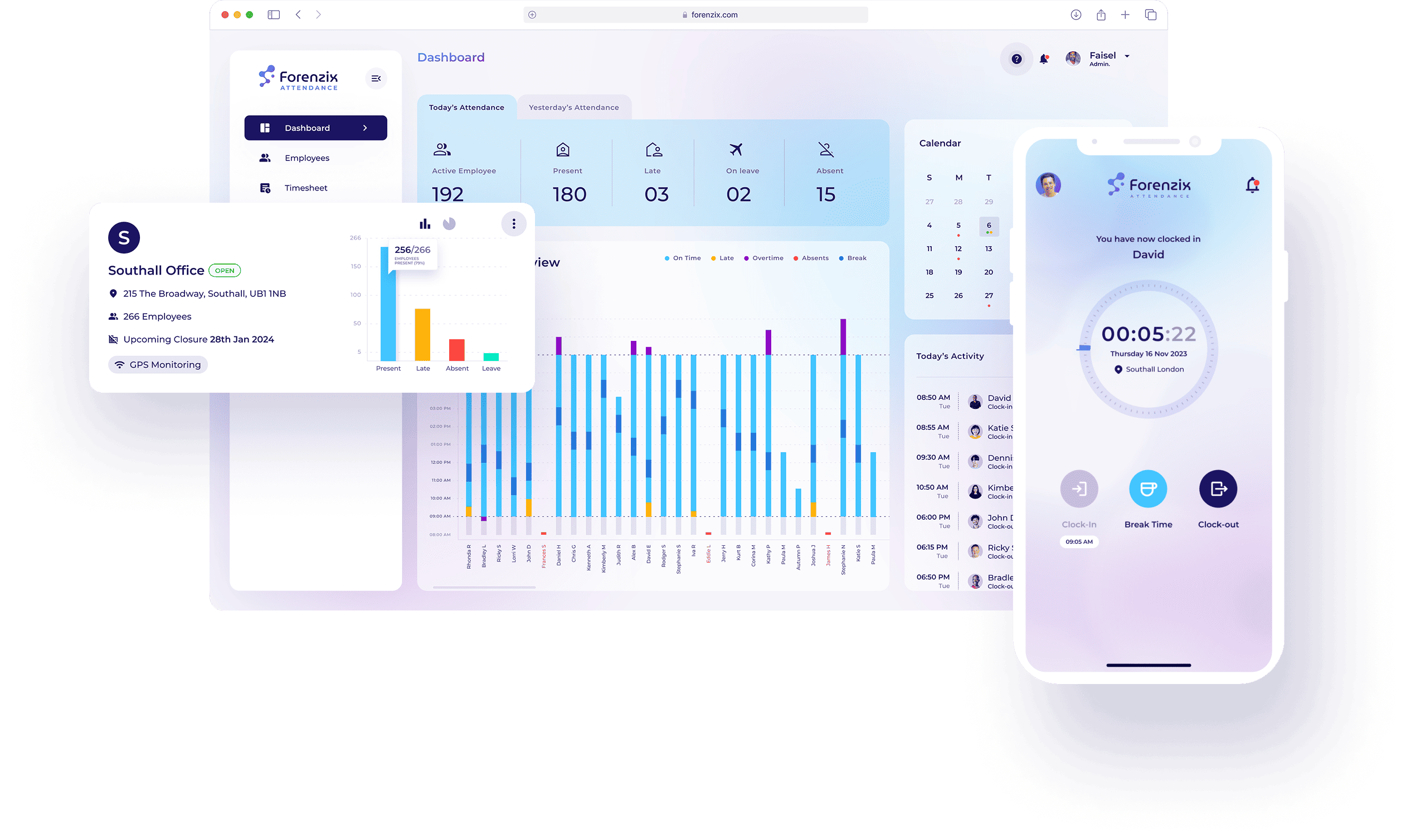
Employee attendance software is a digital system for recording when employees start and finish work, take breaks or are absent. Depending on the product, staff may mark attendance through a mobile app, web portal, shared tablet, biometric device or a location-based check-in.
Instead of relying only on paper registers or manually updated spreadsheets, the software keeps attendance records in one place. Managers can use these records to review punctuality, hours worked, leave and shift coverage.
What to Look for in a Free Attendance Software Plan
Free plans often have limits on the number of employees, users, locations or features. Check the plan details carefully and look for the essentials your organisation needs, such as:
- Clock-in and clock-out records: Employees should be able to record their working hours using a convenient method.
- Shift management: If your business runs different shifts, check whether the system can accommodate shift timings and weekly schedules.
- Leave tracking: A clear view of leave requests and absences can make attendance records easier to manage.
- Reports and exports: Reports that can be downloaded or exported may help with payroll preparation and record-keeping.
- Mobile access: A mobile-friendly option can be useful for field staff or employees working across different sites.
- Manager controls: Look for a way to review, correct and approve attendance entries, with a record of changes where available.
- Data security: Check how the provider protects information, who can access it and how data can be exported or deleted.
Benefits for Small Businesses
A suitable free tool can help reduce routine administrative work. Attendance information is easier to review when it is stored digitally, rather than spread across registers, messages and separate spreadsheets. Managers may also be able to identify missing entries or attendance patterns sooner.
For employees, a straightforward check-in process can make it easier to confirm attendance and submit leave requests. Consistent records can also support payroll preparation, although attendance software should not be assumed to calculate every pay component correctly without proper configuration and review.
Free Plan, Free Trial or Spreadsheet?
A free plan may be a good fit when a business has a small team and needs basic attendance tracking. A free trial can help you test a paid product before deciding whether its additional features justify the cost. A spreadsheet may still work for a very small team, but it usually requires more manual updates and careful version control.
Compare the options based on your actual needs. A free plan with a strict employee limit may stop being practical as your team grows. A trial may include features that are not available after the trial ends, so confirm what happens to your data and account when the trial period is over.
Considerations for Indian Employers
Attendance records may be used alongside payroll, leave and working-hour processes. Make sure your chosen system can reflect your organisation’s policies, locations and shift patterns. Requirements can vary by business and workforce, so attendance software does not replace the need to check applicable employment rules or obtain appropriate professional advice.
Also consider privacy. Collect only the information needed for a clear business purpose, explain attendance practices to employees and restrict access to authorised people. If a system uses GPS, photographs or biometric information, review how that information is collected, stored, used and retained before enabling the feature.
How to Choose the Right Option
- List your requirements: Note your team size, work locations, shift patterns and preferred check-in method.
- Check the limits: Review employee caps, report access, support availability and feature restrictions.
- Test the employee experience: Try the check-in process on the devices your staff will use.
- Review reporting: Confirm that attendance data can be viewed and exported in a useful format.
- Understand the costs: Check whether add-ons, extra users or advanced features require a paid plan.
- Plan for growth: Make sure you can move to a larger plan or export your records if your needs change.
Conclusion
Free employee attendance software can be a practical starting point for Indian startups and small businesses that want to organise attendance records without a large upfront investment. The right choice depends on your team size, work patterns, privacy requirements and the limits of the free plan. Compare options carefully, test the process with employees and ensure the system supports accurate, accessible record-keeping as your organisation grows.
9 Benefits of Free Employee Attendance Software for Small Teams
- Reduces attendance tracking costs.
- Simplifies clock-in and clock-out.
- Cuts down manual record-keeping.
- Helps monitor punctuality.
- Makes leave tracking easier.
- Supports shift planning.
- Provides quick attendance reports.
- Keeps records organised in one place.
- Offers an affordable start for small teams.
5 Limitations of Free Employee Attendance Software
- Free plans often limit the number of employees.
- Useful features may require a paid upgrade.
- Support may be limited or unavailable.
- Data storage and reporting options may be restricted.
- Free tools may not integrate with payroll systems.
Reduces attendance tracking costs.
Free employee attendance software can help reduce tracking costs by replacing paper registers, printed forms and time-consuming manual calculations with digital records. This can save small businesses money on stationery and administration, while giving managers a clearer way to review attendance. Check the free plan’s user and feature limits to ensure it meets your needs without unexpected costs.
Simplifies clock-in and clock-out.
Free employee attendance software simplifies clock-in and clock-out by giving staff a quick, consistent way to record their working hours. Instead of filling in paper registers or updating spreadsheets, employees can mark their attendance through a mobile app, web portal or shared device, depending on the software. This saves time, reduces manual entry and makes attendance records easier for managers to review.
Cuts down manual record-keeping.
Free employee attendance software cuts down manual record-keeping by storing clock-in times, working hours, leave and absences in one digital system. This reduces the need to update paper registers or spreadsheets by hand, saving time and helping minimise data-entry errors. Managers can also find and review attendance records more easily when preparing reports or payroll information.
Helps monitor punctuality.
Free employee attendance software helps businesses monitor punctuality by recording employees’ clock-in times and highlighting late arrivals or missed check-ins. Managers can review attendance patterns more easily, follow up where needed and encourage consistent timekeeping across the team.
Makes leave tracking easier.
Free employee attendance software can make leave tracking easier by keeping leave requests, approvals and absence records in one place. Managers can check who is on leave and plan shift coverage, while employees can submit requests without relying on paper forms or scattered messages. Depending on the software’s free-plan features, it may also help teams review leave balances and maintain clearer attendance records.
Supports shift planning.
Free employee attendance software can support shift planning by helping managers organise working hours, assign employees to shifts and review schedules in one place. Clear shift records make it easier to spot gaps, avoid scheduling clashes and keep employees informed about their timings. This can be especially useful for small businesses with rotating shifts, while the features available may depend on the software’s free plan.
Provides quick attendance reports.
Free employee attendance software can provide quick attendance reports, making it easier for managers to review employee presence, absences, late arrivals and working hours. Instead of checking registers or compiling information manually, authorised users can access organised records in just a few clicks. These reports can support shift planning, payroll preparation and everyday workforce management, while saving time on routine administration.
Keeps records organised in one place.
Free employee attendance software keeps attendance records organised in one place, making it easier to check working hours, absences, shifts and leave details whenever needed. Instead of searching through paper registers or multiple spreadsheets, managers can access information from a central system, helping reduce confusion and save time on routine administration.
Offers an affordable start for small teams.
Free employee attendance software offers small teams an affordable way to organise attendance without investing in a costly system upfront. It can help businesses move beyond paper registers or scattered spreadsheets, while keeping essential records in one place. This makes it easier to establish consistent attendance processes and explore digital tools as the team grows.
Free plans often limit the number of employees.
One common drawback of free employee attendance software is the limit on the number of employees who can use it. This may suit a very small team, but growing businesses can quickly outgrow the free plan and need to upgrade to a paid subscription. Before choosing a tool, check its user limit and the cost of adding more employees, so that expanding your team does not lead to unexpected expenses or a disruption to attendance tracking.
Useful features may require a paid upgrade.
A key drawback of free employee attendance software is that useful features may only be available through a paid upgrade. Tools such as detailed reports, shift planning, leave management, payroll integrations or support for more employees can be restricted to premium plans. Businesses may find that the free version meets their needs at first but becomes limiting as the team grows or requirements change. Check the plan limits and upgrade costs before adopting a system, so you can assess its long-term affordability.
Support may be limited or unavailable.
One drawback of free employee attendance software is that support may be limited or unavailable. If the system stops working, attendance records go missing or employees have trouble checking in, help may not be available straight away. Some providers offer support only through online guides or community forums, while priority assistance may be reserved for paying customers. This can be challenging for businesses that rely on accurate attendance records for daily operations and payroll preparation.
Data storage and reporting options may be restricted.
Free employee attendance software may limit how long attendance records are stored, how much data you can keep or which reports you can access. This can make it harder to review historical attendance, compare patterns over time or prepare information for payroll and internal audits. Some plans may also restrict downloads or data exports, so check the storage period and reporting features before relying on a free option.
Free tools may not integrate with payroll systems.
One limitation of free employee attendance software is that it may not integrate with your payroll system. Attendance data may need to be downloaded and entered manually, adding administrative work and increasing the risk of errors in hours, overtime or leave records. Before choosing a free tool, check whether it supports payroll exports or integrations, and consider how the extra steps may affect your payroll process.