Internet CCTV Cameras: A Practical Guide to Remote Video Surveillance
An internet CCTV camera lets you view live or recorded footage over a network, often from a smartphone, tablet or computer. These cameras are used in homes, shops, offices, warehouses and other premises where people need to monitor activity when they are away.
Before choosing a system, it helps to understand how internet CCTV works, what features matter and how to protect the footage and devices from unauthorised access.
What Is an Internet CCTV Camera?
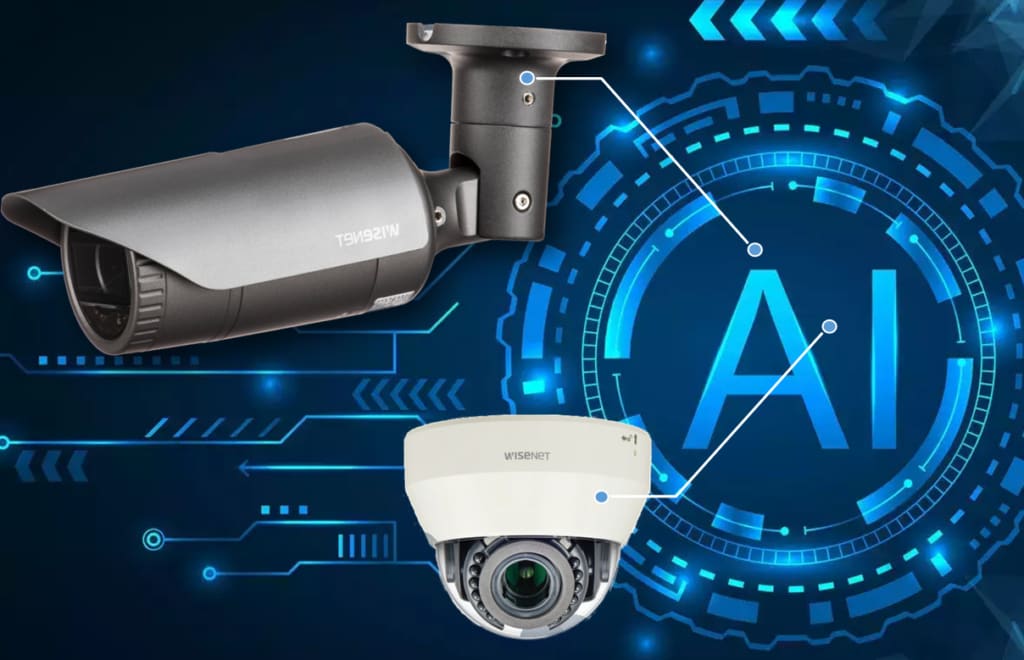
An internet CCTV camera is usually an IP (Internet Protocol) camera. It captures video and sends it over a local network or the internet. Depending on the setup, footage may be stored on a memory card, a network video recorder (NVR), a local server or a cloud service.
Some systems can be viewed remotely through a mobile app or web interface. Others are designed to work only within a local network. A camera being connected to Wi-Fi does not automatically mean it is securely accessible from anywhere; remote access depends on the camera, recorder, network configuration and service being used.
How Does It Work?
- Video capture: The camera records images through its lens and sensor.
- Network connection: It sends video through an Ethernet cable or Wi-Fi to a router, recorder or other storage device.
- Storage: Footage is saved locally, on a recorder, on a memory card or in the cloud, depending on the system.
- Viewing: An authorised user can view live footage or recordings on a connected device. Remote viewing requires an internet connection and suitable access settings.
Key Benefits
- Remote monitoring: Check live views or alerts while away from the premises.
- Flexible installation: IP cameras can be added to a suitable network and expanded as requirements change.
- Recording and playback: Review stored footage to investigate an incident or check activity.
- Motion alerts: Many systems can notify users when movement is detected in selected areas.
- Multiple viewing options: Depending on the system, users may monitor one camera or several cameras from a single interface.
Features to Consider
Image quality
Choose resolution and image performance that suit the area being monitored. A wide view may be useful for a room or entrance, while identifying details at a distance may require a different lens, camera position or higher-resolution model. Night-time performance is also important for areas with limited lighting.
Wired or wireless connection
Wired Ethernet connections are often preferred for stable performance, particularly in larger or more demanding installations. Wi-Fi can make installation easier where cabling is difficult, but performance depends on signal strength, interference and network capacity. Some IP cameras support Power over Ethernet (PoE), which can carry power and data over one network cable when used with compatible equipment.
Storage and recording
Consider how many days of footage need to be retained, how many cameras will record and whether recording should be continuous, scheduled or triggered by motion. Storage requirements vary with resolution, frame rate, compression and recording settings.
Remote access and alerts
Check how users access the camera and whether the system supports individual accounts, notifications and permission controls. If remote access is required, confirm that the network and camera setup can support it reliably.
Indoor and outdoor suitability
Outdoor cameras should be designed for the local weather and installation conditions. Consider exposure to rain, dust, heat, direct sunlight and possible tampering. Indoor cameras may need a discreet design or a suitable field of view for the space.
Installation and Network Planning
Good camera placement can be as important as the camera itself. Identify the areas that need coverage, such as entrances, reception areas, stock rooms or vehicle access points. Avoid positioning cameras where glare, obstructions or strong backlighting will reduce image quality. Also consider privacy: cameras should be directed only at areas that are appropriate to monitor.
For a multi-camera installation, check that the network can handle the video traffic and that the router, switches, recorder and cabling are suitable. A professional site assessment can help determine camera locations, storage requirements, power arrangements and network capacity.
Protecting Your CCTV System
Because internet-connected cameras are network devices, security should be part of the installation and ongoing maintenance.
- Change default usernames and passwords before using the system.
- Use strong, unique passwords and enable multi-factor authentication where available.
- Keep camera, recorder and router software up to date.
- Limit access to authorised users and remove accounts that are no longer needed.
- Use secure network settings and avoid exposing camera services directly to the internet unless properly configured.
- Review privacy settings, recording permissions and data-retention practices.
For business premises, it is also sensible to establish who can view or export footage and how long recordings should be retained. Follow applicable privacy and data-protection requirements for your location and use case.
Where Are Internet CCTV Cameras Used?
Internet CCTV cameras are commonly used in residential properties, retail shops, offices, schools, healthcare facilities, warehouses and industrial sites. They can support security monitoring, help supervise access points and provide recorded footage for reviewing events. The right system depends on the site, its risks and the purpose of monitoring.
Choosing the Right System
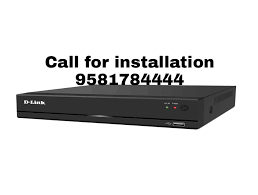
Start by listing the areas to cover, the level of detail required, how footage will be stored and who needs remote access. Then compare camera types, network options, storage capacity and security features. A complete CCTV solution may include cameras, an NVR, a network switch, cabling, storage and configuration—not just the cameras themselves.
Conclusion
An internet CCTV camera can make video monitoring more convenient by enabling network-based viewing and recording. Careful planning around camera placement, connectivity, storage and cybersecurity helps create a system that is reliable and fit for purpose. For a larger site or a multi-camera setup, seek advice from a qualified security systems professional before installation.
6 Essential Tips to Keep Your Internet CCTV Camera Secure and Respect Privacy
- Use a strong, unique password for your camera.
- Change the default login details during setup.
- Keep the camera firmware updated.
- Secure your Wi-Fi with WPA2 or WPA3.
- Enable two-factor authentication if available.
- Place cameras only where privacy is respected.
Use a strong, unique password for your camera.
Use a strong, unique password for your internet CCTV camera to help prevent unauthorised access to live feeds and recorded footage. Avoid default passwords and details that are easy to guess, such as your name or date of birth. Choose a long combination of letters, numbers and symbols, and do not reuse it for other accounts. If available, enable multi-factor authentication and update the password if you suspect it has been compromised.
Change the default login details during setup.
Change the camera’s default username and password as soon as you set it up. Default login details are often widely known, so leaving them unchanged can make it easier for unauthorised users to access your internet CCTV camera. Choose a strong, unique password, avoid reusing passwords from other accounts and enable multi-factor authentication if the system supports it.
Keep the camera firmware updated.
Keep your internet CCTV camera’s firmware updated to help maintain security, reliability and performance. Updates may fix software vulnerabilities, resolve bugs and add useful features. Check for updates through the manufacturer’s official app or website, and follow the installation instructions carefully. Where possible, enable automatic updates or set a regular reminder to check, and avoid downloading firmware from unofficial sources.
Secure your Wi-Fi with WPA2 or WPA3.
Secure the Wi-Fi network used by your internet CCTV cameras with WPA2-AES or WPA3 encryption, and set a strong, unique password. Avoid outdated security protocols and default router credentials, as weak network security could allow unauthorised users to access your cameras or footage. Where possible, keep CCTV devices on a separate network and update your router’s firmware regularly.
Enable two-factor authentication if available.
Enable two-factor authentication (2FA) for your internet CCTV camera account if the feature is available. It adds an extra layer of security by requiring a second verification step, such as a code sent to your phone, in addition to your password. This can help prevent unauthorised access even if your password is compromised.
Place cameras only where privacy is respected.
Place internet CCTV cameras only in areas where people have a reasonable expectation of being monitored, such as entrances, reception areas and stock rooms. Avoid private spaces such as bathrooms, changing rooms and bedrooms, and do not point cameras into neighbours’ homes or other properties. Keep camera views focused on the area you need to protect, inform people when CCTV is in use, and follow applicable privacy and data-protection requirements.