4 Channel DVR Hikvision 5MP: A Practical Guide
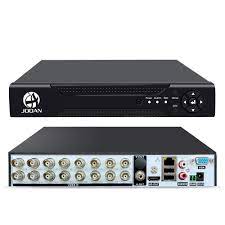
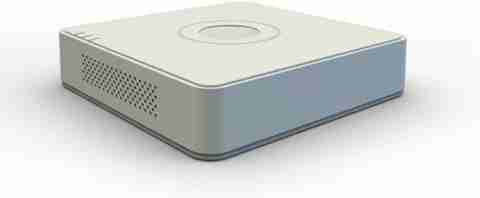
A 4 channel DVR Hikvision 5MP is a digital video recorder designed to connect and manage up to four compatible CCTV cameras. It can be a suitable choice for homes, small offices, shops and other premises that need a compact surveillance system with high-resolution recording.
Hikvision offers different DVR models, and specifications can vary between them. Before buying, check the exact model number and confirm that it supports the camera resolution, recording features and connections required for your installation.
What does “4 channel” mean?
A channel is a connection for a camera. A 4 channel DVR can support up to four camera inputs, allowing you to monitor areas such as an entrance, reception, shop floor or parking space from one recorder. Some models may support additional IP cameras, but the number and configuration depend on the specific model.
What does 5MP mean?
5MP refers to a camera resolution of around five megapixels. A compatible 5MP camera can capture more image detail than a lower-resolution camera, which may help when reviewing footage. The actual recording resolution depends on the DVR, camera compatibility, video format and selected settings.
For best results, confirm that the DVR supports the 5MP resolution of your cameras. A recorder may accept different camera formats or resolutions, but supported options can vary by model.
Common features to check
- Camera compatibility: Check support for your camera type and video format, such as HD-TVI, AHD, CVI, CVBS or IP, as applicable to the model.
- Recording resolution and frame rate: Confirm the available resolution and frame rate for each channel.
- Storage capacity: Check the supported hard drive capacity and whether a surveillance-grade HDD is recommended.
- Remote viewing: Many models provide remote access through a compatible app or software. Internet access and correct network setup are required.
- Playback and search: Look for useful playback controls and options to search footage by date, time or event.
- Motion detection and alerts: Depending on the model and configuration, event detection can help identify relevant footage and reduce unnecessary recording.
- Audio support: If audio recording is needed, check whether the DVR and cameras support audio and ensure use complies with applicable privacy rules.
How to choose the right DVR
Start by counting the cameras you need today and considering whether you may add more later. A four-channel unit is intended for up to four camera inputs, so a larger system may require a recorder with more channels. Next, match the DVR with your cameras, check the supported recording resolution, and calculate the storage needed for your preferred recording schedule.
Storage duration depends on several factors, including the number of cameras, resolution, frame rate, compression settings, motion activity and whether recording is continuous or event-based. Ask the installer or supplier to estimate retention time for your setup rather than relying on a general figure.
Installation and setup
Position cameras to cover key areas while avoiding unnecessary views into private spaces. Connect the cameras to the DVR using compatible cabling and power supplies, then configure the recording schedule, date and time, network settings and user access. Use a strong password and keep the recorder’s firmware updated as recommended by the manufacturer.
For a reliable system, use suitable cabling, a compatible power supply and a hard drive intended for CCTV recording. A qualified technician can help with camera placement, network configuration and secure remote access.
Is a 4 channel Hikvision 5MP DVR right for you?
A 4 channel Hikvision 5MP DVR may suit a small surveillance setup where up to four compatible cameras are sufficient. Its usefulness depends on the exact model and how well it matches your cameras, storage requirements and remote-viewing needs. Check the model’s official datasheet before purchase, and seek advice from a CCTV professional if you are unsure about compatibility.
Hikvision 4-Channel 5MP DVR: 9 Frequently Asked Questions
- What is a 4 channel Hikvision 5MP DVR?
- How many cameras can I connect to a 4 channel Hikvision DVR?
- Does a Hikvision 4 channel DVR support 5MP cameras?
- Which camera formats are compatible with a 4 channel Hikvision DVR?
- How much hard drive storage do I need for a 4 channel 5MP CCTV system?
- Can I view Hikvision DVR footage remotely on my mobile phone?
- Does a 4 channel Hikvision 5MP DVR support motion detection?
- Can I add IP cameras to a 4 channel Hikvision DVR?
- How do I choose the right 4 channel Hikvision 5MP DVR for my CCTV system?
What is a 4 channel Hikvision 5MP DVR?
A 4 channel Hikvision 5MP DVR is a digital video recorder that can connect and manage up to four compatible CCTV cameras, including cameras that record at resolutions of up to 5 megapixels, subject to the specific model’s supported formats and settings. It records and stores footage on a hard drive and may offer features such as playback, motion detection and remote viewing. Check the model specifications to confirm camera compatibility and recording resolution.
How many cameras can I connect to a 4 channel Hikvision DVR?
A 4 channel Hikvision DVR can generally connect up to four cameras, with one camera per channel. The exact camera types and resolutions supported depend on the DVR model, so check its specifications to confirm compatibility with your cameras, including 5MP models.
Does a Hikvision 4 channel DVR support 5MP cameras?
Yes, many Hikvision 4 channel DVR models support 5MP cameras, but compatibility depends on the exact model and camera technology. Check the DVR’s datasheet for supported resolutions and formats, and confirm that it can record at 5MP on the channels you plan to use.
Which camera formats are compatible with a 4 channel Hikvision DVR?
A 4 channel Hikvision DVR may support HDTVI, AHD, HDCVI and standard CVBS cameras, while some models also accept a limited number of IP cameras. Compatibility varies by model, so check the DVR’s datasheet for supported formats and maximum resolution before connecting cameras.
How much hard drive storage do I need for a 4 channel 5MP CCTV system?
The storage required for a 4-channel 5MP CCTV system depends on how long you want to retain footage, the cameras’ frame rate and bitrate, the video compression used (such as H.265 or H.264), and whether recording is continuous or motion-triggered. Continuous recording across all four cameras will use considerably more space than motion-based recording. As a practical starting point, consider a surveillance-grade hard drive of at least 2TB, then check the expected retention period using the bitrate and recording settings for your specific Hikvision DVR and cameras; your installer can help estimate this accurately.
Can I view Hikvision DVR footage remotely on my mobile phone?
Yes, you can view footage from many Hikvision DVRs remotely on a mobile phone using Hikvision’s compatible mobile app, provided the DVR model supports remote access and is connected to the internet. Set up the recorder’s network connection and add it to the app using the method specified for your model. Use a strong password and secure your network. Features and setup steps may vary, so check the DVR’s manual or ask your installer for help.
Does a 4 channel Hikvision 5MP DVR support motion detection?
Yes, many 4-channel Hikvision 5MP DVR models support motion detection, which can trigger recording or alerts when movement is detected in a camera’s view. The available options, such as setting detection areas or adjusting sensitivity, vary by model and camera compatibility. Check the DVR’s specifications and settings to confirm the features available, and configure motion detection for each channel as required.
Can I add IP cameras to a 4 channel Hikvision DVR?
Yes, some 4 channel Hikvision DVRs support IP cameras, but compatibility and the number of cameras allowed depend on the exact model. Certain models can accept additional IP cameras, while others may require an IP camera to use one of the existing channels. Check the DVR’s specifications for its supported IP camera count, resolution and bandwidth, and confirm that the cameras are compatible before purchasing.
How do I choose the right 4 channel Hikvision 5MP DVR for my CCTV system?
To choose the right 4 channel Hikvision 5MP DVR for your CCTV system, first confirm that it is compatible with your cameras’ resolution and video format, as specifications differ between models. Check the recording resolution and frame rate, supported hard drive capacity, playback and motion detection features, and whether remote viewing is available for your preferred setup. Consider how long you need to retain recordings and whether four camera channels will meet your current and future needs. Before purchasing, review the exact model’s datasheet or consult a CCTV installer to verify compatibility.