Audio Camera CCTV: A Practical Guide to Cameras with Sound
Traditional CCTV systems record video, while an audio camera CCTV system can capture sound as well. Depending on the model, it may include a built-in microphone, support an external microphone or offer two-way audio through a speaker and microphone. These features can help users understand what is happening at a monitored location, but they also require careful attention to privacy and local regulations.
What Is an Audio Camera CCTV System?
An audio camera CCTV system combines video surveillance with one or more audio features. Some cameras record sound alongside footage. Others allow a user to listen and speak through the camera using a mobile app or monitoring system. Not every camera that supports two-way communication records audio, so it is important to check the product specifications.
Key Audio Features
- Built-in microphone: Captures sound near the camera. The recording range and clarity depend on the microphone, surroundings and camera placement.
- External microphone support: Allows a compatible microphone to be positioned separately, which can be useful where the camera’s built-in microphone is not suitable.
- Two-way audio: Combines a microphone and speaker so an authorised user can communicate with someone near the camera.
- Audio and video recording: Stores sound and footage together, subject to the system’s settings and storage capacity.
Where Audio-Enabled CCTV May Be Useful
Audio-enabled cameras can be considered for locations where sound is relevant to a clear security or operational purpose. Examples may include a reception area, an entrance, a warehouse or a private property. Two-way audio can also help an authorised user speak to a visitor or provide instructions remotely.
The right approach depends on the site. In some settings, video alone may be sufficient. Recording audio in areas where people expect privacy—such as washrooms, changing rooms or private consultation spaces—is generally inappropriate.
Benefits and Limitations
Potential benefits
- Provides sound that may help explain an incident captured on video.
- Enables remote communication through compatible two-way audio models.
- Can support security monitoring when used for a defined and appropriate purpose.
Things to consider
- Background noise, distance and room acoustics can affect audio quality.
- Audio recordings may contain personal or sensitive information.
- Recording sound can increase storage use and may require additional system configuration.
- Internet-connected cameras need strong passwords, secure network settings and regular updates.
How to Choose an Audio CCTV Camera
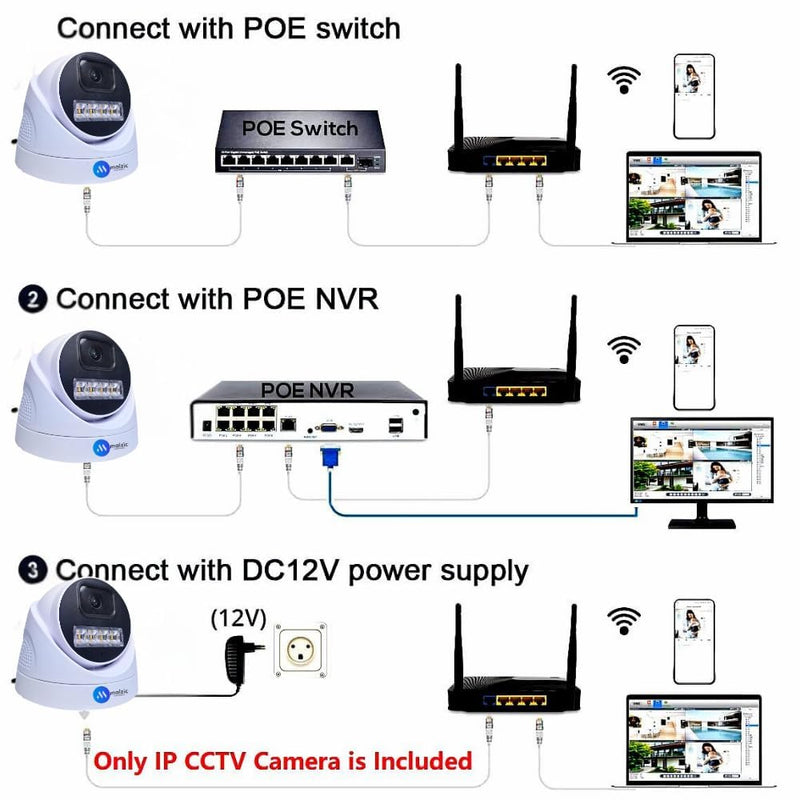
Before purchasing a camera, consider the location, purpose and required features. Check whether it records audio continuously or only when triggered, whether it supports two-way communication, and how recordings are stored. Review compatibility with your recorder, mobile app or existing CCTV system.
Also assess practical details such as microphone range, night-time performance, weather protection for outdoor use, power supply, network connectivity and the available storage. A professional installer can help position the camera appropriately and configure access controls.
Privacy, Consent and Responsible Use in India
Audio CCTV requires particular care because it can record conversations as well as images. Before installing or using an audio-enabled camera in India, consider applicable privacy and data-protection requirements, the purpose of recording, who may access the recordings and how long they will be retained. Requirements can vary by context, so seek appropriate legal advice where needed.
- Use audio recording only where there is a clear and proportionate need.
- Inform people about monitoring where appropriate, using clear notices.
- Restrict access to authorised users and protect stored recordings.
- Set a retention period and securely delete recordings that are no longer needed.
- Disable audio recording when it is not necessary for the stated purpose.
Frequently Asked Questions
Do all CCTV cameras record sound?
No. Many CCTV cameras record video only. Check the specifications for a built-in microphone or external microphone support.
Can an audio CCTV camera be used for two-way communication?
Some models support two-way audio, but others only record sound. Confirm that the camera has both a microphone and speaker and that the feature works with its app or recording system.
Does audio recording need more storage?
It can. The amount depends on the audio format, recording settings, video quality and how often the system records. Check the system’s storage requirements before installation.
Conclusion
An audio camera CCTV system can add useful context to video surveillance and, in some cases, enable remote communication. Choosing the right camera is only part of the decision: placement, cybersecurity, access controls, storage and privacy must also be considered. Use audio features responsibly and configure them to match a legitimate, clearly defined need.
7 Benefits of CCTV Cameras with Audio for Smarter Security
- Captures sound alongside video.
- Provides clearer incident context.
- Enables two-way communication on supported models.
- Helps monitor entrances and reception areas.
- Supports remote interaction with visitors.
- Can improve situational awareness.
- Integrates with compatible CCTV systems.
Audio CCTV Camera Drawbacks: Privacy Concerns, Background Noise and Storage Security
- Audio recording may raise privacy concerns.
- Background noise can reduce sound clarity.
- Audio footage requires secure storage and access controls.
Captures sound alongside video.
An audio camera CCTV system captures sound alongside video, providing a fuller record of activity in the monitored area. Audio can add useful context to footage by helping clarify conversations, announcements or other sounds linked to an incident. This may support security reviews and investigations, provided recording is used responsibly and in line with applicable privacy requirements.
Provides clearer incident context.
Audio-enabled CCTV can provide clearer context when reviewing an incident by capturing relevant sounds alongside video. Voices, alarms, warnings or other audible events may help explain what happened and when, making footage easier to interpret. Audio should be used only where appropriate, with suitable privacy safeguards and clear limits on access and storage.
Enables two-way communication on supported models.
On supported models, audio camera CCTV enables two-way communication through a built-in microphone and speaker. An authorised user can speak to and hear someone near the camera using a compatible app or monitoring system. This can be useful for giving instructions to visitors, communicating with staff or responding to activity at an entrance without being physically present.
Helps monitor entrances and reception areas.
Audio camera CCTV can help monitor entrances and reception areas by capturing video and, where appropriate, sound around visitor interactions. This may help authorised staff verify activity, respond to queries through two-way audio on compatible cameras, and review incidents when needed. Position cameras carefully, limit access to recordings and inform people about monitoring in line with applicable privacy requirements.
Supports remote interaction with visitors.
Audio camera CCTV systems with two-way audio let authorised users speak with visitors remotely through a compatible camera and app. This can be useful for answering the door when away, giving delivery personnel instructions or guiding visitors at an entrance without needing to be there in person. It offers added convenience while helping users manage access to their premises.
Can improve situational awareness.
Audio-enabled CCTV can improve situational awareness by providing sound alongside video, helping authorised users better understand what is happening at a monitored location. Background noises, alarms or spoken instructions may offer useful context that images alone cannot show. When used responsibly and configured for a clear security purpose, this additional information can support more informed monitoring and responses.
Integrates with compatible CCTV systems.
Audio camera CCTV can integrate with compatible CCTV systems, making it easier to manage video and audio through an existing setup. Depending on the equipment, audio may be viewed or recorded alongside camera footage using the same recorder or monitoring software. Before installation, check that the camera, recorder and software support the required audio features and connections.
Audio recording may raise privacy concerns.
Audio recording may raise privacy concerns because it can capture conversations and other personal information, sometimes without people realising they are being recorded. Before using an audio-enabled CCTV camera, consider whether sound recording is genuinely necessary, inform people where appropriate, restrict access to recordings and store them securely. Audio should be disabled in private areas and whenever it is not needed for a clear, legitimate purpose.
Background noise can reduce sound clarity.
Background noise can make audio from a CCTV camera difficult to understand. Traffic, fans, machinery, wind and nearby conversations may drown out important sounds or make recorded speech unclear. This can limit the usefulness of audio during monitoring or when reviewing an incident. Careful camera placement and a suitable microphone may help, but they cannot eliminate all background noise.
Audio footage requires secure storage and access controls.
Audio footage can capture private conversations and other sensitive information, so it must be stored securely and protected with strong access controls. Use secure passwords, limit access to authorised people and retain recordings only for as long as necessary. Without these safeguards, recordings could be accessed, shared or misused without permission.