eSSL Access Control System: A Smarter Way to Manage Entry
Controlling who can enter a workplace, residential complex or other premises is an important part of maintaining security. An eSSL access control system helps organisations manage entry by allowing authorised people to access designated areas using credentials such as fingerprints, cards, PINs or other supported methods.
From small offices to larger commercial facilities, access control can help improve security, simplify attendance management and provide a clearer record of entry activity.
What Is an eSSL Access Control System?
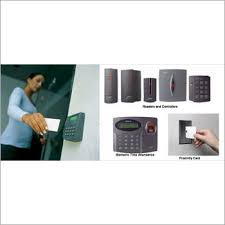
An eSSL access control system is a security solution designed to verify a person’s identity before granting access through a door or entry point. Depending on the device and configuration, users may authenticate using biometric information, an RFID card, a PIN or a combination of methods.
The system typically includes an access control device, an electronic lock, exit controls and management software. The exact components and features vary by model and installation requirements.
Common Features
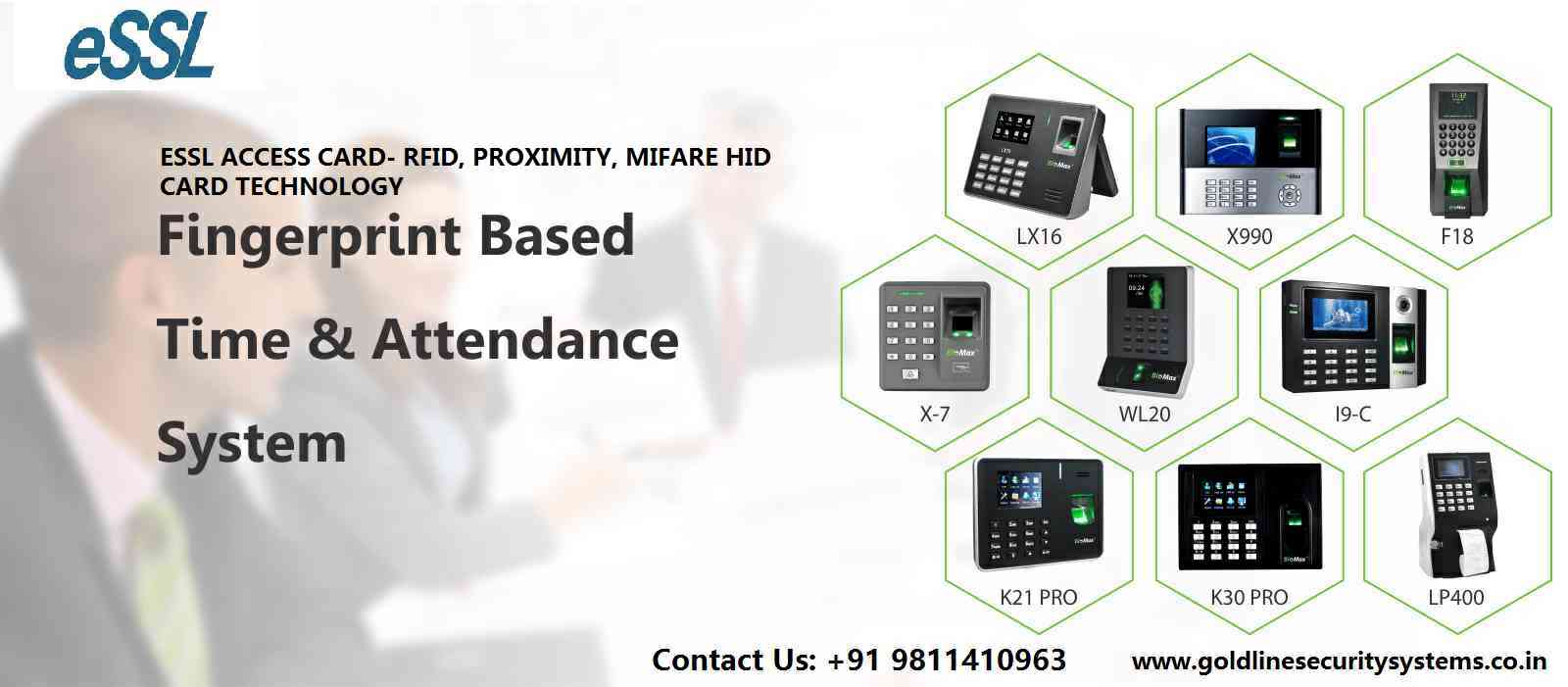
- Multiple authentication options: Selected models may support fingerprint, card, PIN or other credentials.
- Access permissions: Administrators can assign access rights according to a user’s role, location or working hours, subject to the system’s capabilities.
- Entry records: The system can maintain logs of access events, which may help with monitoring and audits.
- Time and attendance support: Some devices can be used for attendance management as well as access control.
- Door control: Compatible systems can operate electronic locks and related door accessories.
- Management tools: Supported software can help administrators enrol users, manage credentials and review records.
Features differ across eSSL products, so it is important to check the specifications of the particular model before making a selection.
Benefits for Businesses and Organisations
Improved control over entry
Instead of relying only on physical keys, administrators can issue individual credentials and manage access permissions. If a card is lost or an employee leaves, the credential can generally be disabled without changing every lock, depending on the system setup.
More convenient access management
Managing users and permissions through a centralised system can be more convenient than maintaining manual registers or distributing multiple keys. It can also help organisations review access activity when required.
Support for attendance processes
Where supported, an access control device may also record employee attendance. Using one system for entry and attendance can reduce manual effort, though organisations should confirm that the device and software meet their specific payroll and reporting needs.
Flexible security for different areas
Access requirements are not always the same throughout a building. A reception area, server room, store or staff entrance may each need different permissions. A suitable system can help apply different access rules to different users and doors.
Where Can It Be Used?
eSSL access control solutions may be considered for offices, factories, schools, clinics, warehouses, apartment buildings and other premises where controlled entry is required. The right setup depends on the number of users, entry points, operating hours and the level of security needed.
Choosing the Right System
Before selecting an eSSL access control system, consider the following:
- Number of users and doors: Choose a solution that can accommodate your present requirements and expected growth.
- Authentication method: Decide whether fingerprint, card, PIN or a combination is appropriate for the users and environment.
- Door and lock compatibility: Check that the device works with the proposed electronic lock, power supply and exit hardware.
- Software and reporting: Confirm that the available software provides the user management and reports your organisation needs.
- Connectivity: Review how the system communicates with the management computer or network, and whether the installation location supports it.
- Environment: Entry points exposed to dust, moisture or heavy use may require suitable equipment and installation protection.
- Support and maintenance: Ask about installation, user training, warranty terms and ongoing service availability.
Installation and Good Practices
Correct installation is essential for dependable operation. The access device, lock, power supply and exit arrangements should be planned together. User records should be kept up to date, administrator access should be restricted, and the system should be tested regularly.
Biometric and access records can involve personal information. Organisations should collect only the information they need, limit access to authorised administrators and follow applicable privacy and data-protection requirements. Where biometric authentication is used, it is also sensible to provide an alternative credential for users who cannot use that method.
Conclusion
An eSSL access control system can help organisations manage entry, maintain access records and support attendance processes where the selected model allows it. The best solution depends on the site, the number of users, the door hardware and the features required. Reviewing product specifications and planning the installation carefully can help ensure that the system is suitable for the premises.
eSSL Access Control System: 8 Frequently Asked Questions
- What is an eSSL access control system, and how does it work?
- Which authentication methods are available on eSSL access control devices?
- Can an eSSL access control system also record employee attendance?
- How do I add or remove users on an eSSL access control system?
- Can an eSSL system control multiple doors and access levels?
- What software is used to manage eSSL access control devices?
- How do I connect an eSSL access control device to a computer or network?
- What should I consider when choosing and installing an eSSL access control system?
What is an eSSL access control system, and how does it work?
An eSSL access control system manages who can enter a premises or a specific area. Depending on the model, a user presents a fingerprint, RFID card or PIN, which the device checks against authorised credentials and access permissions. If access is approved, the system signals the connected electronic lock to unlock; it can also record the access event for later review.
Which authentication methods are available on eSSL access control devices?
eSSL access control devices may support fingerprint, RFID card, PIN or password authentication, while some models offer a combination of these methods for added flexibility. The options vary by device, so check the specifications of the particular model to confirm which credentials it supports.
Can an eSSL access control system also record employee attendance?
Yes, many eSSL access control devices can also record employee attendance, making it possible to use one system for both entry management and attendance tracking. Depending on the model and software, employees may mark attendance using a fingerprint, access card or PIN, and administrators can review attendance records and generate reports. Features vary between models, so check that the selected device and software support the attendance functions your organisation needs.
How do I add or remove users on an eSSL access control system?
To add or remove users on an eSSL access control system, sign in to the device or its compatible management software with administrator credentials, then open the user or employee management section. To add a user, enter their details, assign a user ID and access permissions, and enrol the required fingerprint, card or PIN, depending on the model. To remove a user, find their profile and select the delete or deactivate option; if the system is networked, synchronise the change with connected devices. Menu names and steps vary by model, so refer to the device manual and ensure at least one administrator account remains active.
Can an eSSL system control multiple doors and access levels?
Yes, an eSSL access control system can manage multiple doors and assign different access levels, depending on the model, controller and software configuration. Administrators can typically set permissions by user or group, door and time schedule—for example, allowing staff access to certain areas while restricting entry to others. Check the selected system’s door capacity and features to ensure they meet your requirements.
What software is used to manage eSSL access control devices?
eSSL access control devices are managed using compatible software such as BioAccess or BioTime, depending on the device model and the features required. The software can help administrators enrol users, set access permissions and review entry records; some devices may also support attendance management. As compatibility varies, check the specific model’s documentation or confirm with the supplier before selecting software.
How do I connect an eSSL access control device to a computer or network?
To connect an eSSL access control device to a computer or network, first check the model’s manual to confirm whether it supports Ethernet, Wi-Fi, USB or serial communication. For a network connection, connect the device to the router or switch using an Ethernet cable, then configure its IP address, subnet mask and gateway so they match the network; ensure the computer running the compatible eSSL software can reach the device and that any required communication ports are allowed through the firewall. For a direct USB or serial connection, install the required drivers and select the correct connection settings in the software. As menu options and settings vary by model, use the device-specific instructions or contact an authorised installer if the connection is unsuccessful.
What should I consider when choosing and installing an eSSL access control system?
When choosing an eSSL access control system, consider the number of users and entry points, the authentication methods required—such as fingerprint, card or PIN—and whether you also need attendance tracking, reporting or integration with existing security systems. Check that the selected model is compatible with your doors, electronic locks, power supply and network, and choose equipment suited to the installation environment. A qualified installer can help plan the setup, configure access permissions and test the system. Also ask about software, user training, maintenance and support, and ensure access records and biometric data are handled securely and in line with applicable privacy requirements.