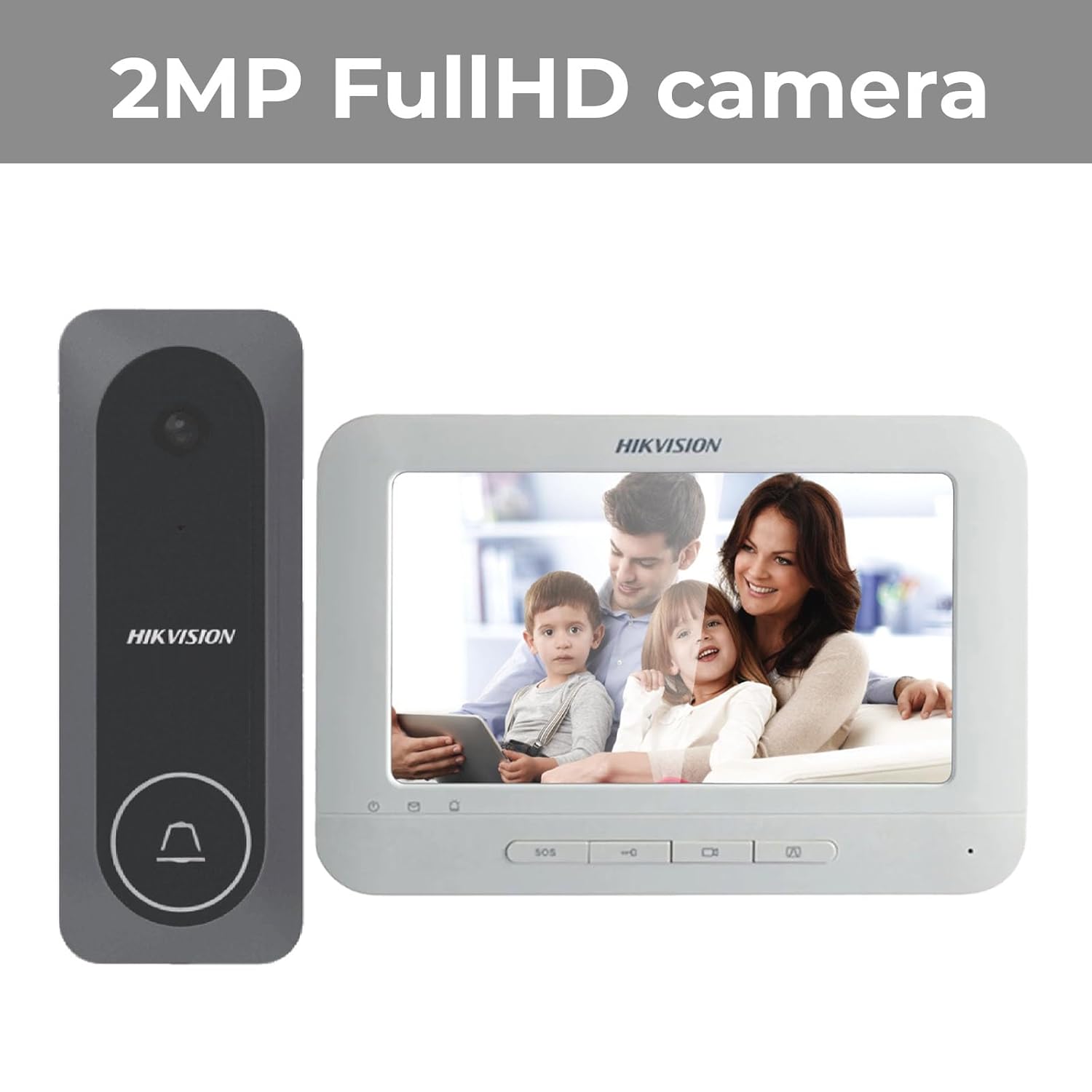
Hikvision 204 VDP: A Practical Video Door Phone for Home and Business
A video door phone (VDP) lets occupants see and speak to visitors before opening the door. The Hikvision 204 VDP is commonly associated with Hikvision’s wired video intercom kit range, including the DS-KIS204 series. It is designed to provide a convenient way to identify visitors and manage entry at a home, office or other premises.
What is the Hikvision 204 VDP?
The Hikvision 204 VDP generally consists of an outdoor door station and an indoor monitor connected through a wired system. When a visitor presses the call button, the indoor monitor alerts the occupant and displays the camera view from the entrance. The occupant can then speak with the visitor and, where the installation supports it, release an electric door lock from the monitor.
Exact components and specifications can differ by model and market. Before purchasing, check the full model number and confirm what is included in the kit with the supplier.
Key benefits
- See who is at the entrance: The outdoor camera provides a view of visitors before the door is opened.
- Two-way communication: Speak with visitors through the indoor monitor without going to the entrance.
- Convenient access management: Compatible installations may allow the door to be released from the indoor unit.
- Wired connection: A wired setup can offer dependable communication between the door station and monitor when installed correctly.
- Useful for different premises: It can suit houses, apartments, small offices and other locations with a controlled entrance.
How it works
- A visitor presses the call button on the outdoor station.
- The indoor monitor rings and displays the entrance camera view.
- The occupant answers and speaks with the visitor.
- If an electric lock is connected and configured, the occupant can release the door from inside.
Installation considerations
As the Hikvision 204 VDP is a wired intercom system, installation should be planned around the distance between the outdoor station and indoor monitor, cable routing, power requirements and the type of door lock, if one is being used. The system should be installed according to the instructions for the exact model. A qualified installer can help check cable compatibility, mounting position and lock integration.
For the best visitor view, position the outdoor station at a practical height and angle, away from strong backlighting where possible. The indoor monitor should be placed somewhere convenient for answering calls.
What to check before buying
- Confirm the complete model number, such as the relevant DS-KIS204 variant.
- Check the number and type of indoor and outdoor units included.
- Verify the display, camera and wiring specifications against the official product documentation.
- Ask whether the required cables, power supply and mounting accessories are included.
- Confirm compatibility with the electric lock and door setup at the premises.
- Check warranty, service availability and installation support in your area.
Conclusion
The Hikvision 204 VDP can be a practical choice for people looking for a wired video door phone with visitor viewing and two-way communication. Its suitability depends on the exact model, site layout and installation requirements. Confirm the product specifications with an authorised dealer before ordering, and have the system installed and tested by a competent professional.
Hikvision 204 VDP FAQs: Features, Installation, Pricing and Service in India
- What is the Hikvision 204 VDP video door phone?
- What components are included in a Hikvision 204 VDP kit?
- How does the Hikvision 204 VDP work?
- Can the Hikvision 204 VDP be connected to an electric door lock?
- Is the Hikvision 204 VDP a wired or wireless system?
- What power supply and cabling does the Hikvision 204 VDP require?
- Can the Hikvision 204 VDP be used in a flat, house or small office?
- How much does the Hikvision 204 VDP cost in India?
- Where can I get the Hikvision 204 VDP installed or serviced in India?
What is the Hikvision 204 VDP video door phone?
The Hikvision 204 VDP is a video door phone system, typically comprising an outdoor camera and call station connected to an indoor monitor. When a visitor rings the bell, you can view them on the monitor and speak with them before opening the door. If a compatible electric lock is connected and configured, the door may also be released from the indoor unit. Features and included components can vary by exact model, so check the product specifications before purchasing.
What components are included in a Hikvision 204 VDP kit?
A Hikvision 204 VDP kit typically includes an outdoor door station with a camera and call button, an indoor monitor for viewing and speaking with visitors, and the required power supply and connection accessories. The exact contents can vary by model and supplier, so check the full model number and product listing to confirm whether cables, mounting brackets or other accessories are included.
How does the Hikvision 204 VDP work?
The Hikvision 204 VDP lets you see and speak to visitors before opening the door. When a visitor presses the call button on the outdoor station, the indoor monitor rings and shows the camera view. You can answer and talk to the visitor through the monitor; if a compatible electric lock is connected and configured, you may also be able to unlock the door from indoors. Exact features and setup depend on the specific model and installation.
Can the Hikvision 204 VDP be connected to an electric door lock?
Yes, the Hikvision 204 VDP can be connected to a compatible electric door lock, allowing the door to be released from the indoor monitor after you have spoken with the visitor. Lock compatibility, wiring and power requirements depend on the exact VDP model and lock type, so check the product manual and have a qualified installer confirm the setup before installation.
Is the Hikvision 204 VDP a wired or wireless system?
The Hikvision 204 VDP is generally a wired video door phone system, with the outdoor door station connected to the indoor monitor by cable. Wiring can provide reliable communication, but the exact connections and installation requirements vary by model. Check the full model number and product manual before purchase or installation.
What power supply and cabling does the Hikvision 204 VDP require?
The Hikvision 204 VDP’s power supply and cabling requirements depend on the exact model and kit variant. Some versions use a 12 V DC supply and a multi-core wired connection between the indoor monitor and outdoor station, but the voltage, cable type and wiring arrangement should be confirmed in the product manual before installation. Check whether the power adapter and cables are included, and use the specified cable length and connections; a qualified installer can verify compatibility, especially if the system will operate an electric door lock.
Can the Hikvision 204 VDP be used in a flat, house or small office?
Yes, the Hikvision 204 VDP can be suitable for a flat, house or small office, provided the premises have a compatible entrance and the wiring can be installed as required. It lets occupants see and speak with visitors before granting access, making it a practical option for everyday entry management. Check the exact model’s specifications and confirm compatibility with your door, cabling and any electric lock before installation.
How much does the Hikvision 204 VDP cost in India?
The price of the Hikvision 204 VDP in India can vary depending on the exact model, kit contents, seller, location and whether installation is included. For the latest price, contact an authorised Hikvision dealer and ask for a quote that includes applicable taxes, accessories and installation charges.
Where can I get the Hikvision 204 VDP installed or serviced in India?
You can get the Hikvision 204 VDP installed or serviced in India through an authorised Hikvision dealer, a professional video intercom installer or a reputable electronic security systems provider. Before booking, confirm that the service provider supports your exact model, offers on-site assistance in your area and can check the wiring, power supply and door-lock connection. For warranty-related service, contact Hikvision India or the seller using the details on your invoice, and keep your model number and proof of purchase handy.