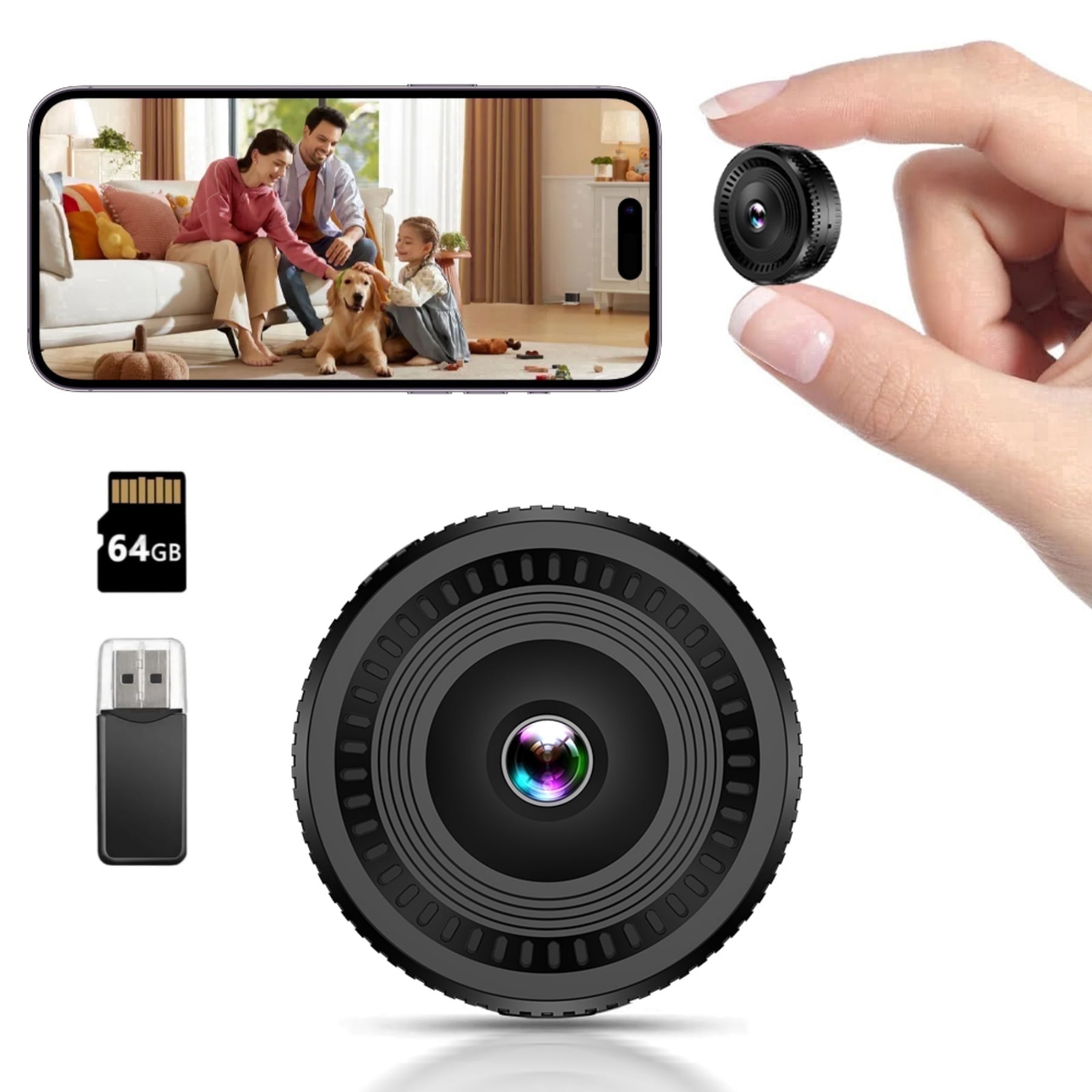
Small CCTV Camera with Recording: A Practical Guide
A small CCTV camera with recording can help monitor a home, office, shop or other premises without taking up much space. Compact cameras are designed to fit discreetly into a room or on a wall, while recording footage for later review. Before choosing one, consider where it will be used, how recordings will be stored and which features are genuinely useful for your needs.
What Is a Small CCTV Camera with Recording?
It is a compact video surveillance camera that captures footage and saves it to a storage device or service. Depending on the model, recordings may be stored on a microSD card, a digital video recorder (DVR), a network video recorder (NVR) or cloud storage. Some cameras record continuously, while others save footage when motion is detected.
Common Types
- Wired cameras: Connect to a recorder or network using cables. They can be a suitable choice for permanent installations where reliable connectivity is important.
- Wi-Fi cameras: Connect to a wireless network and may allow live viewing through a mobile app. They still need a power source unless they are battery-operated.
- Battery-powered cameras: Offer more flexibility in placement, although battery life depends on usage, settings and environmental conditions.
- Indoor and outdoor cameras: Indoor models are intended for protected spaces. Outdoor models should have an appropriate weather-resistance rating for the installation location.
Features to Consider
- Video quality: Choose a resolution that provides enough detail for the area being monitored. Camera placement and lighting also affect the usefulness of footage.
- Recording options: Check whether the camera supports continuous recording, scheduled recording, motion-triggered recording or a combination of these.
- Storage capacity: Confirm the supported memory-card size or recorder compatibility. The amount of footage retained depends on resolution, recording settings and available storage.
- Night vision: Infrared night vision can help capture images in low-light conditions. Check the stated range and remember that walls, glass and obstacles may affect performance.
- Motion alerts: Notifications can help draw attention to activity, but sensitivity settings may need adjustment to reduce unnecessary alerts.
- Power and connectivity: Check the power requirements, Wi-Fi compatibility and network coverage at the proposed installation point.
- App and user access: If remote viewing is available, use a strong, unique password and enable security features such as two-step verification where offered.
Choosing the Right Camera for Your Space
Start by identifying the area that needs monitoring and the purpose of the camera. A camera at an entrance may need a clear view of faces, while one covering a stockroom may need a wider field of view. Consider lighting, mounting position, power access and network strength before making a purchase. Avoid placing the camera where furniture, curtains or other objects can block its view.
Also check how recordings can be accessed and backed up. A memory card may be convenient for a single camera, while a DVR or NVR can be better suited to a multi-camera installation. Cloud services may involve a subscription and rely on a working internet connection, so review the provider’s terms, security practices and fees.
Installation and Everyday Use
Mount the camera securely and test its view during the day and at night. Set the date and time correctly so that recordings are easier to review. If using motion detection, adjust the detection area and sensitivity to suit the location. Keep the camera’s firmware and associated app updated, and review access permissions periodically.
Recordings can contain sensitive information. Use them only for a legitimate security purpose, restrict access to authorised people and retain footage only for as long as necessary. In India, ensure that the placement and use of CCTV respect privacy and applicable laws. Avoid recording private areas, and inform relevant people where appropriate. For businesses or shared premises, seek suitable legal guidance on notices, access and retention practices.
Conclusion
A small CCTV camera with recording can provide a practical surveillance option when its features match the space and purpose. Compare recording methods, storage, power requirements, image quality and security controls before selecting a model. Careful placement and responsible handling of footage are just as important as the camera itself.
Small CCTV Cameras with Recording: 6 Frequently Asked Questions
- What is a small CCTV camera with recording, and how does it work?
- Can a small CCTV camera record footage without an internet connection?
- Where are recordings stored on a small CCTV camera?
- How long can a small CCTV camera record continuously?
- Can I view recordings from a small CCTV camera on my mobile phone?
- What should I consider when choosing a small CCTV camera with recording for my home or business?
What is a small CCTV camera with recording, and how does it work?
A small CCTV camera with recording is a compact surveillance camera that captures video and saves it for later viewing. It records footage to a microSD card, DVR, NVR or cloud storage, depending on the model. Some cameras record continuously or on a set schedule, while others start recording when they detect movement. Many models also offer night vision and mobile app access, allowing authorised users to view live footage or recordings remotely.
Can a small CCTV camera record footage without an internet connection?
Yes, a small CCTV camera can record footage without an internet connection if it has local storage, such as a microSD card, or is connected to a DVR or NVR. Recording may continue according to the camera’s settings, but features such as remote viewing, cloud storage and mobile alerts usually require internet access. Check the model’s specifications to confirm its offline recording options and storage capacity.
Where are recordings stored on a small CCTV camera?
Recordings from a small CCTV camera are usually stored on a microSD card, a DVR or NVR, or a cloud storage service, depending on the model. Some cameras support more than one storage option. Check the camera’s specifications for card compatibility, storage capacity and any cloud subscription fees. For privacy and security, protect stored footage with a strong password and limit access to authorised users.
How long can a small CCTV camera record continuously?
A small CCTV camera can record continuously for as long as it has power and available storage. The actual recording time depends on factors such as the memory card or recorder capacity, video resolution, compression settings and whether older footage is overwritten. For example, a camera set to a lower resolution may store more hours of footage than one recording in high definition. Check the manufacturer’s storage estimates and settings, and consider a larger memory card or DVR/NVR if you need longer retention.
Can I view recordings from a small CCTV camera on my mobile phone?
Yes, recordings from many small CCTV cameras can be viewed on a mobile phone through the manufacturer’s app. Depending on the model, footage may be available from a memory card, DVR or NVR, or cloud storage. Remote viewing usually requires an internet connection and the camera to be configured with the app. Check the camera’s compatibility, storage options and any subscription fees, and secure your account with a strong password.
What should I consider when choosing a small CCTV camera with recording for my home or business?
When choosing a small CCTV camera with recording for your home or business, consider the area to be monitored, the level of detail you need and whether the camera is suitable for indoor or outdoor use. Check its video quality, night vision, field of view and recording options, such as continuous or motion-triggered recording. Compare storage choices, including a memory card, DVR/NVR or cloud service, and confirm the power and Wi-Fi requirements suit the installation location. Also look for secure app access, reliable alerts and a weather-resistance rating for outdoor placement. Finally, position the camera responsibly, protect access to recordings and follow applicable privacy requirements.