Protection Systems: A Complete Guide to Safeguarding People and Property
A protection system is a coordinated set of equipment, processes and safety measures designed to help protect people, property and important information. Depending on the site and its risks, it may include surveillance cameras, access control, intruder alarms, fire detection, barriers and communication systems.
Whether it is used in a home, office, factory, warehouse or public space, an effective protection system can help identify potential threats, alert the right people and support a timely response.
What Does a Protection System Include?
There is no single solution that suits every location. A system is usually planned around the premises, the risks involved and the level of protection required. Common components include:
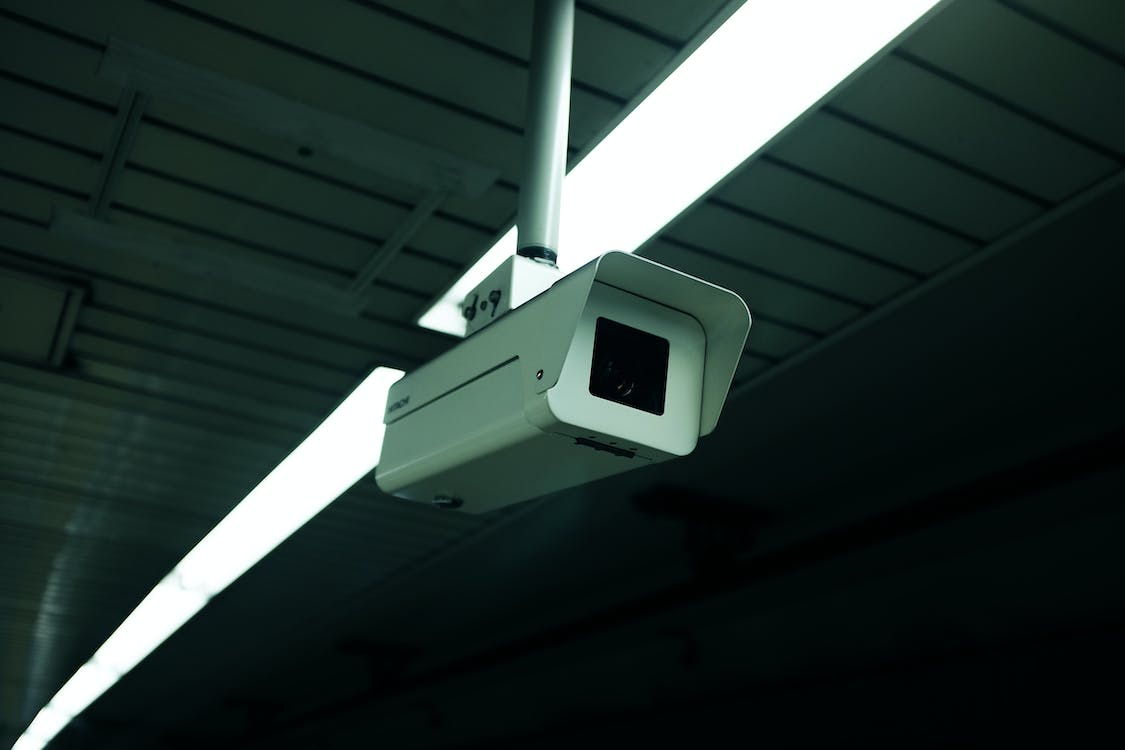
- CCTV and video surveillance: Cameras can help monitor entrances, perimeters and key areas. Recorded footage may also support incident review.
- Access control: Card, PIN, biometric or other access methods can help manage who enters specific areas and when.
- Intruder alarms: Sensors can detect unauthorised entry and trigger alerts for occupants or security personnel.
- Fire detection and alarm systems: Detectors and alarms can provide an early warning of smoke or fire, helping people respond promptly.
- Perimeter protection: Barriers, gates, turnstiles and related equipment can help regulate vehicle or pedestrian movement.
- Communication systems: Intercoms, public address systems and video door phones can support communication and verification.
- Network and monitoring infrastructure: Reliable connectivity can enable authorised users to view alerts and system information, subject to the system design.
Why Is a Protection System Important?
A well-planned system can help reduce security gaps by bringing different protective measures together. For example, access control may restrict entry, while CCTV provides visibility around entrances. An alarm can then alert designated personnel if a sensor detects unusual activity.
Protection systems can also support:
- Improved awareness of activity across a site
- Faster notification when an incident occurs
- More controlled access to restricted areas
- Support for safety procedures and incident investigations
- Better coordination between security devices and staff
Technology cannot eliminate every risk. Its effectiveness depends on suitable design, correct installation, regular maintenance and clear procedures for responding to alerts.
How to Choose the Right System
Start by assessing the premises rather than selecting equipment first. Consider the size and layout of the site, operating hours, entry and exit points, valuable assets, expected visitor flow and any specific safety requirements.
When evaluating a solution, consider the following:
- Identify the risks: List the situations the system needs to address, such as unauthorised access, theft, fire or vehicle movement.
- Set clear objectives: Decide whether the priority is monitoring, access management, early warning, site safety or a combination of these.
- Plan system coverage: Check that important areas, including entrances, perimeters and restricted zones, are considered.
- Consider integration: Where appropriate, choose components that can work together and provide useful, manageable alerts.
- Review usability: Ensure that authorised staff can operate the system and understand the procedures for responding to alerts.
- Plan for maintenance: Include routine inspections, testing, software updates and repairs in the ongoing plan.
Installation, Privacy and Maintenance
Correct installation is essential. Devices should be positioned and configured for their intended purpose, and the system should be tested before it is put into regular use. Staff should also know whom to contact when an alarm or fault occurs.
Where cameras or access records are used, organisations should consider privacy, data security and applicable Indian laws and regulations. Access to recordings and system data should be limited to authorised users, and retention practices should be established according to the organisation’s needs and obligations.
Regular maintenance helps keep a protection system dependable. This may include checking camera views, testing alarms, inspecting sensors and backup power, reviewing access permissions and confirming that communication links are working.
Conclusion
A protection system works best when it is designed around the actual needs of a site. Combining suitable technologies with trained users, clear procedures and regular maintenance can create a more organised approach to security and safety. Sonal Enterprises India’s areas of focus include electronic security, surveillance, access control, fire safety and related protection solutions.
7 Essential Tips to Keep Your Protection System Secure
- Keep the protection system updated.
- Use strong, unique passwords.
- Enable multi-factor authentication.
- Limit access to authorised users.
- Back up important data regularly.
- Monitor alerts and unusual activity.
- Test the system and recovery plan often.
Keep the protection system updated.
Keep the protection system updated to help it work reliably and address changing security needs. Install recommended software and firmware updates, review access permissions, and check that connected devices and backups are functioning correctly. Regular updates can improve performance, fix known issues and strengthen system security. Schedule updates carefully, test the system afterwards and ensure that authorised staff know about any changes.
Use strong, unique passwords.
Use strong, unique passwords for every protection system account, including CCTV, access control and alarm applications. A good password should be difficult to guess and should not include easily available details such as a name or date of birth. Avoid reusing passwords across devices or services, and change any default passwords during setup. Where available, enable multi-factor authentication and store passwords securely using a trusted password manager. These simple steps can help reduce the risk of unauthorised access to your system.
Enable multi-factor authentication.
Enable multi-factor authentication (MFA) to add an extra layer of protection to your security systems and online accounts. In addition to a password, MFA requires another verification step, such as a one-time code, an authenticator app or a biometric check. This can help prevent unauthorised access if a password is compromised. Wherever possible, use a trusted authenticator app or security key, and ensure that recovery details are kept up to date.
Limit access to authorised users.
Limit access to authorised users by issuing individual access cards, PINs or biometric credentials, and assigning permissions according to each person’s role. Avoid shared passwords, remove access promptly when someone leaves or changes responsibilities, and review permissions regularly. These simple practices help protect restricted areas, reduce the risk of misuse and make it easier to track access when required.
Back up important data regularly.
Regularly backing up important data is an essential part of a reliable protection system. Keep secure copies of important files, such as access records, system configurations and business documents, on a separate device or trusted cloud service. Schedule automatic backups where possible, restrict access to authorised users and test the copies periodically to ensure they can be restored when needed. This can help reduce disruption and data loss following equipment failure, cyber incidents or accidental deletion.
Monitor alerts and unusual activity.
Monitor alerts and unusual activity regularly to help your protection system work effectively. Check notifications from alarms, CCTV, access control and other connected devices, and investigate unexpected activity promptly. Ensure alerts reach the right people, keep contact details up to date and record incidents for follow-up. Regular monitoring can help identify potential issues early and support a timely response.
Test the system and recovery plan often.
Test your protection system and recovery plan regularly to ensure they work as intended when needed. Check that alarms, sensors, cameras, backup power and communication links are functioning, and confirm that authorised staff know how to respond to alerts or system failures. Practise recovery procedures, such as restoring data or switching to backup equipment, and document any issues found. Regular testing helps identify gaps early and keeps your people, property and operations better prepared.