Real-Time Access Control: Smarter, Faster Security for Every Premises
Managing who can enter a building—and when—is a vital part of protecting people, property and information. Traditional lock-and-key systems can make this difficult, particularly across large offices, factories, campuses and multi-site organisations. Real-time access control offers a more responsive way to manage entry by recording events as they happen and allowing authorised personnel to monitor and manage access promptly.
What Is Real-Time Access Control?
Real-time access control is a security system that verifies a person’s credentials at an entry point and immediately communicates the result to the system. Depending on the configuration, access may be granted using an access card, PIN, biometric credential, mobile credential or a combination of methods.
When someone presents a credential, the reader checks it against the system’s permissions. If access is authorised, the door, turnstile or barrier is released. The event—such as an approved entry, denied attempt or door held open—can be recorded and displayed on a central management platform in real time.
How Does It Work?
A typical real-time access control system includes the following components:
- Credentials: Cards, PINs, biometric identifiers or other approved means of identification.
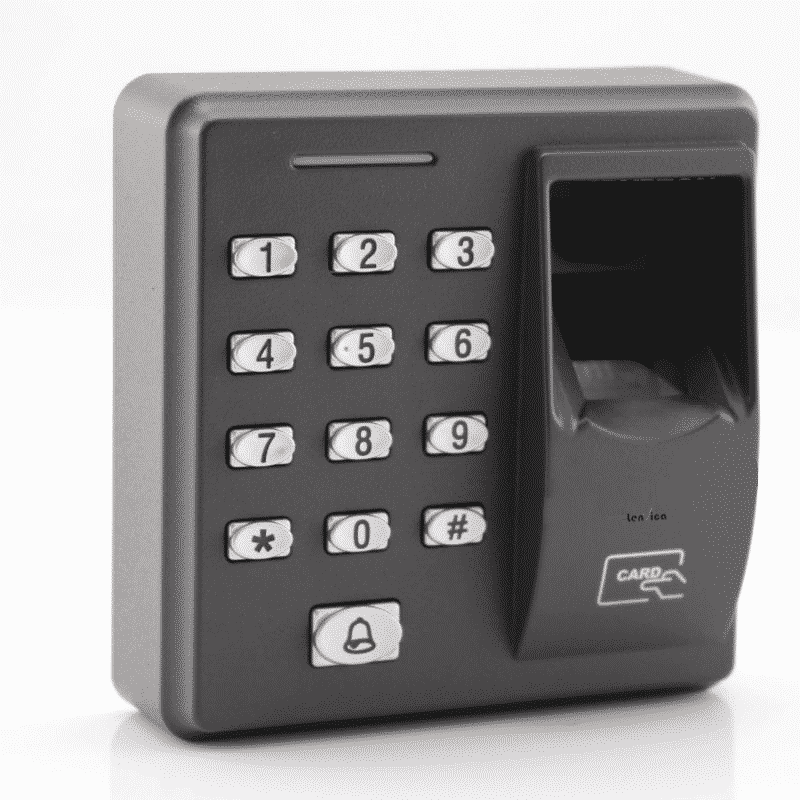
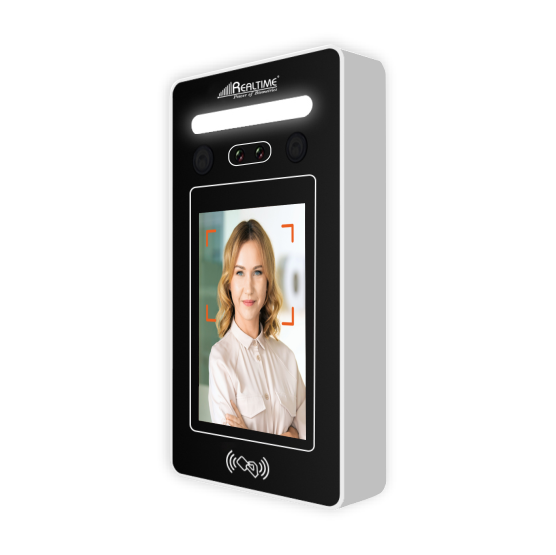
- Readers: Devices installed at doors, gates or other controlled entry points to capture credentials.
- Controllers: Units that process access rules and operate the locking hardware.
- Door hardware: Electric locks, turnstiles, barriers or other mechanisms that control physical entry.
- Management software: A platform for assigning permissions, monitoring events and generating reports.
- Network connection: A wired or wireless connection that enables communication between system devices and the management platform.
When a credential is presented, the system checks whether it is valid for that person, location and time. The outcome is then recorded, helping administrators see activity as it occurs and respond to unusual events more quickly.
Key Benefits
Faster response to security events
Live event monitoring can help security teams identify denied entry attempts, unusual activity or doors left open. Prompt notifications can support a faster response, subject to the system configuration and the organisation’s procedures.
Centralised management
Access permissions can be managed from a central platform, reducing the need to update each entry point separately. This is particularly useful for organisations with multiple departments, buildings or locations.
Flexible access permissions
Permissions can be set according to an individual’s role, work schedule or authorised areas. If a person’s responsibilities change or access is no longer required, their permissions can be updated or withdrawn without collecting physical keys.
Clearer records and reporting
Access events can be logged for review and reporting. These records may help organisations understand entry patterns, investigate incidents and support internal audits. Data handling should follow applicable privacy and retention requirements.
Integration with other systems
Depending on the platform, access control can be integrated with systems such as CCTV, visitor management, time and attendance, fire alarms or building management solutions. Integration can provide a more coordinated view of activity across a premises.
Where Is Real-Time Access Control Used?
Real-time access control can be used in a wide range of environments, including:
- Corporate offices and commercial buildings
- Factories, warehouses and logistics facilities
- Schools, colleges and training centres
- Hospitals and healthcare facilities
- Residential communities and apartment complexes
- Data centres, laboratories and restricted areas
- Government and public-sector premises
Each site has different security needs. A small office may require controlled access at a few doors, while a large facility may need multiple entry points, visitor workflows, monitoring stations and integration with other security systems.
Important Considerations Before Installation
A successful installation begins with a clear understanding of the premises and its security requirements. Consider the following:
- Entry points: Identify which doors, gates, lifts or internal areas require controlled access.
- Credential type: Select suitable credentials based on convenience, risk and operational requirements.
- Network reliability: Assess connectivity and decide how the system should operate if communication is interrupted.
- Emergency procedures: Ensure the access control design supports safe evacuation and complies with applicable fire and building requirements.
- User administration: Establish a process for issuing, changing and removing credentials, including for employees, contractors and visitors.
- Privacy and data security: Apply appropriate controls for access logs and, where used, biometric information.
- Scalability: Choose a system that can accommodate future changes in the number of users, doors or locations.
- Maintenance: Plan for routine testing, software updates and inspection of readers, controllers and door hardware.
Real-Time Monitoring and System Reliability
Real-time visibility depends on the design of the system, network availability and the way alerts are managed. Before deployment, organisations should confirm how the system behaves during a network or power failure, which events generate alerts and who is responsible for responding to them. Backup power, suitable fail-safe or fail-secure arrangements, and clear operating procedures can all form part of the planning process.
It is also important to review user permissions regularly. Access should be limited to the areas and times required for a person’s role, with credentials promptly disabled when they are lost or no longer needed.
Conclusion
Real-time access control helps organisations manage entry with greater visibility and flexibility than traditional key-based methods. By combining suitable credentials, controlled entry points, centralised administration and clear operating procedures, a well-planned system can support both day-to-day security and efficient site management.
The right solution depends on the size of the premises, the level of risk, the type of users and any systems that need to be integrated. A site assessment can help determine the most appropriate configuration for the organisation’s requirements.
9 Essential Tips for Secure Real-Time Access Control
- Use role-based access to grant only what each person needs.
- Verify identity with multi-factor authentication.
- Revoke access immediately when roles change or staff leave.
- Review access logs regularly for unusual activity.
- Set alerts for repeated failed entry attempts.
- Use time-bound access for visitors and contractors.
- Keep access rules consistent across all entry points.
- Test backup systems during power or network outages.
- Update access devices and software to fix security gaps.
Use role-based access to grant only what each person needs.
Use role-based access control to give each person only the permissions needed for their job. For example, staff can access their designated work areas, while managers or security personnel may have additional permissions where required. This limits unnecessary entry, helps protect sensitive areas and makes access easier to manage when roles change. Review permissions regularly and remove access promptly when it is no longer required.
Verify identity with multi-factor authentication.
Strengthen real-time access control by verifying identity with multi-factor authentication (MFA). Instead of relying on a single credential, such as an access card or PIN, MFA asks users to provide two or more forms of verification—for example, a card plus a PIN, or a credential combined with a biometric check. This adds an extra layer of protection if a credential is lost, shared or stolen. Choose an approach that suits the sensitivity of each area and ensure authorised users can still enter efficiently.
Revoke access immediately when roles change or staff leave.
Revoke access as soon as an employee leaves or changes roles. Promptly disabling or updating their credentials helps prevent unauthorised entry and ensures access remains limited to the areas and systems required for their current responsibilities. Include access cards, PINs, mobile credentials and any connected permissions in the offboarding or role-change process, and keep a record of the update.
Review access logs regularly for unusual activity.
Reviewing access logs regularly helps identify unusual activity, such as repeated denied entry attempts, access outside normal working hours or use of a credential at an unexpected location. Investigating these events promptly can help organisations spot potential security concerns, correct incorrect permissions and respond before a minor issue becomes more serious. Set a regular review schedule and ensure that only authorised personnel can view the logs.
Set alerts for repeated failed entry attempts.
Set alerts for repeated failed entry attempts to help security teams spot possible unauthorised access quickly. A single mistake may simply mean that someone has entered an incorrect PIN or presented the wrong card, but several failures within a short period could indicate suspicious activity. Configure the system to notify the appropriate personnel when the number of unsuccessful attempts exceeds a sensible threshold, and review the related access logs or CCTV footage as part of your response. Keep alert settings proportionate to your site’s needs to avoid unnecessary notifications.
Use time-bound access for visitors and contractors.
Use time-bound access for visitors and contractors by setting credentials to work only for the approved dates, times and areas. This helps ensure temporary users can enter only when required and prevents access from remaining active after a visit or job is complete. Assign permissions before arrival, communicate the access instructions clearly, and deactivate or review credentials when the authorised period ends.
Keep access rules consistent across all entry points.
Keep access rules consistent across all entry points to avoid confusion and security gaps. Apply the same policies for authorised users, access timings and restricted areas across doors, gates and turnstiles, while making exceptions only where operational needs require them. Review permissions regularly and update every connected entry point whenever a person’s role or access requirements change.
Test backup systems during power or network outages.
Test backup systems regularly to confirm that access control continues to operate safely during a power cut or network outage. Check that backup power keeps essential readers, controllers and locks functioning for the required duration, and verify how doors behave if communication with the central system is interrupted. Testing should also confirm that alerts and event logs are handled correctly and that emergency exits remain safe and accessible. Record the results, address any issues promptly and follow the system manufacturer’s guidance and applicable safety requirements.
Update access devices and software to fix security gaps.
Keep access control devices and software up to date to help protect your premises from known security vulnerabilities. Install firmware and software updates from trusted sources as soon as they are available, and follow the manufacturer’s guidance during installation. Regular updates can strengthen system security, improve reliability and help ensure that access permissions and monitoring features continue to work as intended.