Secureye Video Door Phone: A Smarter Way to Manage Visitors
A video door phone lets you see and speak with visitors before opening the door. Secureye video door phone systems are designed to support this everyday security need in homes, offices and other premises. Depending on the model, a system may include an outdoor door station with a camera and call button, an indoor monitor, and controls for releasing an electric lock.
As features vary across models, check the product specifications or consult an authorised supplier to confirm which functions are available for the system you are considering.
How a video door phone works
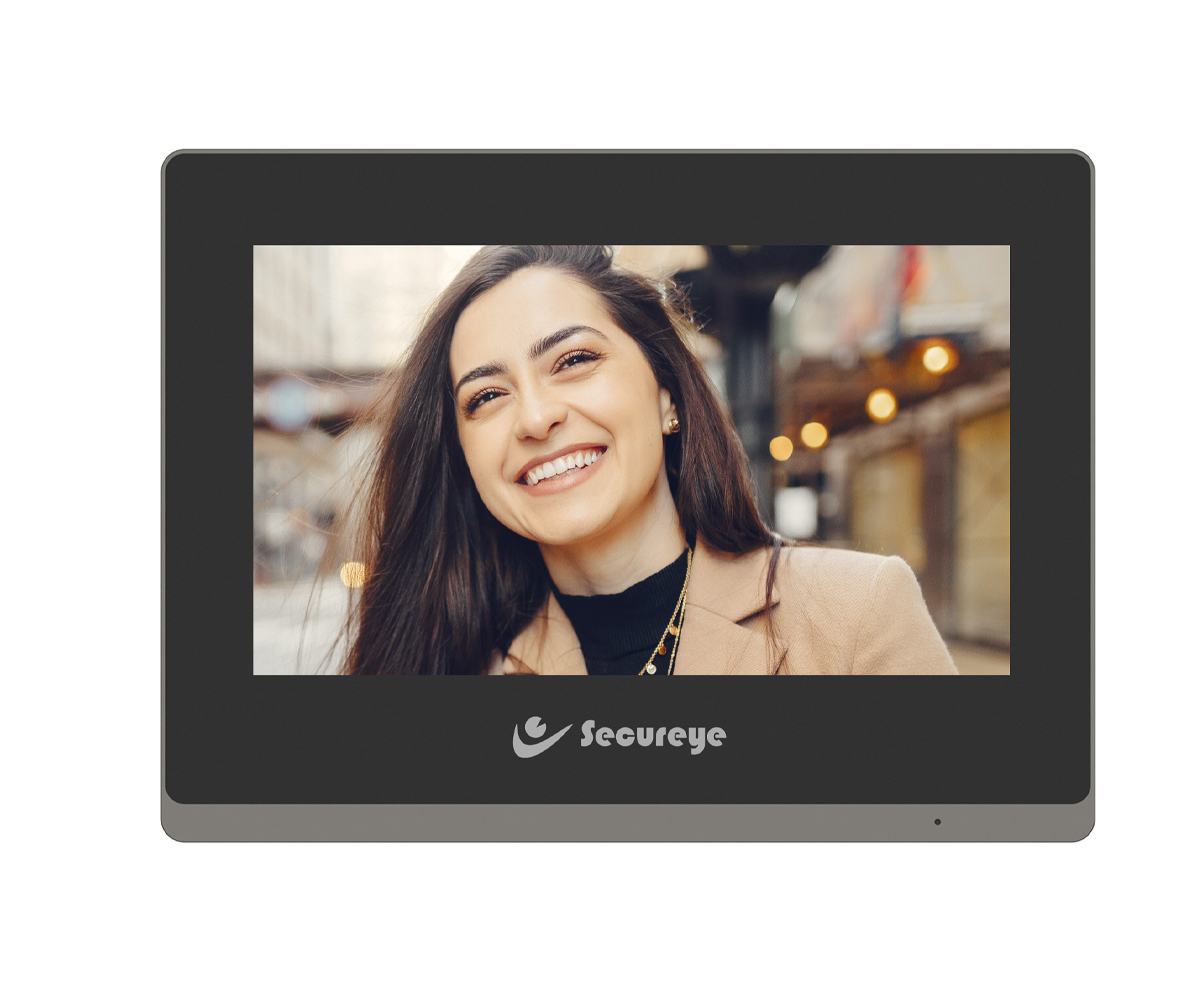
When a visitor presses the call button on the outdoor unit, the indoor monitor alerts the occupants. They can view the visitor, speak through the two-way audio and, where the system is connected to a compatible electric lock, release the door without going to the entrance.
Some systems may offer additional features such as recording, image capture, multiple indoor monitors or support for more than one entrance. Availability depends on the specific Secureye model and installation configuration.
Benefits of a Secureye video door phone
- Visual visitor verification: See who is at the entrance before deciding whether to answer.
- Convenient communication: Speak with visitors from the indoor monitor instead of approaching the door.
- Controlled entry: If connected to a compatible electric lock, the system can help occupants manage access from indoors.
- Useful for different settings: Video door phones can be considered for houses, flats, offices and other sites where visitor screening is important.
- Potential for a tailored setup: Depending on the model, a system may be configured for one or more monitors or entrances.
Choosing the right model
Before selecting a Secureye video door phone, consider how and where it will be used. The following points can help you compare options:
- Screen size and display: Choose a monitor that is comfortable to view and suits the available indoor space.
- Camera and viewing angle: Check the camera specifications and whether its field of view suits your entrance.
- Audio quality: Clear two-way communication is important, particularly in busy or noisy surroundings.
- Number of entrances and monitors: Confirm that the chosen system supports the number of door stations and indoor units you need.
- Lock compatibility: If you want remote door release, check that the video door phone and electric lock are compatible.
- Recording and storage: If recording is important, confirm whether it is supported and how recordings are stored.
- Installation requirements: Ask about wiring, power supply, mounting and any additional equipment required.
- After-sales support: Check warranty terms and the availability of installation and service support in your area.
Installation and maintenance
Correct installation helps ensure reliable communication between the outdoor station and indoor monitor. The outdoor unit should be positioned at a practical height and angle, with a clear view of the visitor area. Wiring and power requirements should follow the instructions for the selected model. For systems connected to an electric lock, the installer should verify compatibility and test the release function before handover.
Keep the camera lens and monitor clean, protect the outdoor unit from conditions beyond its specified rating, and follow the manufacturer’s guidance for operation and care. If the system is not working as expected, check the power and connections first, then contact a qualified installer or service provider.
Frequently asked questions
Can a Secureye video door phone open the main door?
Some configurations can release a compatible electric lock from the indoor monitor. Confirm that the chosen model supports this function and that the lock and installation are suitable.
Can it be used in an apartment or office?
Video door phones can be used in a range of settings. The right arrangement depends on the number of entrances, users and indoor monitors required, as well as the building’s wiring and access-control setup.
Does every model support recording?
Recording features vary by model. Check the product specifications for recording, image capture and storage options before purchasing.
Conclusion
A Secureye video door phone can make visitor screening more convenient by combining a camera, indoor monitor and two-way communication. Some setups can also work with a compatible electric lock for controlled entry. Compare the features of individual models and confirm installation requirements with a qualified supplier to find a system suited to your premises.
9 Benefits of Secureye Video Door Phones for Homes and Offices
- See visitors before opening the door.
- Speak with visitors from indoors.
- Support more informed entry decisions.
- Add convenience to daily visitor handling.
- Can work with compatible electric locks.
- Suitable for homes and offices.
- May support multiple monitors, depending on the model.
- Offers a dedicated outdoor camera and call unit.
- Available features can suit different installation needs.
Secureye Video Door Phone: Key Limitations to Consider
- May require professional installation and wiring.
- Needs a reliable power supply to operate.
- Features vary between models, so check specifications carefully.
- Does not replace a complete home security system.
See visitors before opening the door.
With a Secureye video door phone, you can see who is at your entrance before opening the door. The camera displays the visitor on the indoor monitor, helping you decide whether to answer and giving you greater confidence when managing unexpected visitors.
Speak with visitors from indoors.
With a Secureye video door phone, you can speak with visitors from indoors without walking to the entrance. The two-way audio lets you ask who is calling and respond conveniently, helping you manage visitors while staying comfortable and in control of access to your home or workplace.
Support more informed entry decisions.
A Secureye video door phone helps you make more informed entry decisions by letting you see and speak with visitors before opening the door. You can verify who is at the entrance, ask the purpose of their visit and decide whether to grant access—without having to approach the door straight away.
Add convenience to daily visitor handling.
A Secureye video door phone adds convenience to daily visitor handling by letting you see and speak with visitors from inside your home or office. You can check who is at the entrance and respond without having to walk to the door, helping make everyday access simpler and more comfortable.
Can work with compatible electric locks.
A Secureye video door phone can work with a compatible electric lock, allowing occupants to speak with visitors and release the entrance from the indoor monitor. This adds convenience by avoiding the need to walk to the door, while helping residents or staff manage access more easily. Check the selected model and lock specifications to confirm compatibility and installation requirements.
Suitable for homes and offices.
Secureye video door phones are suitable for both homes and offices, helping occupants screen visitors before granting entry. At home, residents can check who is at the door and communicate from indoors; in an office, staff can use the system to manage visitor access more conveniently. Choose a model and configuration that suit your entrance, number of users and installation requirements.
May support multiple monitors, depending on the model.
Depending on the model, a Secureye video door phone may support multiple indoor monitors, making it easier for people in different rooms or areas of a premises to answer the door. This can be useful in larger homes and offices, where visitors can be attended to without everyone needing to gather around a single monitor. Check the product specifications to confirm how many monitors the chosen model supports.
Offers a dedicated outdoor camera and call unit.
A Secureye video door phone includes a dedicated outdoor camera and call unit at the entrance, allowing occupants to see and speak with visitors before answering the door. Keeping the camera and call button together in one outdoor station makes it convenient for visitors to request access and for residents to verify who is at the door.
Available features can suit different installation needs.
Secureye video door phone models offer a range of features to suit different installation needs. Depending on the model, you can choose options for the number of entrances and indoor monitors, along with features such as visitor communication, recording or electric-lock release. Checking the specifications helps you select a setup that fits your premises and requirements.
May require professional installation and wiring.
One potential drawback of a Secureye video door phone is that installation may require professional help, particularly if the system needs new wiring or connection to an electric door lock. This can add to the overall cost and may take extra time to arrange. Before purchasing, check the installation requirements for the specific model and ask a qualified installer for an estimate.
Needs a reliable power supply to operate.
A Secureye video door phone needs a reliable power supply to work properly. During a power cut or supply disruption, the monitor, camera or door-release function may stop operating, depending on the model and installation. Consider a suitable backup power arrangement and confirm its compatibility with the system before installation.
Features vary between models, so check specifications carefully.
One limitation of Secureye video door phones is that features can differ from one model to another. Functions such as recording, screen size, support for multiple monitors and electric-lock control may not be available on every system. Check the specifications of the exact model carefully before purchasing, and confirm that it meets your installation and security requirements.
Does not replace a complete home security system.
A Secureye video door phone helps you see and speak to visitors at the entrance, but it does not replace a complete home security system. It may not include features such as intrusion detection, CCTV coverage across the property, or fire and emergency alerts. For more comprehensive protection, consider using it alongside suitable alarms, cameras and other security measures.