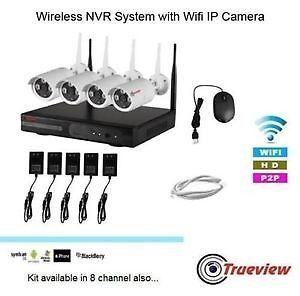
WiFi NVR 8 Channel: A Flexible CCTV Solution for Homes and Businesses
An 8-channel WiFi NVR is a network video recorder designed to manage and record video from up to eight compatible IP cameras. It can be a practical choice for homes, offices, shops, warehouses and other premises that need coverage across several areas without running a separate video cable from every camera to the recorder.
Before choosing a system, it is useful to understand how a WiFi NVR works, what features to look for and what installation requirements may apply.
What Is a WiFi NVR?
NVR stands for Network Video Recorder. Unlike a traditional DVR, which is generally used with analogue cameras, an NVR records video transmitted over a network by IP cameras. In a WiFi CCTV system, compatible cameras send video wirelessly to the recorder over a WiFi network.
The term “8 channel” means the NVR can support up to eight camera channels. The cameras may connect to the recorder directly or communicate through a wireless router, depending on the system design. The NVR is usually connected to a monitor for viewing and to a router for network access and remote viewing.
How Does an 8-Channel WiFi NVR System Work?
A typical system includes a WiFi NVR, compatible IP cameras, a hard drive for recording and a network connection. Each camera captures video and sends it to the NVR over the wireless network. The recorder stores the footage and lets authorised users view live or recorded video on a connected monitor or supported mobile application.
Although the cameras may connect wirelessly, they still need power. Depending on the camera, this may come from a power adaptor, a nearby electrical connection or a battery. A WiFi connection does not remove the need to plan for power at each camera location.
Key Benefits
- Support for multiple cameras: An 8-channel recorder can cover up to eight locations, subject to compatibility and system capacity.
- Reduced cabling: Wireless video transmission can make installation simpler where running network cables to every camera is difficult.
- Centralised recording: Footage from connected cameras can be managed and stored in one place.
- Live and playback viewing: Users can monitor cameras and review recorded footage, depending on the NVR’s features.
- Remote access: Many systems support viewing through a mobile app or computer when configured with an internet connection.
- Flexible placement: Cameras can be positioned in suitable locations within reliable WiFi coverage and where power is available.
Features to Check Before Buying
Camera compatibility
Confirm that the NVR supports the camera models you plan to use. Some systems work only with cameras from the same brand or product range, while others support common network video standards. Check compatibility before purchasing additional cameras.
Recording resolution and bandwidth
Resolution affects image detail and storage use. Also check the NVR’s total incoming bandwidth, as this determines how much video data it can handle across all connected cameras. The recorder must be capable of managing the combined resolution and frame rate of the cameras.
Storage capacity
Look at the supported hard drive capacity and whether a hard drive is included. The amount of footage retained depends on the number of cameras, recording resolution, frame rate, compression settings, motion activity and recording schedule. Continuous recording generally uses more storage than motion-based recording.
Wireless range and network conditions
WiFi performance can be affected by distance, walls, metal structures, interference and the number of devices using the network. Check the manufacturer’s guidance on wireless range, and test the signal at each proposed camera location. A strong, stable connection is important for reliable video transmission.
Remote viewing and alerts
If you need to monitor the premises while away, check whether the system supports remote viewing and notifications. These functions may require internet access, an application account and suitable network configuration. Review privacy and notification settings after installation.
Weather protection
For outdoor use, select cameras with an appropriate weather-resistant rating and suitable operating temperature range. The camera’s mounting position should also protect connectors and power supplies from water and physical damage.
WiFi NVR vs PoE NVR
A WiFi NVR connects compatible cameras wirelessly, which can reduce the amount of cable needed for video transmission. A PoE NVR uses Power over Ethernet to carry both data and power through an Ethernet cable to each compatible camera. PoE systems require cabling, but they can provide a dependable connection and simplify camera power arrangements.
The right option depends on the site. WiFi may suit locations where cable routing is difficult, while PoE may be preferable where a stable wired connection is a priority. Some installations use a combination of wired and wireless devices, subject to the recorder’s specifications.
Installation Tips
- Plan camera positions to cover entrances, corridors, cash counters, storage areas or other important locations.
- Check WiFi signal strength at each camera position before final mounting.
- Confirm that power is available near every camera, unless the camera uses another supported power method.
- Connect the NVR to a suitable monitor and, where required, to the router.
- Install and configure the hard drive according to the manufacturer’s instructions.
- Set strong, unique passwords and update the system firmware where updates are available.
- Test live view, playback, recording and remote access before considering the installation complete.
Is an 8-Channel WiFi NVR Right for You?
An 8-channel WiFi NVR may be suitable if you need to monitor several areas and want the option of wireless video links between compatible cameras and the recorder. It can be used in homes and commercial premises, provided the network, power supply, storage and camera compatibility meet the requirements of the site.
For reliable performance, assess the layout and WiFi coverage before selecting a system. If the premises have thick walls, long distances or significant wireless interference, a wired or hybrid CCTV setup may be more appropriate. A CCTV professional can help choose a suitable configuration based on the number of cameras, recording needs and site conditions.
8-Channel Wi-Fi NVR FAQs: Features, Wireless Connectivity and Pricing in India
- What is a Wi-Fi NVR?
- Can NVR connect to WiFi wirelessly?
- What is the price of NVR 8 channel WIFI?
- Does NVR have built-in WiFi?
What is a Wi-Fi NVR?
A Wi-Fi NVR (Network Video Recorder) is a recording device that receives, manages and stores video from compatible IP cameras over a wireless network. An 8-channel Wi-Fi NVR can support up to eight cameras, allowing users to monitor multiple areas from one central system. The cameras still need a power source, and reliable Wi-Fi coverage is important for smooth video transmission. Many models also support live viewing and playback through a connected monitor or mobile app.
Can NVR connect to WiFi wirelessly?
Yes, an NVR can connect to WiFi wirelessly if it has built-in WiFi or supports a compatible WiFi adapter. However, this does not always mean the cameras connect directly to the NVR over WiFi; some systems require the cameras and NVR to connect through a WiFi router, while others use a dedicated wireless connection. Check the manufacturer’s specifications for camera compatibility and connection requirements, and ensure the WiFi signal is strong and stable at each device’s location for reliable video streaming and recording.
What is the price of NVR 8 channel WIFI?
The price of an 8-channel WiFi NVR varies depending on the brand, recording resolution, storage capacity, included hard drive, camera compatibility and other features. Since prices and availability can change, contact Sonal Enterprises India for a current quotation and confirm whether the price includes cameras, installation and warranty.
Does NVR have built-in WiFi?
Some 8-channel NVRs have built-in WiFi, while others connect to cameras through a WiFi router or require a wired network connection. Check the product specifications before purchasing, as “WiFi NVR” can also describe a system with wireless cameras rather than an NVR with built-in WiFi. Even when cameras connect wirelessly, the NVR usually needs power and may need an Ethernet connection to your router for internet access and remote viewing.