ESSL Biometric Machine Software: A Practical Guide for Indian Businesses
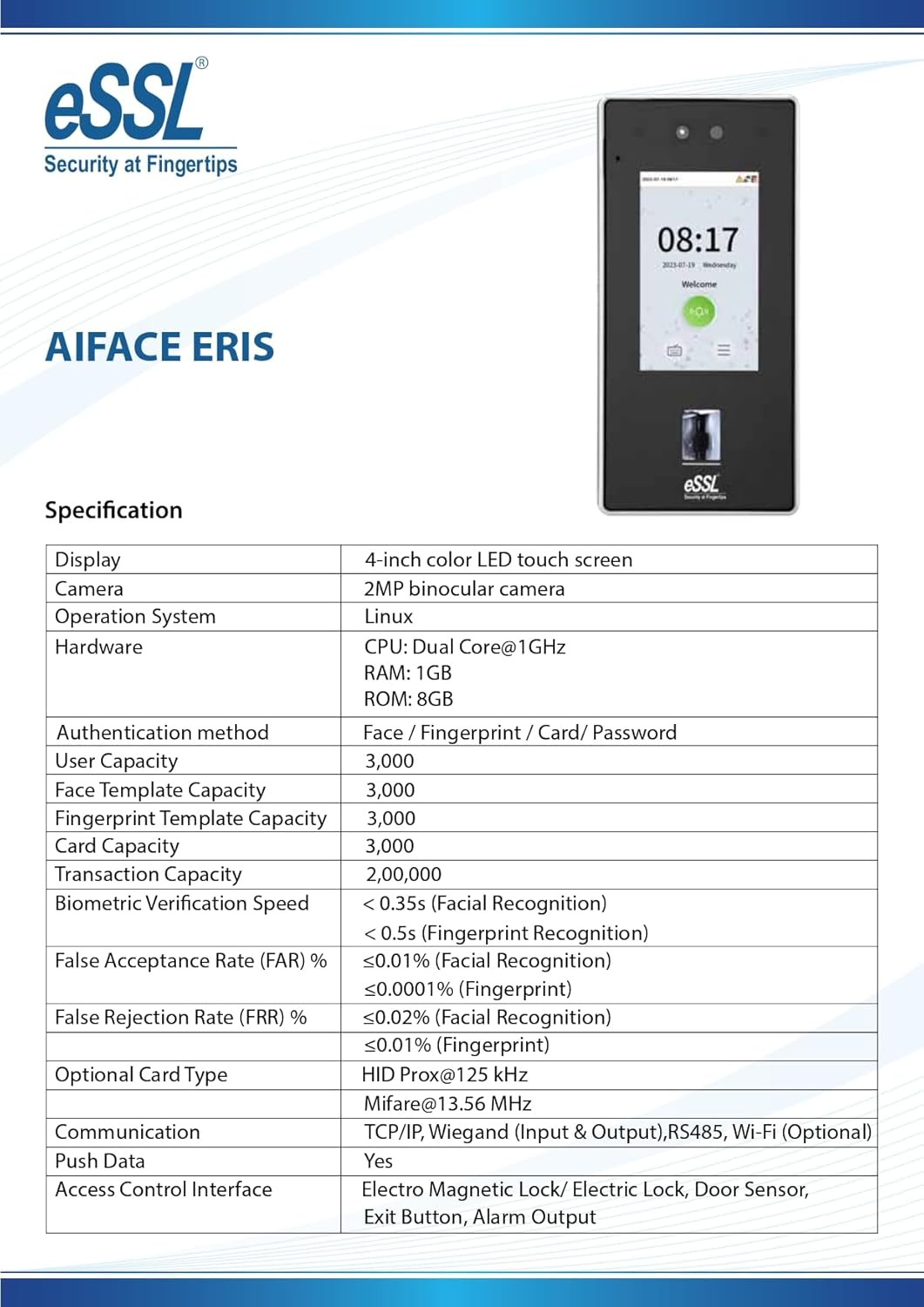
ESSL biometric machines are widely used by businesses, schools, factories and other organisations in India to record employee attendance and manage access to premises. The machine captures a fingerprint, face, card or other supported credential, while compatible software helps administrators organise user records, review attendance and prepare reports.
The right software depends on the ESSL device model, the organisation’s requirements and how the system is connected. Before installing or purchasing a solution, check the machine’s documentation and confirm compatibility with the software provider.
What does ESSL biometric software do?
ESSL biometric software provides a central place to manage information collected by compatible biometric devices. Common functions may include:
- Employee and user management: Add users, assign employee IDs and organise people by department or location.
- Attendance processing: View clock-in and clock-out records and apply configured attendance rules.
- Shift and schedule management: Set up work schedules, weekly offs, grace periods and other rules where supported.
- Reports: Generate attendance summaries, late-arrival reports, absence records and other operational reports.
- Data export: Export records in formats such as Excel or CSV, depending on the software.
- Device administration: Connect to compatible machines and manage certain settings or records from a central system.
- Access management: For supported access-control devices and software, manage user permissions and entry records.
Available features vary by product, licence, device model and software version. Not every ESSL machine supports every feature.
Which software should you use?
ESSL devices may be supplied with or used alongside different attendance and access-control applications. Names such as eTimeTrackLite and BioTime are associated with ESSL-related attendance solutions, but suitability and availability can depend on the device and the vendor’s current offering.
Some organisations may also use third-party attendance or payroll systems. In such cases, confirm that the software can communicate with the specific biometric machine and that the required data can be exported or integrated.
Before choosing software, check:
- The exact model and firmware version of your ESSL machine.
- Whether the software supports fingerprint, face, card or other credentials used by the device.
- How the machine connects: LAN, Wi-Fi, USB or another supported method.
- Whether the software is desktop-based, server-based or cloud-based.
- The number of devices and employees supported by the proposed licence.
- Whether technical support, updates and data backup are included.
How to set up ESSL biometric machine software
Setup steps differ between software products and machine models. A typical installation process may include the following:
- Confirm compatibility: Check the device model, firmware and software requirements with the supplier or authorised support team.
- Install the application: Use the installation instructions provided for the selected software. Avoid unofficial installers.
- Connect the device: Configure the supported network or USB connection. For network setups, confirm that the computer and machine can communicate.
- Add the device in the software: Enter the connection details required by the application, such as the device’s IP address or communication settings.
- Set up users: Create employee records and enrol credentials on the machine or through the software, depending on the model.
- Configure attendance rules: Set working hours, shifts, holidays and other rules that reflect your organisation’s policy.
- Test the system: Record sample punches and check that they appear correctly in the software before beginning regular use.
For a multi-site installation, plan the network configuration and user-management process in advance. A qualified technician can help reduce connection and data-synchronisation issues.
Common issues and troubleshooting
The software cannot connect to the machine
Check that the device is powered on, connected to the network and configured with the correct communication settings. Also confirm that the computer can reach the device and that any firewall or network restrictions are not blocking communication.
Attendance records are missing
Confirm that the user is enrolled, that the correct device is selected and that records have been downloaded or synchronised. Check the date and time settings on both the machine and the software, as a mismatch can affect how records appear.
Reports show incorrect timings
Review the configured shifts, grace periods, time zone and attendance rules. Incorrect schedules or an unsynchronised device clock can lead to unexpected results.
Data is not appearing in payroll
Check the export format and employee ID mapping required by the payroll system. If an integration is being used, confirm that it is supported by both applications and that the configuration is current.
Protecting biometric and attendance data
Biometric records and employee attendance information should be handled carefully. Limit software access to authorised staff, use strong passwords and keep the computer or server protected with regular security updates. Back up important records securely, and follow your organisation’s data-retention policy and applicable privacy requirements.
Biometric templates are sensitive information. Avoid sharing them unnecessarily, and speak with your software provider about how the system stores, transfers and deletes biometric data.
Choosing the right solution
For a small office, a straightforward attendance application may be sufficient. Larger organisations may need multiple-device management, shift rules, role-based access, central reporting or payroll integration. The best choice is the one that is compatible with the existing ESSL hardware and suits the organisation’s daily attendance process.
Before making a decision, ask the supplier for a demonstration using your device model and a clear explanation of licensing, support, backup and data-handling arrangements. This helps ensure that your ESSL biometric machine software works reliably and provides useful attendance records for your organisation.
9 Key Benefits of eSSL Biometric Machine Software
- Automates attendance tracking.
- Reduces manual record-keeping.
- Helps manage employee records.
- Supports attendance reporting.
- Can simplify shift management.
- May connect multiple compatible devices.
- Makes attendance data easier to review.
- Can support payroll workflows.
- Helps streamline access management where supported.
5 Key Limitations of eSSL Biometric Machine Software
- Compatibility can vary by machine model and software version.
- Initial setup may require technical support.
- Network issues can disrupt data synchronisation.
- Some features may require paid licences.
- Biometric data needs careful security and privacy controls.
Automates attendance tracking.
ESSL biometric machine software automates attendance tracking by recording employees’ check-in and check-out times when they scan their fingerprint, face or access card. This reduces manual register work and helps minimise errors in attendance records. Managers can review working hours, late arrivals and absences more easily, saving time on routine administration.
Reduces manual record-keeping.
ESSL biometric machine software reduces manual record-keeping by automatically capturing and organising employee attendance data. Instead of maintaining paper registers or entering punch times by hand, authorised staff can review attendance records and generate reports through the software. This saves administrative time, helps minimise data-entry errors and makes it easier to find records when needed.
Helps manage employee records.
ESSL biometric machine software helps businesses manage employee records in one organised system. Administrators can maintain details such as employee IDs, departments and attendance data, making it easier to find and update information when needed. This can reduce manual record-keeping and support smoother attendance management.
Supports attendance reporting.
ESSL biometric machine software supports attendance reporting by organising employee punch records into clear, useful summaries. Depending on the software and device configuration, administrators can review attendance, late arrivals, absences and working hours, then export reports for payroll processing or internal records. This makes it easier to monitor attendance patterns and reduces the time spent preparing reports manually.
Can simplify shift management.
ESSL biometric machine software can simplify shift management by bringing employee schedules and attendance records together in one system. Depending on the software and device configuration, administrators can set up shifts, assign employees to schedules and review attendance against working hours. This can make it easier to track late arrivals, missed punches and shift changes, while reducing the manual effort involved in managing rosters.
May connect multiple compatible devices.
ESSL biometric machine software may allow multiple compatible devices to be connected to one central system. This can help organisations manage attendance across different departments, floors or branches without checking each machine separately. Depending on the software and device models, records can be brought together for easier monitoring and reporting. Check compatibility and connection requirements with the supplier before adding devices.
Makes attendance data easier to review.
ESSL biometric machine software makes attendance data easier to review by bringing employee punch records together in one place. Instead of checking entries manually, administrators can view attendance summaries, identify late arrivals or absences, and filter records by employee, department or date. This helps save time, spot discrepancies and prepare reports more efficiently.
Can support payroll workflows.
ESSL biometric machine software can support payroll workflows by organising attendance records, work hours, late arrivals and absences into reports that payroll teams can review. Depending on the software and setup, records may be exported or integrated with payroll systems, helping reduce manual data entry and making it easier to calculate pay. Configure shifts, overtime and leave rules carefully, and verify attendance data before processing payroll.
Helps streamline access management where supported.
Where supported, ESSL biometric machine software helps streamline access management by allowing authorised users to manage access permissions centrally. Administrators can assign or update entry rights for employees and review access records, making it easier to manage who can enter specific areas. Features vary by device model and software, so check compatibility before setup.
Compatibility can vary by machine model and software version.
One limitation of ESSL biometric machine software is that compatibility can vary between machine models and software versions. A feature or connection method supported by one device may not work with another, while older machines may require a specific software release or firmware update. Before installation or upgrading, check compatibility with the exact device model and version to avoid connection problems, missing features or disruption to attendance records.
Initial setup may require technical support.
One drawback of ESSL biometric machine software is that the initial setup may require technical support. Connecting the device to a computer or network, configuring user records and setting up shifts or attendance rules can be challenging for first-time users. The process may vary by machine model and software version, so organisations might need help from a supplier or technician to get everything working correctly and avoid delays.
Network issues can disrupt data synchronisation.
Network issues can disrupt data synchronisation between an ESSL biometric machine and its software, causing attendance records to appear late or remain unavailable until the connection is restored. Unstable Wi-Fi, incorrect network settings or outages may also interrupt communication with the device. Regularly checking the network connection and device settings, and having a suitable backup process, can help reduce delays and prevent records from being missed.
Some features may require paid licences.
Some features of ESSL biometric machine software may require a paid licence, which can increase the overall cost of using the system. Features such as advanced reporting, multi-location management, integrations or additional user capacity may not be included in the basic package. Before choosing a solution, check which features are covered by the quoted price and whether licence renewals, upgrades or technical support involve extra charges.
Biometric data needs careful security and privacy controls.
Biometric data needs careful security and privacy controls because fingerprints and facial information are sensitive and cannot be changed like a password if compromised. Organisations using ESSL biometric machine software should restrict access to authorised staff, use strong passwords, secure devices and networks, and back up records safely. It is also important to understand how biometric data is stored, who can access it and when it is deleted, while following the organisation’s data-retention policy and applicable privacy requirements.