Philips CCTV Camera: Features, Benefits and Buying Guide
A CCTV camera can help monitor a home, office, shop or other property, both during working hours and after closing time. If you are considering a Philips CCTV camera, it is important to compare the specifications of the particular model with your security needs. Product availability, features and support can vary by model and market, so always check the product documentation and buy from a reliable supplier.
What Is a Philips CCTV Camera?
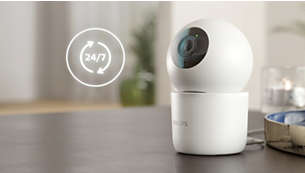
A Philips CCTV camera is a video surveillance camera sold under the Philips brand. Depending on the model, it may be designed for indoor or outdoor use and may connect to a recording device or network. A CCTV system can include one or more cameras, a Digital Video Recorder (DVR) or Network Video Recorder (NVR), storage, cabling and a viewing monitor or mobile app.
Not every camera has the same functions. Check the exact model number and specifications before making a purchase rather than relying on the brand name alone.
Features to Check Before Buying
- Resolution: Higher resolution can provide more image detail, but it also requires more storage and network capacity.
- Indoor or outdoor rating: For outdoor installation, check the camera’s weather-resistance rating and suitability for the location.
- Night vision: Infrared or other low-light features may help capture footage in dim conditions. Check the stated range and expected image quality.
- Field of view: The lens determines how much area the camera can cover. A wider view may cover more space, while a narrower view can show greater detail at a distance.
- Recording and storage: Confirm whether the camera works with a DVR, NVR, memory card or supported cloud service. Compatibility depends on the model and system.
- Connectivity: Cameras may use wired connections, Wi-Fi or other network options. Check network requirements and compatibility with existing equipment.
- Audio and motion features: Two-way audio, motion alerts and detection zones are available only on some models.
- Warranty and service: Review the warranty terms, service arrangements and availability of genuine accessories.
Benefits of a CCTV System
A well-planned CCTV system can help property owners observe entrances, reception areas, corridors, storage rooms and other important locations. Recorded footage may also assist with reviewing incidents. Remote viewing, where supported, can make it possible to check camera feeds through a compatible device.
These benefits depend on proper camera placement, reliable recording, suitable lighting and regular maintenance. CCTV should be considered one part of a broader security plan, alongside access control, alarms and good site procedures.
Choosing the Right Camera for Your Premises
Start by identifying the areas that need monitoring and the purpose of each camera. A camera aimed at an entrance may need to capture faces clearly, while one covering a larger open area may require a wider field of view. Consider the distance to the subject, lighting conditions, mounting position and whether the camera will be exposed to rain, dust or heat.
For a multi-camera installation, check that all cameras are compatible with the recording equipment and that the system has enough storage capacity. A security professional can help assess coverage, cabling, network requirements and suitable recording settings.
Installation and Maintenance
Install cameras at a stable height and angle, avoiding positions that point directly into bright sunlight or leave important areas obscured. Protect cables and connections, particularly outdoors. After installation, test the live view, recording, playback, date and time settings, and any motion alerts.
For ongoing reliability, clean the camera lens carefully, check mounting brackets and connections, confirm that recording is working, and keep the system’s software and passwords up to date. Use strong, unique passwords and restrict access to authorised users.
Privacy and Responsible Use
Position cameras to monitor your own premises and avoid recording areas where people have a reasonable expectation of privacy. Follow applicable Indian laws, workplace policies and building rules. Where appropriate, inform visitors, employees or residents that CCTV is in use, and limit access to recorded footage.
Final Thoughts
A Philips CCTV camera may be suitable for a range of security applications, but the right choice depends on the specifications of the individual model and the needs of the site. Compare image quality, night vision, weather protection, storage, connectivity, warranty and system compatibility before buying. For a dependable installation, seek advice from a qualified CCTV supplier or installer.
Philips CCTV Camera FAQs: Features, Outdoor Use, Night Vision, Mobile Viewing, Compatibility, Storage and Installation in India
- What features should I look for when buying a Philips CCTV camera?
- Are Philips CCTV cameras suitable for outdoor use?
- Do Philips CCTV cameras offer night vision?
- Can I view Philips CCTV camera footage on my mobile phone?
- Are Philips CCTV cameras compatible with DVRs or NVRs from other brands?
- How much video storage do I need for a Philips CCTV camera?
- Where can I get a Philips CCTV camera installed and serviced in India?
What features should I look for when buying a Philips CCTV camera?
When buying a Philips CCTV camera, consider the resolution and field of view needed to capture clear footage of your chosen area, along with night-vision performance for low-light conditions. For outdoor use, check the camera’s weather-resistance rating, and confirm how it connects—such as by cable or Wi-Fi—and whether it is compatible with your existing DVR, NVR or network. Also review recording and storage options, motion detection or alerts, audio features if required, warranty and local service support. Features vary by model, so check the exact product specifications before purchasing.
Are Philips CCTV cameras suitable for outdoor use?
Philips CCTV cameras may be suitable for outdoor use, depending on the specific model. Before installation, check the product’s weather-resistance rating and confirm that it can withstand the rain, dust, temperature and other conditions at your site. Choose a secure mounting position and protect exposed cables and connections. Since features vary by model, refer to the manufacturer’s specifications or consult an authorised supplier to find a camera suited to your requirements.
Do Philips CCTV cameras offer night vision?
Many Philips CCTV camera models offer night vision, often using infrared LEDs to capture footage in low-light or dark conditions. However, this feature and its effective range vary by model, so check the product specifications before buying to confirm whether night vision is included and is suitable for your premises.
Can I view Philips CCTV camera footage on my mobile phone?
Yes, you may be able to view footage from a Philips CCTV camera on your mobile phone if the specific model supports remote viewing and is connected to a compatible app, recorder or network system. Check the camera’s manual for the recommended app and setup instructions, and ensure your internet connection and device are compatible. Features and availability can vary by model.
Are Philips CCTV cameras compatible with DVRs or NVRs from other brands?
Philips CCTV camera compatibility with DVRs or NVRs from other brands depends on the camera model and connection type. Analogue cameras generally need a recorder that supports the same video format, while IP cameras may work with third-party NVRs if they use a compatible protocol, such as ONVIF. Before buying, check the camera and recorder specifications, supported resolutions and firmware, and confirm compatibility with the supplier.
How much video storage do I need for a Philips CCTV camera?
The storage required for a Philips CCTV camera depends on the number of cameras, video resolution, frame rate, compression format, recording hours and whether recording is continuous or motion-activated. Higher-resolution footage and 24-hour recording use more space, while motion-based recording can reduce storage needs. Check the camera and DVR/NVR specifications, then estimate capacity for the number of days you want to retain footage; a CCTV installer can help calculate the right storage for your setup.
Where can I get a Philips CCTV camera installed and serviced in India?
You can get a Philips CCTV camera installed and serviced in India through an authorised Philips dealer or a reputable CCTV installer who can confirm the camera’s compatibility, warranty and service options. Before booking, check the provider’s experience, service coverage in your area, installation charges and warranty terms. Keep the camera’s model number and purchase details handy, and contact Philips support or the seller to verify the nearest authorised service option.